Getting an Apple Card is quick and easy. You can apply right from your iPhone or iPad in just minutes. You can apply for Apple Card with no impact to your credit score to see if you’re approved and what credit limit you might receive.
The Apple Card offers great benefits like up to 3% Daily Cash back on purchases and no fees. It works with Apple Pay and comes with a physical titanium card too. Plus, you can manage everything from the Wallet app on your iPhone, making it simple to track spending and make payments.
To start your application, open the Wallet app on your iPhone or go to Settings on your iPad, tap Wallet & Apple Pay, and select Add Card. You’ll need to be at least 18 years old with a valid US ID and have an Apple device running recent software.
How to Apply for an Apple Card
The Apple Card is a credit card designed to work seamlessly with your iPhone, offering simple fees, daily cash rewards, and strong privacy features. This guide walks you through eligibility requirements, the application process, and what to expect after approval.
What Is the Apple Card?
Apple Card is a credit card issued by Goldman Sachs and integrated into the Apple Wallet app on iPhone. You can use:
- A virtual card instantly after approval
- A physical titanium card (optional)
- Apple Pay for contactless purchases
Key benefits include:
- Daily Cash rewards
- No annual, foreign transaction, or late fees
- Built-in spending tracking in Wallet
Eligibility Requirements
Before applying, make sure you meet these requirements:
- iPhone with the latest version of iOS
- Apple ID signed in to iCloud
- U.S. resident with a valid U.S. address
- 18 years or older (19 in some states)
- Social Security Number (SSN)
A credit history is helpful, but Apple Card may approve applicants with limited credit.
Step-by-Step: How to Apply for an Apple Card
1. Open the Wallet App
- On your iPhone, open the Wallet app.
- Tap the “+” button in the top-right corner.
- Select Apple Card.
2. Enter Your Personal Information
You’ll be asked to provide:
- Full legal name
- Date of birth
- Home address
- Social Security Number
Make sure all details are accurate to avoid delays or denial.
3. Review Your Credit Offer
After submitting your information, Apple will show:
- Your credit limit
- APR (interest rate) range
✅ Reviewing this offer does not affect your credit score.
4. Accept or Decline the Offer
- Tap Accept Apple Card to continue.
- If you decline, no credit check is recorded.
Once accepted, a hard inquiry may be performed.
5. Set Up Apple Pay
After approval:
- Your virtual Apple Card is available immediately in Wallet.
- You can start using it with Apple Pay right away.
6. Request a Physical Apple Card (Optional)
If you want the titanium card:
- In Wallet, tap Apple Card
- Select Request Physical Card
- Confirm your mailing address
The card typically arrives within 1–2 weeks.
Using Your Apple Card
- 3% Daily Cash on Apple purchases and select partners
- 2% Daily Cash on Apple Pay purchases
- 1% Daily Cash with the physical card
Daily Cash is deposited directly into your Apple Cash account.
Managing Your Apple Card
You can manage everything in the Wallet app:
- Track spending by category
- Make payments or schedule recurring payments
- View statements and balances
- Lock or replace your card if lost
Frequently Asked Questions
Q: Does applying for Apple Card affect my credit score?
A: Viewing your offer does not affect your score. Accepting the offer may result in a hard credit inquiry.
Q: Can I apply without an iPhone?
A: No. An iPhone is required to apply and manage Apple Card.
Q: Can I add a co-owner or authorized user?
A: Apple Card supports co-owners and participants through Apple Card Family, subject to eligibility.
Q: What happens if I’m denied?
A: You’ll receive a reason for denial and can reapply later after improving credit factors such as payment history or debt levels.
Tips for a Successful Application
- Make sure your iOS is up to date
- Double-check your SSN and address
- Pay down existing debt before applying
- Avoid applying for multiple credit cards at once
Key Takeaways
- Apply for Apple Card in minutes through the Wallet app on iPhone or Settings on iPad with no impact to your credit score.
- Apple Card offers up to 3% Daily Cash back on purchases with no hidden fees.
- Manage your Apple Card entirely through the Wallet app to easily track spending and make payments.
Eligibility and Requirements
Before applying for an Apple Card, you need to meet several basic requirements. These include age and citizenship criteria, having compatible Apple devices, and setting up proper security measures for your Apple account.
Age and Citizenship Requirements
To qualify for an Apple Card, you must be at least 18 years old. This age requirement is standard across all U.S. states.
You must also be either a U.S. citizen or a lawful U.S. resident. Apple Card is currently only available to people living in the United States.
A valid U.S. residential address is required for your application. P.O. Boxes are not accepted when applying for an Apple Card.
Goldman Sachs, the bank behind Apple Card, also reviews your income during the application process. While there’s no official minimum income requirement, reports suggest having an annual income of at least $21,000 may improve your chances of approval.
Required Apple Devices
You need at least one compatible Apple device to apply for and use an Apple Card. The most common device used is an iPhone, which must be running a recent version of iOS.
Your iPhone needs to support Apple Pay and the Wallet app, where your Apple Card information will be stored and managed. Most iPhones released in the past several years meet these requirements.
While not strictly required for the application, having other Apple devices like an iPad, Apple Watch, or Mac can enhance your Apple Card experience. These devices allow you to manage your card from multiple platforms.
Make sure your devices are updated to the latest operating system before applying to avoid any compatibility issues.
Apple ID and Two-Factor Authentication
A valid Apple ID is essential for your Apple Card application. This is the same account you use for other Apple services like the App Store or iCloud.
For security reasons, you must have two-factor authentication set up on your Apple ID before applying. This extra security layer helps protect your financial information.
To set up two-factor authentication:
- Go to Settings on your iPhone
- Tap your name at the top
- Select “Password & Security”
- Turn on two-factor authentication
- Follow the on-screen instructions
Your Apple ID must be in good standing with no serious issues or restrictions. Apple uses this account to verify your identity and communicate important information about your card.
Getting Started with Apple Card
The Apple Card offers a simple application process and powerful features to help you manage your finances. You can apply directly from your iPhone or iPad and start using your card right away if approved.
Setting Up Apple ID and Wallet App
Before applying for an Apple Card, you need an Apple ID and the Wallet app on your device. The Wallet app comes pre-installed on iPhones. If you’re using an iPad, you can apply through the Settings app.
Make sure your Apple ID is signed in on your device. Your Apple ID must be in good standing and have two-factor authentication enabled for security purposes.
To check if your device is ready:
- Ensure iOS or iPadOS is updated to the latest version
- Verify you’re signed into iCloud with your Apple ID
- Confirm the Wallet app is installed
Users can also apply online after logging in with their Apple ID if they prefer not to use the Wallet app.
Understanding Apple Card Features
The Apple Card stands out with its user-friendly features and lack of fees. Apple eliminated all fees and built tools to help users pay less interest over time.
Daily Cash is one of the most popular features. Users earn cash back on every purchase:
- 3% on Apple purchases and select merchants
- 2% on all Apple Pay transactions
- 1% when using the physical titanium card
The card integrates seamlessly with Apple Pay for contactless payments. Users can apply in minutes to see if they’re approved with no impact to their credit score.
The Wallet app shows spending categories with color-coding and weekly/monthly summaries. It also offers payment options that clearly show how interest might affect different payment amounts.
Application Process
The Apple Card application is quick and straightforward, requiring just a few minutes of your time. You can complete the entire process on your iPhone without affecting your credit score during the initial evaluation.
Steps to Apply for Apple Card
To apply for an Apple Card, you’ll need an iPhone with the latest iOS and an Apple ID that has two-factor authentication enabled. Here’s how to get started:
- Open the Wallet app on your iPhone
- Tap the plus sign (+) in the top right corner
- Select “Apple Card” from the payment options
- Tap “Continue” and follow the on-screen instructions
- Fill in your personal information including:
- Full name
- Date of birth
- Email address
- Phone number
The application form is simple. You’ll need to provide your annual income and the last four digits of your Social Security Number. This information helps determine your credit limit and interest rate.
After completing the form, review your information and submit your application. The process takes only minutes to complete.
Approval Criteria
Goldman Sachs, Apple’s banking partner, reviews several factors when considering your application. These include:
- Credit score: Applicants typically need a credit score in the mid-600s or higher
- Debt-to-income ratio: Lower ratios improve chances of approval
- Recent credit inquiries: Too many recent inquiries may affect approval
- Payment history: A strong history of on-time payments helps
Income requirements aren’t specifically stated, but higher income may lead to better terms. There’s no annual fee for the Apple Card, making it accessible to many users.
Past credit issues like bankruptcies or late payments might affect approval odds. However, Apple Card is known to accept applicants with varying credit backgrounds.
What to Do After Application Submission
After submitting your application, you’ll receive a decision within minutes. If approved for the Apple Card, you’ll see your offered credit limit and APR immediately.
You can:
- Accept the offer right away
- Take time to review the terms (the offer is valid for a limited time)
- Request a credit limit increase later if needed
Once accepted, your digital Apple Card becomes available in the Wallet app immediately. You can start using it for purchases right away through Apple Pay.
The physical titanium card will arrive in the mail within 7-10 business days. You’ll need to activate it through your iPhone when it arrives by following the prompts in the Wallet app.
If denied, you’ll receive an explanation email. You can apply again after addressing the issues in your credit profile.
Financial Considerations
Before applying for Apple Card, it’s important to understand the costs involved and how to manage your account. Apple Card offers competitive rates and transparent payment options, but you should be aware of potential fees and interest charges.
Apple Card Interest Rates
Apple Card has variable interest rates that depend on your credit score and financial history. Rates typically range from 10.99% to 24.99% APR based on creditworthiness. When Goldman Sachs reviews your application, they consider several factors to determine your rate.
Your FICO score plays a major role in the interest rate you receive. Higher scores generally qualify for lower rates.
The Apple Card shows a clear breakdown of interest charges in the Wallet app. This helps you understand exactly what you’re paying for.
If you pay your balance in full each month, you won’t be charged any interest. This is one of the best ways to use the card responsibly.
Tip: Apple Card offers a feature that shows you how different payment amounts affect your interest charges, helping you make smarter payment decisions.
Fees and Penalties
One of the standout features of Apple Card is its no-fee structure. Unlike many credit cards, Apple Card has:
- No annual fees
- No late payment fees
- No over-limit fees
- No foreign transaction fees
This fee-free approach makes Apple Card an attractive option compared to traditional credit cards. However, missing payments can still impact your credit score even without late fees.
If you’re denied for an Apple Card, you might be eligible for the Path to Apple Card program. This program provides personalized steps to improve your chances of approval in the future.
Remember that while there are no fees, late or missed payments will still accrue interest on unpaid balances.
Managing Payments and Balances
The Apple Card makes tracking and managing your spending simple through the Wallet app. Purchases are automatically categorized by color, making it easy to see where your money goes.
Payment scheduling is flexible. You can set up daily, weekly, or monthly payments to fit your budget. The app clearly shows payment due dates to help you avoid missing payments.
The card offers a payment wheel feature that visually shows how much interest you’ll pay based on your payment amount. This encourages you to pay more than the minimum.
Apple Card also allows instant cashback through Daily Cash. You earn:
- 3% on Apple purchases and select merchants
- 2% when using Apple Pay
- 1% when using the physical card
Your Daily Cash is available to use right away and can be applied toward your balance to reduce what you owe.
Rewards and Benefits
Apple Card offers attractive rewards that put money back in your pocket with every purchase. The card comes with no annual fees while providing valuable perks that can help your finances grow.
Daily Cash and Cash Back Rewards
Apple Card stands out by offering Daily Cash back on all your purchases. Unlike traditional cards that make you wait until month-end, Daily Cash appears in your Apple Cash card shortly after transactions complete.
You’ll earn 3% Daily Cash when buying Apple products including iPhones, Macs, and services like Apple TV+. The same 3% applies when using Apple Pay at select partners.
Most other Apple Pay purchases earn 2% back. For places that don’t accept Apple Pay, the physical titanium card still earns 1% Daily Cash.
There’s no limit to how much Daily Cash you can earn. The money is yours to use however you want – spend it, send it to friends, or save it for later.
Special Partnerships and Offers
Apple has created special partnerships with popular brands to boost your rewards. When you use Apple Card with Apple Pay at these partners, you’ll earn the premium 3% Daily Cash rate.
Current partners include Uber, Uber Eats, T-Mobile, Walgreens, and Nike. Apple occasionally adds new partners to this list.
Apple Card users also get access to ShopRunner benefits, providing free 2-day shipping at hundreds of online stores.
The card integrates seamlessly with Booking.com, where you can earn 3% Daily Cash on eligible stays and car rentals when using a special booking link.
High-Yield Savings Account Integration
Apple Card users can open a High-Yield Savings Account directly from their Wallet app. This account offers competitive interest rates with no fees or minimum deposits.
Your Daily Cash rewards can automatically deposit into this savings account, helping your money grow faster. You can also transfer additional funds from your linked bank account.
The savings account is FDIC-insured and managed through Goldman Sachs, Apple’s banking partner. Account management happens right in the Wallet app, making it easy to check balances and move money.
This integration creates a simple financial ecosystem that encourages saving while still giving you full access to your cash whenever needed.
Apple Card Maintenance
Keeping your Apple Card in good standing requires regular upkeep and attention to detail. Taking care of both the digital aspects in your Wallet app and your physical titanium card will ensure smooth transactions and optimal benefits.
Regular Account Monitoring
Checking your Apple Card activity regularly helps prevent fraud and manage your spending. The Wallet app shows all transactions in real-time, categorized by type with color coding for easy tracking.
To monitor your account:
- Open the Wallet app daily to review recent purchases
- Check for unauthorized transactions immediately
- Review your spending by categories (Food, Shopping, Entertainment)
- Track your payment due dates to avoid late fees
Apple Card offers weekly and monthly spending summaries that break down where your money goes. These visual reports help you understand spending patterns better than traditional bank statements.
The titanium Apple Card doesn’t show transaction details for security. All purchase information stays safely in your Wallet app instead of printing on paper statements.
Updating Personal Information
Keeping your personal details current ensures you don’t miss important notifications about your Apple Card.
- Open the Wallet app on your iPhone
- Tap on your Apple Card
- Select the more button (three dots)
- Choose “Card Information”
- Update your phone number, email, or home address
If you move to a new address, updating your information promptly helps avoid missed physical card deliveries or important mail. Goldman Sachs uses this information to verify your identity during security checks.
For name changes, you’ll need to contact Apple Card Support directly. They may request legal documentation before updating your records.
The physical titanium card needs replacement if damaged or lost. Request a new one through the Wallet app, and Apple will deactivate your old card instantly for security.
Customer Service and Support
Apple Card provides several ways to get help when you need it. Their support team is ready to assist with account issues, technical problems, or questions about your card.
Contacting Apple Support
If you need help with your Apple Card, you can call an Apple Card Specialist at 1-877-255-5923. This direct phone line connects you to customer service representatives who can answer questions about your application or existing account.
For iPhone users, getting support is even easier. You can contact Apple Card support directly through the Wallet app. Just open the app, select your Apple Card, and tap on the support option.
Apple also offers help through their support website where you can find guides and information about common issues. The website includes step-by-step instructions for activating your card, managing payments, and understanding your benefits.
Disputing Charges and Reporting Issues
If you spot an incorrect charge on your Apple Card, you can dispute it quickly through the Wallet app. Simply tap on the transaction in question and select the option to report an issue.
For lost or stolen cards, report the problem immediately. You can lock your card directly from your iPhone to prevent unauthorized purchases while you resolve the issue.
Goldman Sachs, the bank behind Apple Card, works with Apple to handle financial disputes. They review all reported issues according to standard banking regulations.
The dispute process typically takes 7-10 business days. During this time, you may receive temporary credit while the investigation is in progress.
For serious issues like identity theft or fraud, Apple and Goldman Sachs have specialized teams to help protect your account and restore your financial standing.
Physical Apple Card
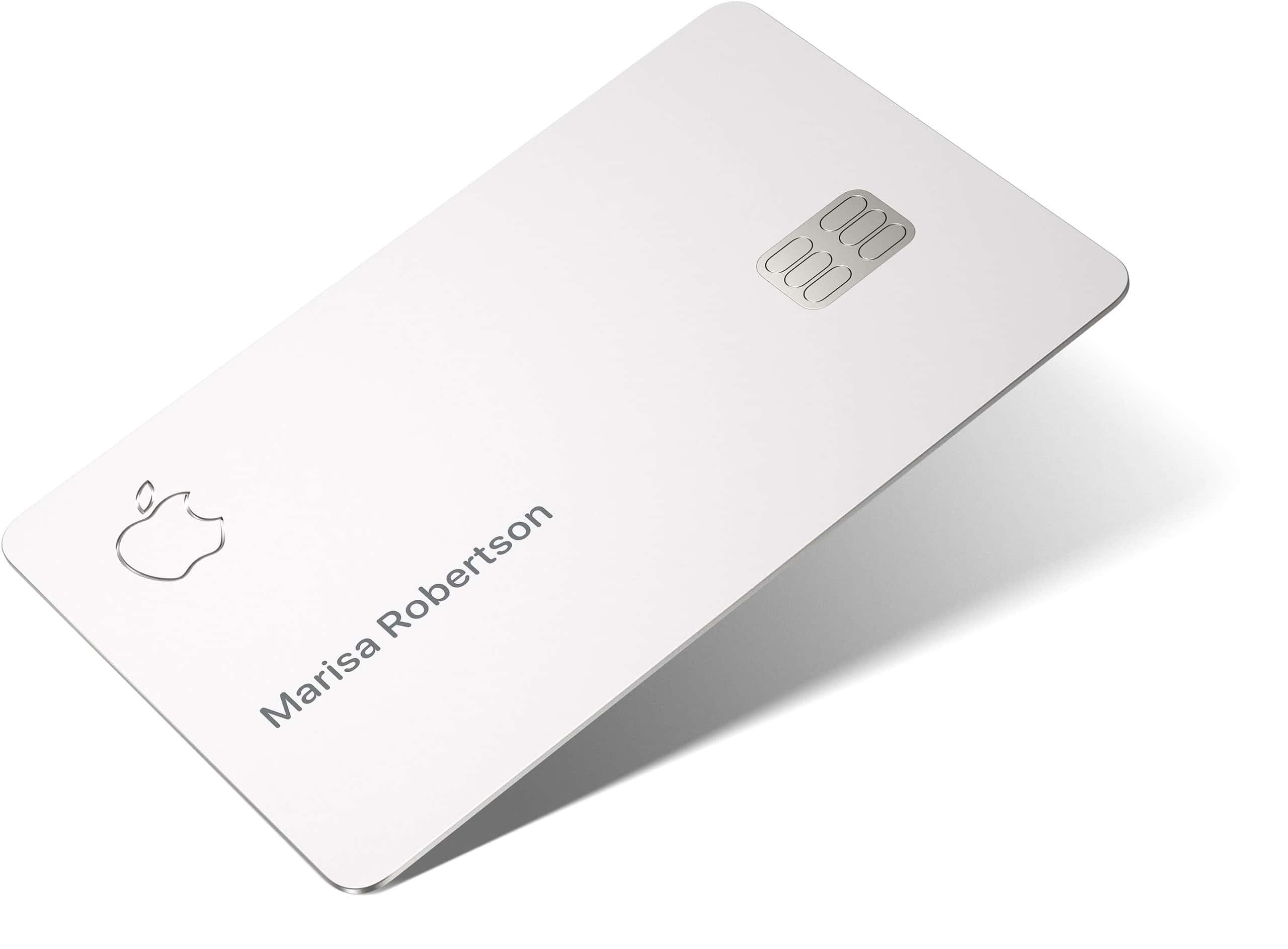
After you apply for Apple Card, you can also get a physical titanium Apple Card to use at stores that don’t accept Apple Pay. The card is made of titanium and has a clean, minimal design.
The physical card doesn’t show your card number, expiration date, or security code. This gives you extra security if your card is lost or stolen.
To request your titanium card, follow these steps:
- Open the Wallet app on your iPhone
- Tap your Apple Card
- Tap the More button (…)
- Select Card Details
- Scroll down and tap “Get a Titanium Apple Card”
Your physical card will arrive by mail in a few days. Once it arrives, you’ll need to activate it using your iPhone.
Remember that using Apple Pay gives you 2% Daily Cash back, while using the physical card only gives you 1% back. Try to use Apple Pay when possible to get more rewards.
The physical card has no numbers on it—just your name. This sleek design matches Apple’s style and helps protect your information.
If you lose your physical card, you can easily lock it or request a replacement through the Wallet app without changing your account number.
Terms and Conditions
When you apply for Apple Card, you agree to certain terms that govern your account. These terms are important to understand before you start using your card.
Apple Card has no fees – this means no annual, late, international, or over-the-limit fees. This is one of its main selling points compared to other credit cards.
The Apple Card is issued by Goldman Sachs Bank USA and uses the MasterCard network. Both companies have their own rules that apply to your card use.
Interest rates for Apple Card vary based on creditworthiness. The card offers:
- Up to 3% Daily Cash back on purchases
- 2% Daily Cash when using Apple Pay
- 1% on purchases made with the physical card
By accepting an Apple Card after approval, users will experience a hard inquiry that may impact their credit score. This is standard for most credit cards.
All Apple Card applicants must meet certain requirements:
- Be at least 18 years old
- Be a U.S. citizen or lawful U.S. resident
- Have a U.S. residential address
The terms allow for family sharing through Apple Card Family. Each participant’s use of the account is governed by the same agreement terms.
Users should read the full Apple Card Customer Agreement before applying. This document explains all rights and responsibilities in detail.
Frequently Asked Questions
Apple Card offers a simple application process with specific requirements. Here are answers to common questions about applying for and managing your Apple Card.
What are the eligibility requirements for obtaining an Apple Card?
To qualify for an Apple Card, you must be at least 18 years old (age requirements may vary by location).
You need to be a U.S. citizen or a lawful U.S. resident with a valid U.S. residential address.
A compatible iPhone with the latest iOS version is also needed to apply and manage your card.
What steps must be taken to apply for an Apple Card online?
You can apply for Apple Card directly from your iPhone in the Wallet app. The process takes just minutes.
On iPad, open the Settings app, scroll to Wallet & Apple Pay, tap Add Card, then select Apple Card.
The application asks for basic personal information and does not impact your credit score to check if you’re approved.
What methods are available for making a payment on an Apple Card account?
Apple Card payments can be made through the Wallet app on your iPhone.
Users can set up automatic payments or make manual payments from a linked bank account.
Apple Card has no fees, and tools are built in to help users pay less interest.
Is pre-approval required or available when applying for an Apple Card, and if so, how does one acquire it?
Pre-approval is available when applying for an Apple Card. It lets you see if you qualify without affecting your credit score.
To check for pre-approval, start the application process in the Wallet app on your iPhone.
The system will check your eligibility based on some basic information before you commit to a full application.
What factors contribute to the approval process for an Apple credit card?
Apple and Goldman Sachs review several factors during the application evaluation.
These typically include your credit score, income, and existing debt obligations.
Your payment history with other creditors also plays a role in the approval decision.
How does one access their Apple Card account through the login portal?
Apple Card doesn’t use a traditional login portal like other credit cards.
All account management is done directly through the Wallet app on your iPhone.
For security, access to your Apple Card details requires your device passcode, Face ID, or Touch ID.