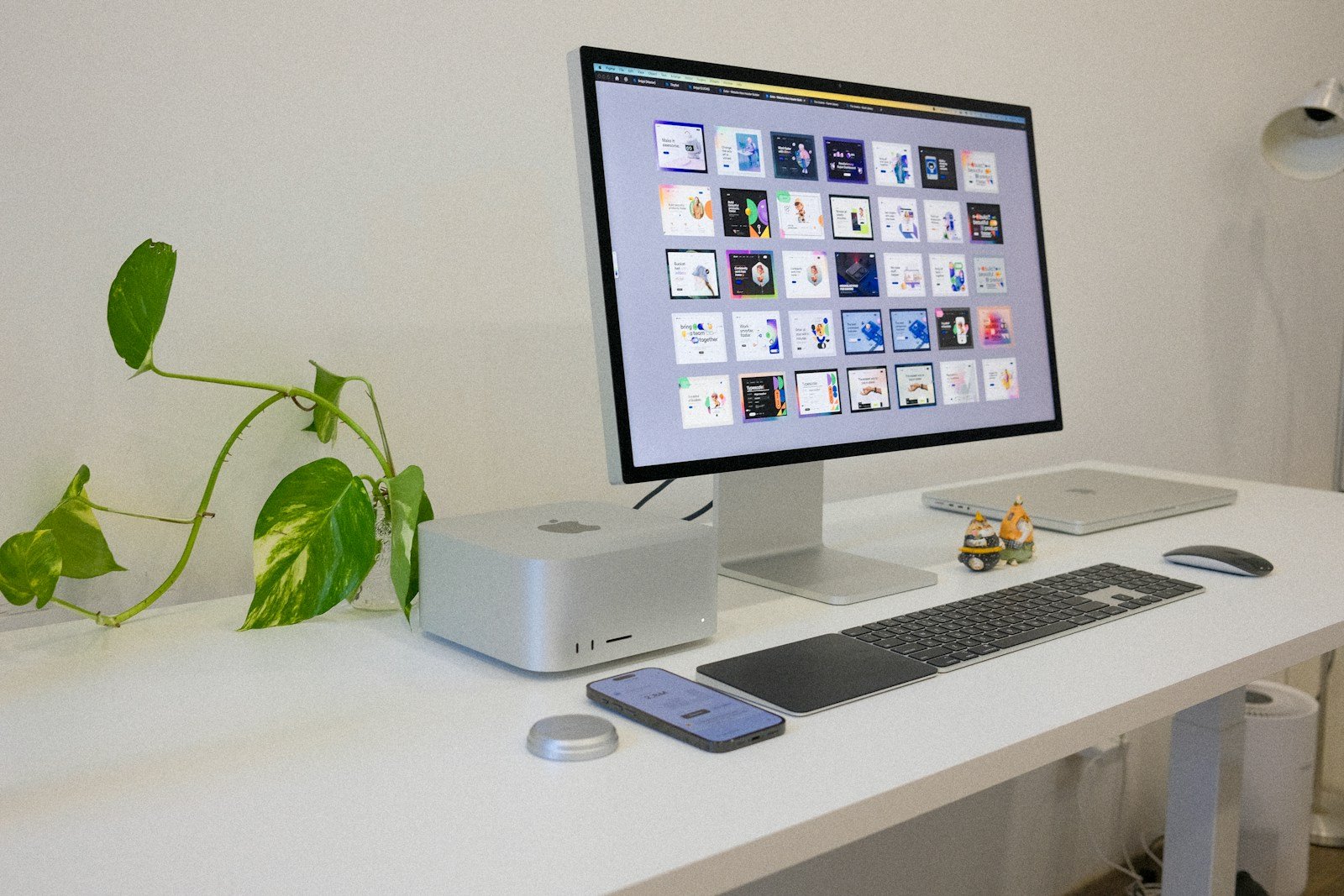
The Mac Studio stands as a significant advancement for Apple, offering users a powerful desktop option that complements the range of Mac computers available. Designed with the professional in mind, the Mac Studio stand is crafted from 100% recycled aluminum, showcasing Apple’s commitment to both design and environmental responsibility. With its compact form factor, it supports the Mac Studio which was introduced in 2022, providing a stable base and enhancing the desktop’s overall aesthetic.
Apple’s design ethos extends to the accessories for Mac Studio, with the stand offering a universal size that accommodates various models including the M1 Max, M1 Ultra, M2 Max, and M2 Ultra chips. The stand not only supports the Mac Studio but is also compatible with the Mac mini, illustrating its versatility. This compatibility with a range of desktops ensures that users can maintain a streamlined workspace, whether they are using macOS, iOS, or iPadOS devices.
Apple further ensures that the Studio Display pairs seamlessly with the Mac Studio. Owners of the display can choose from different stands that promote ergonomic viewing angles or even opt for a VESA mount adapter, depending on their specific setup needs. This flexibility in customization allows for a personalized experience that can enhance productivity and ease of use.
Mac Studio Stand: Elevating Your Workstation Efficiency
The Mac Studio is a powerhouse designed for professionals—but without the right setup, even the most powerful machine can fall short of its potential. A Mac Studio stand might seem like a small accessory, but it can dramatically improve your workflow, comfort, and desk organization.
Here’s why a Mac Studio stand is more than just a lift—it’s an upgrade to your entire workstation.
Why Use a Mac Studio Stand?
1. Improved Airflow & Cooling
Mac Studio relies on efficient airflow to maintain peak performance. Elevating the device:
- Allows better air circulation
- Reduces heat buildup
- Helps maintain consistent performance during heavy workloads like video rendering or 3D modeling
Better cooling can also contribute to the longevity of your device.
2. Easier Access to Ports
The Mac Studio’s ports are powerful—but often awkwardly placed when the device sits flat on a desk.
A stand can:
- Tilt or raise the Mac Studio for easier access
- Reduce cable strain
- Make frequent plug‑ins (SD cards, USB devices, external drives) far more convenient
3. Cleaner Desk Organization
A stand helps reclaim valuable desk space by:
- Creating room underneath for keyboards, hubs, or notebooks
- Reducing cable clutter
- Making your workspace look cleaner and more intentional
A tidy desk isn’t just aesthetic—it improves focus and productivity.
4. Ergonomic Benefits
While the Mac Studio itself doesn’t move, a stand helps align your workstation more effectively by:
- Positioning cables and accessories at more comfortable angles
- Reducing unnecessary reaching or bending
- Supporting a more ergonomic desk layout overall
Small ergonomic improvements add up during long workdays.
Types of Mac Studio Stands
Minimal Lift Stands
- Simple elevation
- Focused on airflow and aesthetics
- Ideal for users who don’t frequently access ports
Tilted Access Stands
- Slightly angled design
- Makes front and rear ports easier to reach
- Great for creators who swap devices often
Storage & Dock Stands
- Include drawers or built‑in hubs
- Combine organization with connectivity
- Best for compact or minimalist setups
Materials Matter
Aluminum
- Matches Apple’s design language
- Excellent heat dissipation
- Durable and professional looking
Wood
- Adds warmth and personality
- Blends well with home offices
- Best paired with good ventilation design
Plastic or Composite
- Lightweight and affordable
- Wide variety of styles
- Ensure stability and proper airflow
What to Look for in a Mac Studio Stand
When choosing a stand, consider:
- Ventilation design (open base or vent channels)
- Stability & weight support
- Non‑slip feet or padding
- Port accessibility
- Desk footprint
- Compatibility with Mac Studio dimensions
A well‑designed stand should enhance—not restrict—your Mac Studio’s functionality.
Is a Mac Studio Stand Worth It?
If you:
- Work long hours at your desk
- Regularly connect external devices
- Care about cooling, organization, and aesthetics
…then a Mac Studio stand is absolutely worth the investment.
It’s a small addition that delivers noticeable improvements in comfort, efficiency, and workspace clarity.
Final Thoughts
Your Mac Studio is built for performance. A dedicated stand ensures your workstation is built to match.
By improving airflow, accessibility, and organization, a Mac Studio stand helps you work smarter—not harder—every single day.
Key Takeaways
- The Mac Studio stand is designed for Apple’s range of desktop computers and is made of 100% recycled aluminum.
- It offers universal compatibility with models such as the M1 Max and M2 Ultra, as well as the Mac mini.
- Different stand and mount options are available for the Studio Display to accommodate a personalized setup.
Design and Features
The Mac Studio and Studio Display stand out with their aluminum design and versatile stand options.
Stand and Display Characteristics
The Studio Display offers a 27-inch 5K Retina display that brings visuals to life with P3 wide color and True Tone technology. This screen is engineered with two stand choices. The tilt-adjustable stand allows for changing the angle of the screen. The height-adjustable stand expands this functionality by adding vertical movement. Users can also opt for nano-texture glass, which reduces glare without sacrificing clarity.
Connectivity and Ports
On the back of Mac Studio, users find an extensive set of connectivity options. It includes four Thunderbolt 4 ports, which facilitate quick data transfer and connection to multiple devices. Additionally, multiple USB-C ports expand the potential for peripheral connectivity. Studio Display maintains a seamless experience by enabling a variety of connections that suit professional needs.
Compatibility and Support
The powerful A13 Bionic chip runs the show from behind the scenes, supporting the advanced Center Stage feature, which adjusts the frame during video calls. Both the Studio Display and the Mac Studio are compatible with VESA mount adapters, accommodating various setups. This compatibility ensures that whether pairing with Mac Studio or Pro Display XDR, the setup is efficient and cohesive.
Performance and Accessories
The Mac Studio stands out with its high-performance capabilities and suited accessories for an enhanced user experience. From audio and visual components to the intricate design of the stand, every aspect contributes to its overall appeal and functionality.
Audio and Visual Enhancements
The Studio Display, intended as a companion for the Mac Studio, delivers an impressive visual experience with a 5K resolution. It packs 14.7 million pixels ensuring crisp, vibrant images that bring forth 1 billion colors. Users delight in an ultra-wide camera coupled with a three-mic array that employs directional beamforming. This setup enhances video calls, making them more lifelike. Moreover, the six-speaker sound system with a force-cancelling woofer bids a rich audio space. The sound system and microphone array work together to provide clear audio whether it’s for listening to music or attending virtual meetings.
Specifications and Engineering
Mac Studio’s framework is engineered around the performance of the M1 Max and M1 Ultra chips. These processors are at the heart of the system’s high-speed performance, providing a powerhouse for creative professionals. The Spigen-designed stand is one such accessory that not only elevates the device for better airflow but also filters to prevent particles from hindering the system’s efficiency. Its design allows for quick access to ports and unobstructed interaction with the device. Specifications highlight the stand’s ability to support the machine’s performance while tending to the sleek and minimalist design that Mac users appreciate.