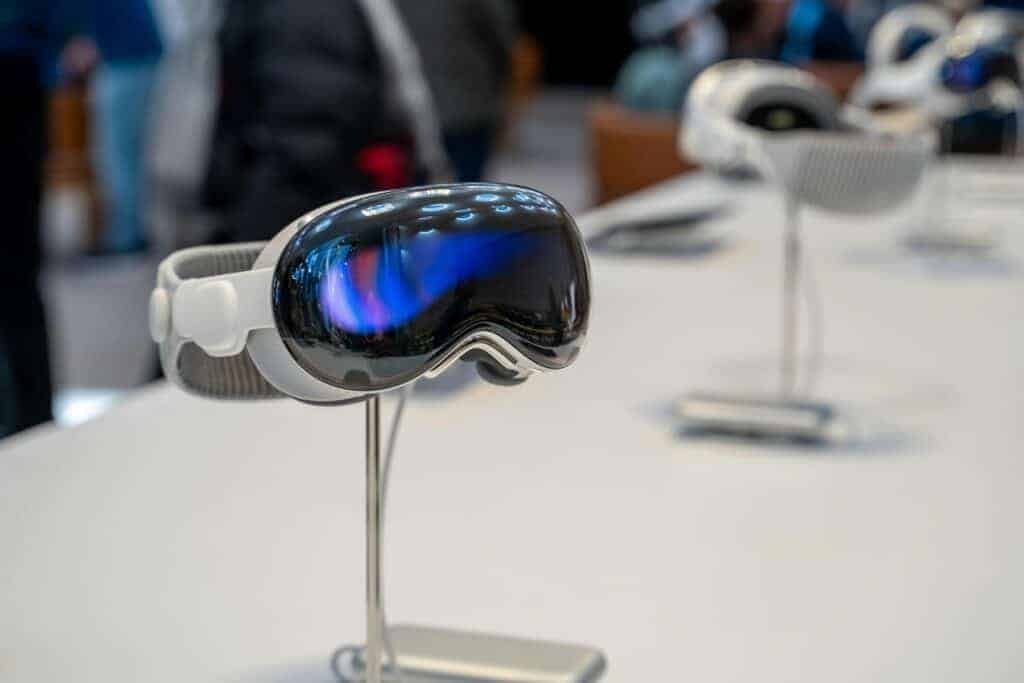
Shortly after the Apple Vision Pro launched, a small number of owners began reporting a vertical hairline crack forming in the front cover glass, typically centered above the nose bridge. The crack often appeared without drops or visible impact damage, raising concerns among early adopters.
Here’s what we know about the issue, possible causes, and what to do if it happens to your device.
📍 What’s Happening?
According to reports from users and tech publications:
- A thin vertical crack develops in the front laminated glass panel
- The crack is usually centered above the nose bridge area
- Many users say the headset was never dropped or mishandled
MacRumors reported that a handful of units developed an identical crack down the middle of the cover glass, despite normal use (source: MacRumors).
The Verge also highlighted multiple user posts showing the same crack location, suggesting a pattern rather than isolated damage (source: The Verge).
🔎 Where Is the Crack Located?
Most reports describe:
- A vertical hairline crack
- Positioned directly above the nose bridge cutout
- Visible across the glossy front exterior glass
Beebom noted that several users reported nearly identical cracking in the same area, fueling speculation of a design or stress‑related issue (source: Beebom).
🧠 Possible Causes
Apple has not publicly confirmed a root cause. However, discussions have centered around:
1️⃣ Structural Stress
The nose bridge area may concentrate pressure when:
- The headset is tightened
- The device rests on hard surfaces
- Temperature changes occur
2️⃣ Thermal Expansion
Some speculate that:
- Heat generated during use
- Cooling when powered off
could cause stress in the laminated glass panel.
3️⃣ Manufacturing Variance
Since reports involve a relatively small number of units, manufacturing inconsistencies may also be a factor.
At the time of reporting, there has been no official recall.
🛠️ What Should You Do If Your Vision Pro Cracks?
✅ 1. Check Your Warranty
Apple’s Limited Warranty covers manufacturing defects but not accidental damage.
✅ 2. If You Have AppleCare+
ZDNet notes that users who purchased AppleCare+ generally face fewer complications when seeking repair (source: ZDNet).
AppleCare+ may significantly reduce out‑of‑pocket repair costs.
✅ 3. Contact Apple Support
- Use the Apple Support app
- Visit an Apple Store
- Schedule a Genius Bar appointment
In some reported cases, Apple has replaced or repaired affected units.
An IBTimes report indicated Apple has been fixing certain hairline crack cases without charge, even though no formal statement was issued (source: IBTimes).
💰 How Much Does Repair Cost?
Without AppleCare+, front glass repairs can be expensive due to the Vision Pro’s complex laminated exterior design.
Exact pricing may vary by region and damage classification.
📊 How Widespread Is the Issue?
Current reporting describes:
- A small number of early adopter cases
- Similar crack positioning across affected units
- No confirmed large-scale manufacturing defect announcement
Tom’s Guide noted that the issue prompted some owners to make costly Apple Store visits (source: Tom’s Guide).
At this stage, it does not appear to be a mass failure affecting the majority of devices.
🛡️ Can You Prevent It?
While no official prevention method exists, users may consider:
- Avoid overtightening the headband
- Store the device in a protective case
- Avoid placing pressure on the nose bridge area
- Keep it away from extreme temperature swings
✅ Final Thoughts
The Apple Vision Pro nose bridge hairline crack issue appears to affect a small number of units, with cracks forming in a consistent location above the nose bridge.
Apple has not issued a recall or public technical explanation, but some customers report successful repairs or replacements — particularly with AppleCare+ coverage.