
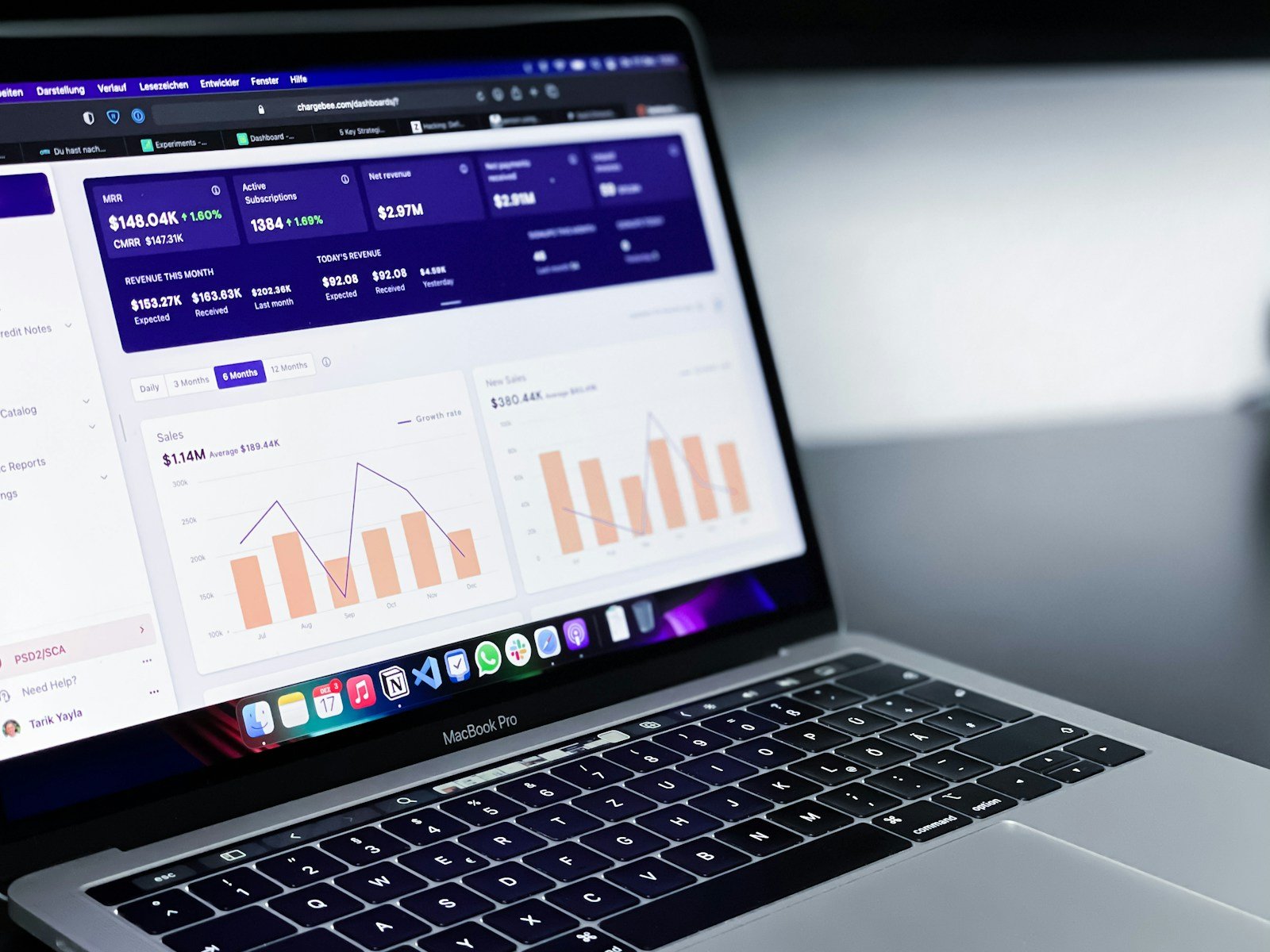
Website monitoring helps keep your online business running smoothly. When a website goes down, it can cost you money and hurt your reputation. Finding the right website monitoring service lets you catch problems fast and fix them before they harm your business.
A good monitoring tool checks if your site is up, how fast it loads, and if all parts work correctly. Many services offer free monitoring options that alert you when something breaks. Some tools even track how real visitors use your site, giving you a complete picture of your website’s health.
1) UptimeRobot
UptimeRobot stands out as a popular website monitoring service that helps track if your website is working properly. It checks your site at regular intervals and lets you know when it goes down.
You can start monitoring your website in just 30 seconds. The service offers a generous free plan that includes 50 monitors, making it accessible for small businesses and personal projects.
UptimeRobot provides several monitoring types. These include basic HTTP(S) monitoring, keyword monitoring, and even cron job monitoring for more advanced needs.
When your site experiences downtime, UptimeRobot sends alerts through multiple channels. Users can receive notifications via email, SMS, Slack, Telegram, and other platforms.
The dashboard shows clear uptime statistics and history. This helps website owners track performance over time and identify patterns in outages.
For businesses that need more features, UptimeRobot offers paid plans with faster checking intervals. The paid versions also include more detailed reporting and additional monitoring slots.
Setting up UptimeRobot requires no technical skills. The interface is simple enough for beginners while still offering advanced features for experienced users.
The service monitors from multiple locations around the world. This global approach ensures that problems are detected regardless of where your visitors come from.
UptimeRobot has remained a trusted option in the website monitoring tools market for 2025. Its balance of simplicity and useful features makes it a top choice for many website owners.
2) Pingdom
Pingdom stands out as a powerful website monitoring service that tracks both uptime and performance. It gives you real-time alerts when your site goes down or slows down.
The service combines two key monitoring approaches. It uses synthetic monitoring to test your site regularly from different locations. It also uses real user monitoring to track how actual visitors experience your site.
This combined approach helps you spot problems fast. You can fix issues before they hurt your business or annoy your customers.
Pingdom’s speed testing tools let you check how quickly your pages load. The test shows what elements slow down your site and how to fix them.
Many businesses rely on Pingdom to deliver better online experiences. The service was even named the Best Website Monitoring Tool of 2019 by DNSStuff.com.
Setting up Pingdom is simple. You can start with basic checks and add more as needed. The dashboard shows clear data about your site’s health at a glance.
When problems happen, Pingdom sends alerts through email, SMS, or other channels. This means your team can respond quickly to any issues.
The service works for sites of all sizes. Small business owners and large corporations alike can benefit from keeping an eye on their online presence.
Pingdom helps you understand how changes to your site affect its performance. This makes it easier to keep your website running smoothly for your visitors.
3) Site24x7
Site24x7 stands out as a complete website monitoring service that watches over your entire IT setup. It offers both free and paid plans to fit different needs.
The tool checks your website every 30 seconds from over 130 locations worldwide. This frequent testing helps catch problems quickly before they affect your users.
One key strength of Site24x7 is its ability to track webpage load times from up to 8 different locations. This feature helps you understand how your site performs for users in different regions.
When something goes wrong, Site24x7 sends detailed alerts about the issue. These alerts tell you exactly what failed, whether it’s a resource not loading or a network problem.
The service goes beyond basic uptime checks. It watches the full performance and health of websites, servers, and networks all in one place.
Business owners find Site24x7 helpful for making sure their websites run at top speed. The tool gives clear data about how well pages load and if visitors can access the site.
For companies with complex web systems, the comprehensive monitoring features help spot performance issues before customers notice them. This proactive approach helps maintain a good user experience.
Site24x7 also offers specific website monitoring tools that make tracking simple. Even people without technical backgrounds can understand the reports and take action when needed.
4) Dynatrace
Dynatrace offers powerful monitoring tools for websites and applications. It stands out by combining several types of monitoring in one platform.
The service provides comprehensive real user monitoring that tracks how visitors interact with your website. This helps businesses understand what users experience during each digital transaction.
Dynatrace uses AI to analyze performance issues automatically. This makes it easier to find and fix problems before they affect your customers.
When comparing Dynatrace to other options like Pingdom, users find Dynatrace offers more in-depth features. However, this comes with a higher price tag.
Many businesses consider Dynatrace one of the more expensive monitoring solutions. Some companies look at alternatives like New Relic or DataDog when seeking more affordable options.
The platform excels at web monitoring and observability. It allows teams to analyze performance data quickly and make smart decisions based on real information.
For complex websites or applications, Dynatrace provides detailed insights that simpler tools might miss. This makes it popular with larger organizations that need comprehensive monitoring.
Setup requires some technical knowledge, but the insights provided can significantly improve website performance. Most users find the learning curve worth the benefits they gain.
5) SolarWinds AppOptics
SolarWinds AppOptics stands out as a comprehensive monitoring solution that bridges the gap between application and infrastructure health metrics. It offers unified dashboards, alerting, and management features that help teams track website performance effectively.
The platform provides complete visibility for various application environments. Whether you’re running cloud-native, on-premises, or hybrid applications, AppOptics delivers unified and comprehensive visibility for both custom and commercial applications.
One key advantage of AppOptics is its integration capabilities with open-source tools. It can enhance observability compared to using open-source monitoring tools alone, while still making good use of many open-source plug-ins.
AppOptics is part of the broader SolarWinds Observability suite, which focuses on providing full-stack monitoring. This integration helps teams spot and fix issues faster by connecting application performance to underlying infrastructure metrics.
The service removes traditional barriers between different monitoring aspects. Teams can track server performance alongside application metrics, making troubleshooting more straightforward and efficient.
AppOptics ranks among the top website monitoring software options for 2025. Its competitors include other well-known solutions like Uptime.com, Nagios Core, PagerDuty, and Amazon CloudWatch.
Website teams appreciate how AppOptics combines both synthetic and real user monitoring. This dual approach creates better visibility and helps with troubleshooting when problems arise.
6) New Relic One
New Relic One is a full-stack observability platform that helps website owners track performance issues. It gives you a complete view of your entire digital system in one place.
The platform offers web performance monitoring tools that track page load times, user interactions, and error rates. These metrics help you spot problems before your users do.
You don’t need a credit card to try New Relic. They offer a free sign-up option that gives access to basic monitoring features. This makes it easy for small businesses to start tracking their website performance.
New Relic One uses AI to analyze data and find patterns. The system sends alerts when it spots unusual behavior on your website. This helps teams fix issues quickly.
The dashboard shows all your metrics in simple graphs. Teams can customize these views to focus on what matters most to them.
Website owners use New Relic One to improve their SEO. Faster websites rank higher in search results. The tool helps find and fix speed issues that might hurt your rankings.
New Relic One works with many different technologies. It can monitor websites, apps, servers, and databases. This wide coverage helps teams see how all parts of their system affect each other.
The platform stores historical data. This lets teams compare current performance to past results. These comparisons help show if recent changes made things better or worse.
7) AppDynamics
AppDynamics stands out as a powerful website monitoring service that helps businesses detect problems before they impact users. This tool watches your website and lets you know when something goes wrong.
AppDynamics offers both general website monitoring and specialized browser monitoring. It tracks how real users interact with your site and collects data on performance issues they might face.
The platform can spot unusual patterns that might signal trouble ahead. This early warning system helps companies fix problems before customers notice them.
One key feature is Browser Real User Monitoring (Browser RUM). This tracks actual visitor experiences rather than just simulating tests. It shows you exactly what real people see when using your website.
AppDynamics also includes Service Availability Monitoring, which checks both internal and external HTTP services. This helps ensure all parts of your website stay online and work properly.
Companies new to monitoring often ask what AppDynamics does best. Based on user questions in online forums, its strength lies in connecting user experience to backend performance.
The tool helps businesses run smoothly by finding and fixing website problems quickly. It works well for companies of all sizes that need detailed insights about their web presence.
AppDynamics appears on many lists of top monitoring tools for 2025. Its ability to catch small issues before they become big problems makes it popular with IT teams.
8) SmartBear AlertSite
SmartBear AlertSite is a website monitoring service that focuses on tracking availability, performance, and functionality. It helps businesses ensure their websites stay up 24/7 without overwhelming users with unnecessary alerts.
The platform stands out for its real-time alerting capabilities. When your site faces issues, AlertSite quickly notifies your team so they can fix problems before customers notice them.
AlertSite monitors both UI and API layers of your applications. This dual approach gives a complete picture of how your systems are performing from different angles.
One key strength is its cross-platform monitoring and reporting. You can track performance across websites, mobile apps, and APIs all from one dashboard.
The service offers cloud-based application monitoring that helps businesses keep an eye on critical third-party cloud applications. This feature is especially useful as more companies rely on external cloud services.
According to PCMag, AlertSite ranks among the best website monitoring services available today. Their review highlights its strong monitoring capabilities and reporting tools.
Users appreciate AlertSite’s focus on reducing “alert fatigue.” The system is designed to send meaningful notifications rather than overwhelming teams with minor issues.
The platform helps companies track user experience metrics. This allows businesses to understand how customers interact with their sites and identify potential improvements.
AlertSite can simulate user journeys to test critical paths on your website. This ensures important functions like shopping carts or login systems work properly.
9) Visualping
Visualping stands out as a top website monitoring tool that tracks changes on any webpage. Users get instant notifications when updates occur on sites they’re watching.
The service sends alerts through email, SMS, API, or Slack when it spots changes. This makes it perfect for tracking price drops, job postings, or content updates without constant manual checking.
In 2025, Visualping is recognized among the best AI-powered monitoring solutions on the market. Its AI features help analyze changes more accurately, reducing false alerts.
What makes Visualping special is its user-friendly design. Even beginners can set up monitors in minutes by simply selecting the parts of a webpage they want to track.
The tool offers free options for basic monitoring needs. This makes it accessible to individual users who just need to track a few pages.
For more advanced users, Visualping provides premium plans with more frequent checks and additional features. These plans work well for businesses that need reliable monitoring.
Many users praise Visualping for its simple interface and effectiveness. The tool saves hours of manual checking by automatically scanning websites for changes.
According to TechRadar’s review, Visualping’s AI analysis capabilities save users significant time. The system filters out minor changes to focus on important updates.
The tool works with almost any website, giving users flexibility in what they monitor.
10) StatusCake
StatusCake is a versatile website monitoring solution that helps businesses stay online and maximize revenue. It offers a range of tools to track website performance and alert you when issues arise.
The service provides uptime monitoring to check if your website is accessible to visitors. This feature regularly pings your site and notifies you immediately if it goes down.
Page speed monitoring is another key feature. It tracks how quickly your pages load, which is crucial for user experience and search engine rankings.
StatusCake also includes domain monitoring to ensure your domain registrations don’t expire unexpectedly. This prevents competitors from snatching your domains and protects your brand.
Server monitoring tools keep track of your server health, checking CPU usage, memory, and other vital metrics. This helps prevent crashes before they happen.
SSL certificate monitoring is essential for security. StatusCake tracks your certificates and alerts you before they expire, preventing security warnings that scare away visitors.
The platform offers multiple alert options including email, SMS, and integrations with tools like Slack. This ensures you never miss a critical notification.
StatusCake stands out by offering many features in its free plan, making it accessible to small businesses and individuals. Paid plans scale up for larger operations.
The interface is user-friendly and requires minimal setup. Most monitoring can be configured in minutes, even for users without technical expertise.
Key Features of Website Monitoring
Website monitoring services track your site’s health, speed, and availability through several critical tools. These tools help you catch problems before your visitors do.
Real-Time Alerts
Website monitoring services send instant notifications when your site goes down or experiences problems. This quick warning system helps you fix issues before they affect too many users.
Most services offer alerts through various channels:
- Email notifications
- SMS text messages
- Phone calls
- Push notifications to mobile apps
- Integration with team messaging tools like Slack
You can customize alert settings based on severity and problem type. For example, you might want an immediate phone call for complete outages but just an email for minor slowdowns.
Many tools let you set up different alert recipients based on the issue. Technical problems go to IT staff while business impacts might alert managers.
The best services filter out false alarms. They confirm problems from multiple locations before sending alerts to prevent unnecessary panic.
Performance Metrics
Modern monitoring tools track more than just whether your site is up or down. They collect detailed performance data about how well your website works.
Key metrics include:
- Page load time: How long pages take to display
- Time to first byte (TTFB): Server response speed
- DNS lookup time: Domain name resolution speed
- Connection time: How quickly connections establish
These tools can break down performance by location, device type, and browser. This helps you spot patterns like slow loading in specific regions or on certain devices.
Many services compare your site against competitors or industry benchmarks. This shows if your performance is keeping pace with user expectations.
Advanced monitoring includes synthetic testing, which simulates user interactions like logging in or completing forms. This reveals problems in complex processes that simple uptime checks miss.
Benefits of Using Website Monitoring Services
Website monitoring services offer vital advantages for businesses who want to keep their websites running smoothly. These tools help catch problems quickly and improve how websites work for visitors.
Improved User Experience
Effective website monitoring lets you spot critical issues as they happen, allowing for quick fixes that keep customers happy. When your site runs well, visitors stay longer and are more likely to return.
Website monitoring tools track important metrics like page load times and server response rates. Slow websites frustrate users and lead to higher bounce rates, costing you sales and sign-ups.
Many monitoring services can test your site from different locations worldwide. This helps ensure that users in all regions get a fast, smooth experience.
Some tools also offer performance measurement and load testing to check how your site handles heavy traffic. This prevents crashes during busy periods like sales events or marketing campaigns.
Enhanced Security
Security monitoring protects both your business and your customers from threats. Regular checks help spot unusual activities that might signal a breach or attack.
Website content monitoring includes security checks that watch for unauthorized changes to your site. Hackers often make small changes that can go unnoticed without proper monitoring.
Good monitoring tools scan for malware, outdated plugins, and security gaps. They alert you to potential problems before they can harm visitors or damage your reputation.
Many services also check SSL certificates to ensure they’re valid and working properly. Expired certificates create security warnings that scare away customers and hurt trust in your brand.
Regular security monitoring helps businesses meet compliance requirements for handling customer data, which is especially important for e-commerce or financial websites.
Frequently Asked Questions
People often have questions about website monitoring tools. Here are answers to common questions about features, comparisons, and options for keeping track of your websites.
What are the top-rated website monitoring tools currently available?
The market offers several excellent website monitoring services in 2025. UptimeRobot stands out as a popular choice for many users due to its user-friendly interface and free tier options.
Pingdom delivers robust monitoring with detailed reporting features. Many businesses trust it for its reliability and comprehensive analytics.
Site24x7 provides strong multi-location testing capabilities. This helps you understand how your site performs for users in different geographic areas.
Dynatrace offers advanced AI-powered monitoring solutions. It excels at finding the root cause of complex issues quickly.
SolarWinds AppOptics combines infrastructure and application monitoring in one platform. This integration helps teams spot problems faster.
How does UptimeRobot compare to other website monitoring services?
UptimeRobot offers free monitoring options that check your website at regular intervals. This makes it ideal for small businesses or personal projects with limited budgets.
The service sends alerts through multiple channels when it detects issues. You can receive notifications via email, SMS, or integrated apps like Slack.
Compared to Pingdom, UptimeRobot is more budget-friendly but offers fewer advanced features. Pingdom provides more detailed performance metrics and broader testing capabilities.
UptimeRobot is a fan favorite for basic uptime monitoring due to its simplicity. Many users find it easier to set up than more complex alternatives.
Are there any reliable open-source website monitoring tools?
Several trusted open-source options exist for website monitoring. Nagios remains one of the most established open-source monitoring solutions with a large community.
Zabbix offers comprehensive monitoring capabilities without license costs. It works well for organizations with technical staff who can handle its setup.
Icinga evolved from Nagios and provides modern interfaces with powerful monitoring features. Many IT teams appreciate its flexibility and extensibility.
These tools require more technical knowledge to set up compared to commercial options. However, they offer complete control over your monitoring infrastructure.
What options do I have for monitoring website changes without cost?
UptimeRobot’s free plan lets you monitor up to 50 websites with 5-minute check intervals. This makes it an excellent starting point for basic uptime monitoring.
Freshping offers a free tier that includes 10 monitors with 1-minute checks. It also provides status pages and integration with popular notification tools.
Google Search Console provides free basic monitoring of your site’s search performance and issues. While not focused on uptime, it alerts you to critical problems Google detects.
For simple content change monitoring, tools like Visualping or Distill Web Monitor offer free browser extensions. These track when specific parts of websites change.
Which services offer the most comprehensive features for monitoring website uptime?
Site24x7 provides comprehensive monitoring with uptime checks, page speed analysis, and user experience tracking. Their all-in-one approach simplifies monitoring complex websites.
Pingdom combines uptime monitoring with detailed performance metrics. Their transaction monitoring can test multi-step user journeys across your site.
StatusCake offers thorough uptime testing with additional security scanning features. This combination helps protect against both downtime and security threats.
How can I effectively monitor multiple websites simultaneously?
Choose a service that offers bulk monitoring capabilities. Many platforms let you add and manage multiple websites from a single dashboard.
Set different check frequencies for various sites based on their importance. Critical websites might need checking every minute, while less important ones could use 5-15 minute intervals.
Use tags or groups to organize your websites logically. This helps manage alerts and reporting for different clients, departments, or site types.
Consider services with team collaboration features if multiple people need access. Role-based permissions help control who can make changes to monitoring settings.
Implement centralized notification management to avoid alert fatigue. Good services let you route different alerts to appropriate team members.





