
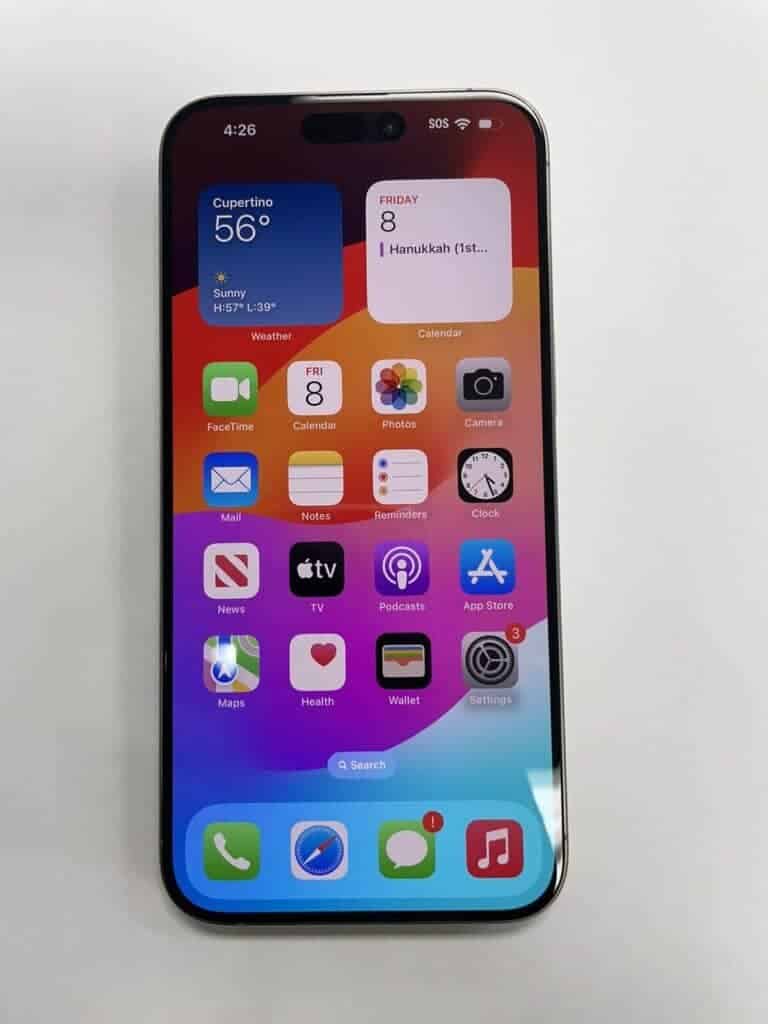
iPhone 15 battery replacement is a topic of interest for many users as their devices age. Apple’s latest flagship smartphone boasts impressive battery life, but over time, all lithium-ion batteries degrade. You can replace your iPhone 15 battery through Apple or third-party services to restore its original performance and capacity.
Battery replacement options vary in cost and convenience. Apple offers official battery service for a fee, ensuring genuine parts and expert technicians. If you have AppleCare+ and your battery holds less than 80% of its original capacity, you may be eligible for a free replacement.
For DIY enthusiasts, third-party repair guides are available. These allow you to replace the battery yourself, potentially saving money. However, this route requires careful handling and may void your warranty. Consider your technical skills and comfort level before attempting a self-repair.
| Replacement Option | Pros | Cons |
|---|---|---|
| Apple Service | Genuine parts, Expert technicians | Higher cost, Potential wait times |
| Third-party Repair | Lower cost, Immediate service | Warranty concerns, Quality variation |
| DIY Replacement | Lowest cost, Self-paced | Risk of damage, No warranty |
iPhone 15 Battery Replacement Guide
Replacing the battery in your iPhone 15 can restore battery life and improve overall performance. However, Apple devices are tightly sealed, and battery replacement requires care, proper tools, and an understanding of the risks involved. This guide explains your options, costs, and the replacement process step by step.
Should You Replace Your iPhone 15 Battery?
You may need a battery replacement if you notice:
- Rapid battery drain
- Unexpected shutdowns
- iPhone feels hot during normal use
- Battery health below 80% (Settings → Battery → Battery Health)
If your phone is under warranty or AppleCare+, professional service is strongly recommended.
Replacement Options
✅ Option 1: Apple Authorized Service (Recommended)
- Cost: Typically $89–$99 (without AppleCare+)
- Pros: Genuine battery, warranty-safe, water resistance restored
- Cons: Higher cost, appointment required
✅ Option 2: Third‑Party Repair Shop
- Cost: $50–$80
- Pros: Cheaper, faster turnaround
- Cons: Quality varies, may affect water resistance
⚠️ Option 3: DIY Replacement
- Cost: $35–$60 (battery + tools)
- Pros: Cheapest option
- Cons: Risk of damage, voids warranty, technical difficulty
Tools and Materials Needed (DIY)
- Replacement battery compatible with iPhone 15
- Pentalobe screwdriver (P2)
- Phillips screwdriver
- Plastic pry tools
- Suction cup
- Tweezers
- Isopropyl alcohol (90%+)
- Heat source (heat gun or heating pad)
- Adhesive strips or battery glue
Safety Warnings
⚠️ Important:
- Lithium-ion batteries can catch fire if punctured
- Work in a clean, static-free environment
- Do not bend or pierce the battery
- Power off the phone completely before starting
If you’re unsure at any point, stop and seek professional help.
Step-by-Step iPhone 15 Battery Replacement (DIY)
Step 1: Power Off the iPhone
- Hold the Side Button + Volume Button
- Slide to power off
Step 2: Remove Bottom Screws
- Use a P2 pentalobe screwdriver
- Remove the two screws next to the charging port
Step 3: Heat and Open the Display
- Apply gentle heat to soften the adhesive
- Use a suction cup to lift the display slightly
- Insert a plastic pry tool and carefully separate the screen
- Open the display like a book (do not pull upward)
Step 4: Disconnect the Battery
- Remove the metal connector shield
- Disconnect the battery connector first
- Then disconnect display connectors
Step 5: Remove the Battery
- Use isopropyl alcohol to loosen adhesive
- Slowly lift the battery using plastic tools
- Never use metal tools on the battery
Step 6: Install the New Battery
- Place adhesive strips
- Seat the new battery correctly
- Reconnect the battery connector
Step 7: Reconnect Display and Test
- Reconnect display cables
- Power on the phone before sealing
- Confirm charging and normal operation
Step 8: Seal the iPhone
- Turn off again
- Press the display firmly into place
- Reinstall bottom screws
After Replacement: What to Expect
- Battery health may show “Unknown Part” if not Apple-installed
- Battery life will improve immediately
- Recalibration recommended:
- Charge to 100%
- Use until ~10%
- Recharge fully
Tips to Extend Battery Life
- Enable Optimized Battery Charging
- Avoid extreme temperatures
- Use official or certified chargers
- Keep iOS updated
Final Thoughts
While it’s possible to replace an iPhone 15 battery yourself, it’s not a beginner-friendly repair. For most users, Apple or authorized service is the safest option. DIY replacement is best suited for experienced repair enthusiasts willing to accept the risks.
Disclaimer
This guide is for informational purposes only. Proceed at your own risk. The author is not responsible for device damage or injury.
Identifying the Need for Battery Replacement
Recognizing when your iPhone 15 needs a battery replacement is crucial for maintaining optimal performance. The battery’s health directly impacts your device’s functionality and longevity.
Assessing iPhone 15 Battery Health
Your iPhone 15 has built-in tools to check battery health. Go to Settings > Battery > Battery Health & Charging. Here you’ll see the maximum capacity percentage. Apple considers 80% or above as optimal.
If your battery health is below 80%, replacement may be necessary. AppleCare+ covers battery replacement if capacity drops below 80% during coverage.
Check your battery’s charge cycles too. The iPhone 15 battery typically lasts 500 full charge cycles before significant degradation.
| Battery Health | Action Recommended |
|---|---|
| 100% – 80% | No action needed |
| 79% – 60% | Consider replacement |
| Below 60% | Replace soon |
Signs of Battery Degradation
Watch for these indicators that your iPhone 15 battery is declining:
- Rapid battery drain
- Unexpected shutdowns
- Slow performance when battery is low
- Phone getting hot during normal use
Your iPhone may also display a “Service” message in Battery Health settings. This indicates the battery can’t deliver peak performance.
Sudden temperature sensitivity or battery swelling are rare but serious issues. They may point to manufacturing defects covered under warranty or consumer law.
If you notice these signs, consider battery replacement through Apple’s official battery service. Authorized service ensures proper installation and maintains your device’s water resistance.
Preparing for iPhone 15 Battery Replacement
Replacing your iPhone 15 battery requires careful planning and the right equipment. Proper preparation ensures a smooth process and reduces the risk of damage to your device.
Gathering the Right Tools
To replace your iPhone 15 battery you’ll need several specialized tools. A P2 pentalobe driver is essential for removing the bottom screws. An opening pick helps separate the screen from the body. Tweezers aid in handling small components. A suction cup assists in lifting the display.
Here’s a list of recommended tools:
- P2 pentalobe driver
- Opening pick
- Tweezers
- Suction cup
- Spudger
- Heat gun or hair dryer
- Packing tape
- Anti-static mat
A heat gun or hair dryer softens the adhesive holding the battery. Packing tape secures loose cables during disassembly. An anti-static mat protects sensitive components from electrical discharge.
Understanding the Battery Disassembly Process
The battery removal process involves several steps. First power off your iPhone and disconnect it from any power source. Remove the bottom screws with the P2 pentalobe driver. Apply heat to the screen edges to loosen the adhesive.
Use the suction cup to lift the display slightly. Slide the opening pick around the edges to separate the screen. Be cautious of the top edge cables connecting the display to the logic board.
Disconnect the battery connector from the logic board. Apply isopropyl alcohol to soften the battery adhesive. Wait for it to penetrate before attempting removal. Use plastic cards or a spudger to carefully pry up the battery.
| Step | Action | Tool |
|---|---|---|
| 1 | Remove bottom screws | P2 pentalobe driver |
| 2 | Apply heat to edges | Heat gun or hair dryer |
| 3 | Lift display | Suction cup |
| 4 | Separate screen | Opening pick |
| 5 | Disconnect battery | Spudger |
| 6 | Loosen adhesive | Isopropyl alcohol |
| 7 | Remove battery | Plastic cards or spudger |
Take care not to damage the wireless charging coil or ambient light sensor during disassembly. These components are sensitive and crucial for proper iPhone function.
Options for Professional iPhone 15 Battery Replacement
Professional battery replacement for your iPhone 15 offers reliable service and high-quality parts. You can choose between authorized providers and independent repair shops.
Visiting an Authorized Service Provider
Apple Authorized Service Providers offer expert iPhone 15 battery replacements. These providers use genuine Apple parts and follow strict guidelines. You’ll get a 1-year warranty on the new battery.
Benefits of authorized providers:
- Genuine Apple parts
- Trained technicians
- Quality assurance
- Warranty coverage
Apple Stores and Best Buy are common authorized providers. Appointments are often needed. Costs vary but are typically standardized. Some providers offer same-day service.
Utilizing Independent Repair Services
Independent repair shops like UBreakiFix provide alternative options for iPhone 15 battery replacements. These services often offer competitive pricing and quick turnaround times.
Key features of independent services:
- Potentially lower costs
- Flexible scheduling
- Various location options
Many use high-quality third-party parts. Some may offer original Apple parts. Check their warranty policies before choosing a provider.
| Service Type | Pros | Cons |
|---|---|---|
| Authorized | Genuine parts, Warranty | Higher cost, Limited locations |
| Independent | Lower prices, More locations | Varied part quality, Limited warranty |
Always verify the repair shop’s credentials and customer reviews before entrusting them with your iPhone 15.
Ensuring Post-Replacement Functionality and Care
After replacing your iPhone 15 battery, proper testing and maintenance are crucial. These steps will help you verify the new battery’s performance and extend its lifespan.
Testing After Battery Installation
Start by turning on your iPhone 15 and checking the battery percentage. It should display 100% or close to it. Open Settings > Battery > Battery Health to confirm the maximum capacity shows 100%.
Test basic functions like calls, messaging, and app usage. Pay attention to how quickly the battery drains during normal use. If you notice rapid power loss, the new battery may be faulty.
Try wireless charging if your iPhone supports it. Ensure it works properly with your existing chargers.
Check for any error messages related to the battery. If you see warnings about non-genuine parts, you may need to use Apple’s Repair Assistant to finish the installation.
| Test | Expected Result |
|---|---|
| Battery Percentage | 100% or close |
| Maximum Capacity | 100% |
| Wireless Charging | Works normally |
| Error Messages | None |
Maintaining Battery Health Post-Replacement
To keep your new battery in top shape, avoid extreme temperatures. Don’t leave your iPhone in hot cars or expose it to freezing conditions.
Use Apple-branded accessories for charging when possible. Third-party chargers may not regulate power as effectively.
Enable Optimized Battery Charging in Settings > Battery > Battery Health. This feature learns your daily charging habits to reduce battery aging.
Update your iPhone to the latest iOS version. New updates often include power management improvements.
Avoid fully draining your battery regularly. Try to keep the charge between 20% and 80% for optimal longevity.
Consider replacing your battery again after 500 charge cycles or about two years of use. This helps maintain peak performance.
Frequently Asked Questions
iPhone 15 battery replacement involves several key considerations. Users often have questions about costs, service options, and the process itself.
What is the cost of replacing an iPhone 15 battery?
The cost of an iPhone 15 battery replacement varies. Apple charges a set fee for out-of-warranty replacements. This price can change based on your location and the specific iPhone 15 model.
Authorized service providers may have different pricing. It’s best to check with Apple or your local provider for current rates.
Where can I get my iPhone 15 battery replaced?
You have several options for iPhone 15 battery replacement:
- Apple Stores
- Authorized Apple Service Providers
- Mail-in service through Apple’s website
Apple’s support page can help you find nearby service locations. You can also schedule an appointment online for in-store service.
How often should an iPhone 15 battery be replaced?
iPhone batteries typically maintain 80% of their capacity for about 500 charge cycles. This usually translates to 18-24 months of regular use.
You might need a replacement if your iPhone 15 battery drains quickly or the device slows down. Apple’s Battery Health feature can help you monitor your battery’s condition.
Are third-party battery replacements possible for the iPhone 15?
Third-party replacements are possible but not recommended. They may void your warranty and compromise your device’s safety.
Apple’s official batteries are designed specifically for iPhone 15 models. They ensure optimal performance and safety.
What is the warranty coverage for an iPhone 15 battery replacement?
Apple provides a 90-day warranty on battery replacements. This covers both the new battery and the service.
If your iPhone is still under its original warranty or AppleCare+, battery replacement might be free. Check your coverage on Apple’s website.
Can I replace the battery of an iPhone 15 myself?
Self-replacement is possible but challenging. The iPhone 15’s design makes battery access difficult.
You’ll need specialized tools and knowledge. Incorrect replacement can damage your device or cause safety issues. Professional service is usually the safer choice.
| Service Option | Pros | Cons |
|---|---|---|
| Apple Store | Guaranteed parts, Expert service | May be more expensive |
| Authorized Provider | Often more locations, Genuine parts | Slight price variation |
| Self-Repair | Potentially cheaper | Risk of damage, Voids warranty |





