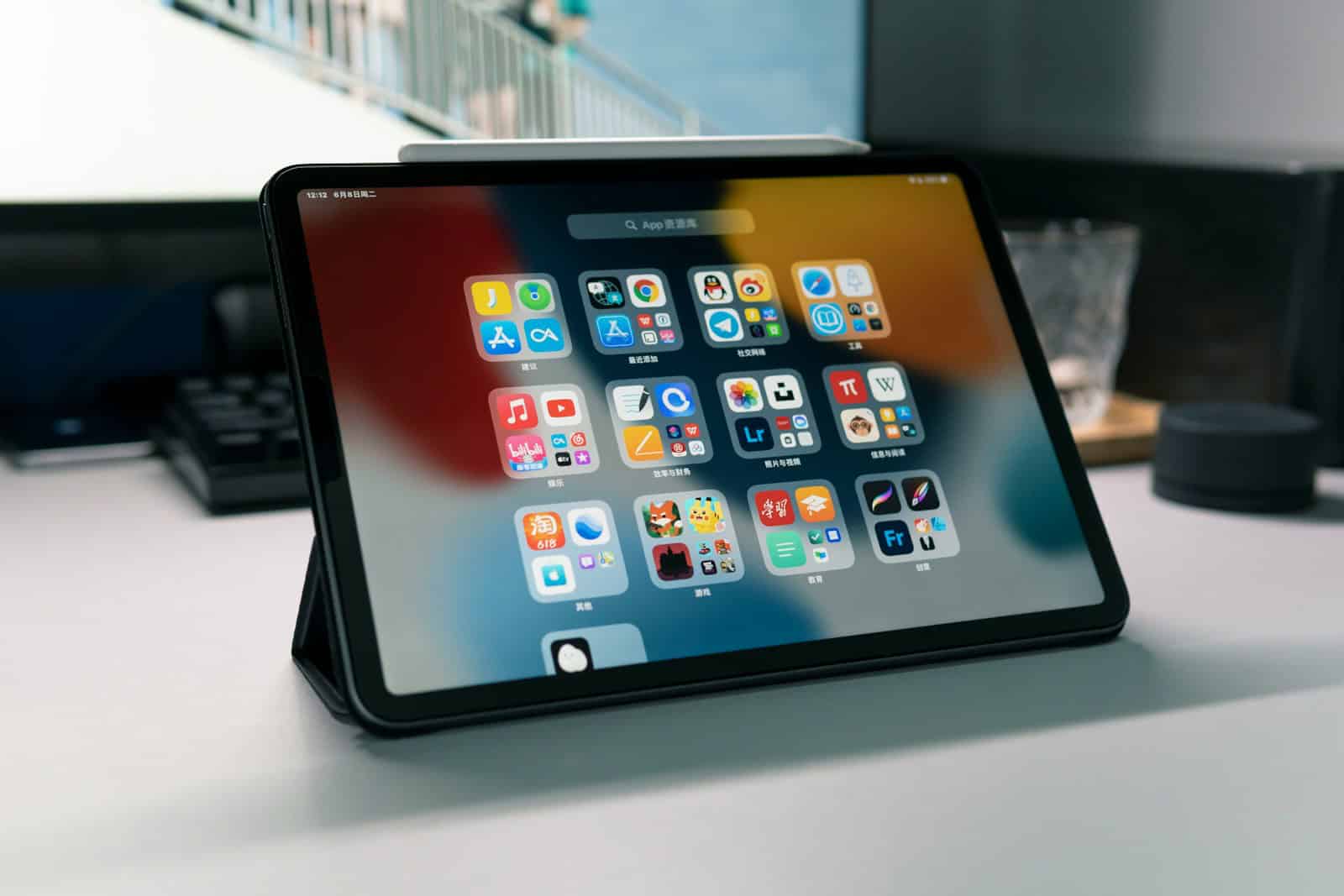
iPads are powerful devices that can do even more with the right apps. From drawing tools to video editors, many apps help make the most of your tablet’s abilities. Finding the best iPad apps can transform your device from a simple web browser to a tool that fits perfectly into your daily life.
The App Store has thousands of choices for every kind of user. Whether you want to be more productive, creative, or just have fun, there’s an app for that. Not all apps are created equal, though, and some stand out as truly helpful additions to your iPad.
1) Adobe Photoshop Mix
Adobe Photoshop Mix was a powerful photo editing app for iPad users. It offered key Photoshop tools in a simple, touch-friendly interface.
The app let users cut out objects, combine photos, and apply creative looks to images. These features made complex editing possible on a tablet without needing the full desktop version.
Adobe has since discontinued Photoshop Mix. It’s no longer available for download on iOS devices, as noted in the Adobe Photoshop Mix FAQ.
For those looking for similar tools, Adobe recommends trying Photoshop Express instead. This app is free to download and offers fun, fast editing options for everyone.
Photoshop Express makes photo editing easy and accessible. It includes many features that were popular in Mix but with an updated interface.
Android users have options too. Apps like PhotoLayers-Superimpose Eraser offer similar functionality to what Photoshop Mix provided.
When it was available, Photoshop Mix connected well with the desktop version of Photoshop. This link helped users move projects between devices smoothly.
The app used web-based imaging technology to handle complex edits. This approach helped it perform tasks that were usually only possible on computers.
2) LiquidText
LiquidText is an innovative document reading app that has earned high praise from users and Apple alike. It offers a fresh way to work with PDFs and other documents on your iPad.
The app gives you tools to connect ideas across multiple documents. You can pull out key points, make notes, and link related concepts together in ways that paper simply can’t match.
One of LiquidText’s best features is its workspace. You can pinch documents to compare different sections or drag out important text to create a collection of highlights. This makes studying complex materials much easier.
Many users consider it a must-have productivity tool. The app works across both iPad and Mac, letting you pick up your work where you left off.
LiquidText includes powerful OCR (optical character recognition). This means you can search through scanned documents just as easily as digital ones.
The app stands out for its ease of use. While apps like MarginNote 3 offer more study features, LiquidText wins on simplicity and clean design.
Apple named it “Most innovative iPad app of the year,” which speaks to its unique approach to document handling. For students or professionals who review lots of documents, its time-saving features are valuable.
You can find LiquidText on the App Store with different pricing tiers depending on the features you need. While the free version offers basic functions, the paid versions unlock its full potential.
3) Goodnotes 6
Goodnotes 6 stands out as a top choice for iPad note-taking. This app replaces paper notebooks while offering a digital experience that feels natural and intuitive.
The app provides a paper-like experience with customizable ink, colors, and templates. Users can pick from various pen styles to match their writing preferences, making digital note-taking feel more personal.
Goodnotes 6 excels at organization. Notes can be sorted into folders and notebooks, making it easy to find information later. The search function even recognizes handwritten text, so users can find notes quickly.
The app works well for students and professionals alike. Many iPad users prefer Goodnotes after trying other options like OneNote, CollaNote, and Notability.
Drawing and sketching feel smooth in Goodnotes 6. The app handles diagrams and illustrations well, making it useful for creative work and visual thinkers.
Goodnotes 6 includes powerful tools for marking up PDFs and documents. Users can highlight text, add comments, and make notes directly on files.
The app syncs across Apple devices, so notes stay up-to-date everywhere. This makes it convenient for people who switch between iPad, iPhone, and Mac throughout the day.
Goodnotes 6 offers everything needed for taking notes, writing music, and marking up documents. Its balance of features and ease of use makes it a favorite among iPad users.
4) Toca Boca World
Toca Boca World stands out as a top choice for kids on iPad. This digital playground lets children create stories and build their own worlds with characters they collect.
Kids can design spaces, add characters, and make up stories without any rules or limits. The app supports free play and helps build creativity.
Parents like that Toca Boca World has no ads or in-app purchases to worry about. Children can play safely without unexpected costs or unwanted content.
The game offers endless possibilities for young minds. Kids can spend hours making new stories and scenes without getting bored.
Many parents recommend Toca apps because they keep children busy in a good way. Unlike some games, Toca Boca apps help kids think and create.
The app works well for different ages. Even young children can use it easily, while older kids enjoy the more complex features.
Toca Boca makes other great apps too, but World brings many of their best parts together. Kids who like one Toca app often enjoy exploring their other games.
The bright colors and fun sounds keep children engaged. The simple controls mean kids can play without help from adults.
For rainy days or quiet time, Toca Boca World offers a good balance of fun and learning. It’s worth the price for the hours of play it provides.
5) Netflix
Netflix isn’t just for watching movies and shows. They now offer a growing collection of mobile games that come free with your subscription.
Using the Netflix app on your iPad gives you access to these games without extra costs or ads. This makes it a good deal if you already pay for Netflix.
The game library has some impressive titles. Hades, Dead Cells, and Into the Breach are among the best options available. These aren’t just simple mobile games – they’re high-quality titles that normally cost money elsewhere.
For fans of Netflix shows, there’s Netflix Stories. This app lets you become the main character in interactive stories based on popular Netflix shows and movies.
The game selection keeps growing. Recent additions include popular titles like Kentucky Route Zero and Immortality. These games add significant value to your Netflix subscription.
Finding these games is simple. Just open the Netflix app on your iPad and look for the games section. Each game downloads as a separate app but requires your Netflix login to play.
For casual gaming, Krispee Street and Cats and Soup offer relaxing play sessions. These games work perfectly on iPad’s larger screen.
The best part? You don’t need a gaming iPad to enjoy most of these titles. They run well on standard models, making Netflix a surprisingly good gaming option for all iPad users.
6) Apple GarageBand
GarageBand is a powerful music creation app that comes free with iPad devices. It turns your iPad into a collection of Touch Instruments and a full-featured recording studio that fits right in your hands.
The app lets anyone make music, even if they’ve never played an instrument before. Users can tap into a wide range of virtual instruments including guitars, drums, and keyboards. The touch screen makes playing these instruments feel natural and fun.
GarageBand includes a Sound Library that gives users access to more sounds and loops. This feature helps musicians build songs quickly by adding pre-recorded sections to their projects.
For those who want to record their own voice or instruments, GarageBand works perfectly. The app can capture high-quality audio using the iPad’s built-in microphone or external audio devices.
Many music teachers consider GarageBand a must-have app for iPad. It helps students learn music basics while creating their own songs.
The interface is simple enough for beginners but offers enough depth for more experienced musicians. Users can start with simple projects and gradually learn more advanced features.
After finishing a song, sharing options make it easy to send music to friends or post it online. This makes GarageBand not just a creation tool but also a platform for sharing your work.
Apple regularly updates GarageBand with new sounds and features. These updates keep the app fresh and exciting for users who want to try new music styles.
For anyone looking to make music on iPad, GarageBand stands out as an excellent first choice. The combination of ease of use and professional features makes it a standout app for music creation.
7) LumaFusion
LumaFusion stands out as the gold standard for storytellers on iPad. This powerful video editing app won the App Store’s “App of the Year” for 2021 and received the Editors’ Choice Award.
What makes LumaFusion special is its pro-grade features at an affordable price. Users can edit feature-length films or social media clips with equal ease. The app works well for both beginners and experienced editors.
Many iPad users choose LumaFusion over competitors like DaVinci Resolve and Final Cut Pro. While it works on iPhone too, the iPad version offers more room to work with the timeline and tools.
The interface might seem crowded on smaller screens, but it remains functional even on iPhones. For those who find the iPhone screen too small, CapCut serves as an alternative, though it has some limitations in its free version.
LumaFusion now works on Android devices too, expanding its reach beyond Apple products. This cross-platform support helps teams who use different devices.
The app includes multiple video tracks, audio editing tools, effects, and transitions. Users can import media from various sources and export in different formats.
Regular updates keep LumaFusion current with new features and improvements. The developers listen to user feedback and add requested tools.
For anyone serious about video editing on iPad, LumaFusion provides a complete solution without the need for a desktop computer. Its mix of power and usability makes it worth its price tag.
8) Disney+
Disney+ has become a popular streaming app for iPad users. It brings together content from Disney, Pixar, Marvel, Star Wars, and National Geographic in one place.
The app is highly ranked on the App Store charts. It frequently appears in the top free iPad apps, often sitting near the second position.
Disney+ offers a clean interface that works well on iPads of all sizes. Users can easily browse through the vast library of movies and shows with simple swipes and taps.
The app lets viewers download content for offline viewing. This feature is perfect for long trips or places with poor internet connection.
Disney+ takes up about 111.4 MB of storage space on an iPad. This makes it the largest among major streaming apps like Netflix, Hulu, and HBO Max.
Family-friendly content is a major strength of Disney+. Parents can set up kids’ profiles with age-appropriate shows and movies.
The streaming quality is excellent on iPad screens. The app supports HD and 4K streaming when available, making the most of the iPad’s display capabilities.
Disney+ works well with iPad features like Picture-in-Picture. This lets users watch shows while using other apps at the same time.
For many iPad owners, Disney+ is considered an essential app. Apple even named it the Apple TV App of the Year in its yearly app awards.
9) BBC News
The BBC News app is a top choice for iPad users who want to stay informed. It offers the latest news from around the world through the BBC’s trusted global network of journalists.
With the app, you can access breaking news, live updates, and unique human stories. It covers a wide range of topics including politics, culture, and true crime.
One great feature is the ability to listen to BBC podcasts directly in the app. You can also tune into BBC Radio 4 and BBC World Service live broadcasts.
The interface is clean and user-friendly, making navigation easy on your iPad’s larger screen. News stories include photos and videos that look sharp on the high-resolution display.
For UK residents, there’s a specific version that focuses more on local news while still covering international events.
The app sends notifications for breaking news, keeping you updated even when you’re not actively using it. You can customize these alerts based on your interests.
Some users have noted that recent updates have changed the layout with larger thumbnails and potentially fewer visible stories at once. Despite these changes, the content quality remains high.
The BBC News app works well offline too. It downloads content when connected so you can read stories later without internet access.
For iPad users who value reliable journalism, the BBC News app delivers quality reporting in an accessible format. It’s free to download from the App Store.
10) Procreate
Procreate stands as the leading creative app made for iPad. It offers everything artists need to make sketches, paintings, and illustrations on their device.
The app packs powerful tools and an easy-to-use interface. Artists love it for both quick sketches and complex artwork.
Procreate comes with hundreds of brushes to choose from. You can also make your own brushes to get exactly the look you want.
One great feature is the ability to work with many layers. This helps artists build complex images step by step.
The latest iPad models work best with Procreate. The iPad Air with M2 chip (2024) offers an excellent balance of power and price for using the app.
For those wanting the biggest screen and most power, the iPad Pro 13-inch with M4 chip is the top choice. Even the standard iPad (10th Gen, 2022) works well for many artists.
Procreate costs a one-time fee with no subscriptions. This makes it cheaper than many other art apps in the long run.
The app works well with Apple Pencil for precise drawing. Many professional artists have switched from traditional methods to using Procreate.
Procreate also lets users share their work directly to social media. Artists can export their creations in many file formats for printing or further editing.
For those looking to try other drawing apps, options include Sketchbook, iArtbook, Infinite Painter, and Adobe Fresco. However, Procreate remains the most popular choice for digital artists on iPad.
Benefits of Using iPad Apps
iPad apps expand what you can do with your tablet, from getting work done faster to creating art and music. They turn the iPad from a simple entertainment device into a powerful tool for many different tasks.
Enhancing Productivity
iPad apps make daily tasks faster and easier. Multiple apps can run at once with split-screen views, letting you drag information between them without switching back and forth. This saves time when working on projects.
Apps like note-taking tools sync across devices, so you can start work on your iPad and finish on your phone or computer. Many productivity apps turn the iPad into a laptop replacement for work on the go.
The long battery life means you can work all day without hunting for a charger. When you need internet access, iPads connect through Wi-Fi or cellular networks, keeping you productive anywhere.
Creative Applications
iPad apps unlock artistic potential with tools that respond to touch and Apple Pencil input. Digital artists can draw, paint, and design with apps that feel natural and responsive.
Musicians use iPad apps to compose, record, and mix music with virtual instruments and studio tools. Video creators can edit professional-quality content right on the tablet with powerful editing apps.
Photo editing apps take advantage of the iPad’s large screen and touch interface to make adjustments more intuitive than on a computer. Creative professionals often use iPads for:
- Client presentations
- On-site sketching and design work
- Portfolio displays
- Quick edits while traveling
The combination of portability and power makes creative iPad apps perfect for both professional and hobby use.
Choosing the Right iPad Apps
Finding the perfect apps for your iPad requires considering both technical requirements and user experiences. The right choices can transform your device into a powerful tool for creativity, productivity, or entertainment.
Compatibility Considerations
When selecting iPad apps, check which iOS versions they support. Newer apps may require the latest iPadOS, leaving older iPad models behind. The App Store clearly shows these requirements on each app’s download page.
Look at hardware demands too. Apps like Procreate and Nomad Sculpt work best on newer iPads with more processing power and memory. Creative apps often need Apple Pencil support for the best experience.
Storage space matters a lot. Video editing and drawing apps can take up several gigabytes. Check if the app works with cloud storage to save space on your device.
Some apps offer universal purchase, meaning you buy once and use on iPhone, iPad, and Mac. This saves money if you use multiple Apple devices.
User Reviews and Ratings
App reviews provide real-world insights from actual users. The PCMag staff tests dozens of apps to highlight the best options, but user reviews add valuable perspective.
Look beyond star ratings. Read several recent reviews to spot patterns in complaints or praise. One-star reviews often reveal potential deal-breakers like frequent crashes or hidden fees.
Reddit communities like r/ipad offer honest opinions about popular apps. Users recommend standouts like GoodNotes for note-taking and Notion for organization.
Check how often the app gets updated. Regular updates show the developer is fixing bugs and adding features. Abandoned apps may stop working with future iOS updates.
Free apps with in-app purchases deserve extra scrutiny. Read reviews to understand if the free version is useful or just a limited demo.
Frequently Asked Questions
iPad apps come in all shapes and sizes, from productivity tools to creative software and entertainment options. Users often look for specific recommendations based on their needs and interests.
What are the top free iPad apps for productivity?
The best free productivity apps for iPad include:
-
Notion – This all-in-one workspace lets users create notes, databases, and project trackers.
-
Apple Notes – Built into every iPad, it offers basic note-taking with surprising depth.
-
Microsoft Office (free versions) – Word, Excel, and PowerPoint offer basic functions without a subscription.
-
Google Workspace apps – Docs, Sheets, and Slides sync across all devices for free.
Which iPad games are considered the best by user reviews?
Highly rated iPad games include:
-
Toca Boca World – A creative playground for younger users with endless exploration possibilities.
-
Minecraft – The classic building game works perfectly on iPad’s touch interface.
-
Stardew Valley – This farming simulator offers deep gameplay and relaxing activities.
-
Genshin Impact – A breathtaking open-world adventure game with console-quality graphics.
What are the must-have apps for college students with iPads?
College students benefit most from these iPad apps:
-
GoodNotes 6 – Perfect for taking class notes, organizing subjects, and annotating PDFs.
-
LiquidText – Allows students to connect ideas across multiple documents.
-
Quizlet – Creates flashcards and study sets for easier exam prep.
-
Forest – A focus timer that helps students stay on task during study sessions.
Can you recommend some iPad apps suitable for professional adults?
Professional iPad users should consider:
-
Adobe Creative Cloud apps – Adobe Photoshop Mix and others offer powerful tools for creative professionals.
-
Slido – Great for professional presentations with audience Q&A and polling features.
-
Slack – Essential for team communication in the workplace.
-
PDF Expert – Handles document signing, annotation, and form filling for business needs.
What are the most highly rated iPad apps on tech forums like Reddit?
According to tech forums, these apps receive high praise:
-
GoodNotes – Consistently mentioned as the best note-taking app on Reddit.
-
Procreate – Art communities consider it the gold standard for digital drawing.
-
Apollo for Reddit – A better way to browse Reddit on iPad with gesture controls.
-
Netflix – Still the most recommended entertainment app for its vast content library.
Which apps maximize the utility of the Apple Pencil on iPad?
Apple Pencil users get the most value from:
-
Procreate – Takes full advantage of pressure sensitivity for digital art.
-
GoodNotes 6 – Makes handwritten notes feel natural with Apple Pencil.
-
Affinity Designer – Professional vector graphics with precise pencil control.
-
Questions to Connect – Uses Apple Pencil input for creative family activities and games.