Choosing the right graphic design software can make a big difference in your creative work. With so many options on the market today, finding the best tool for your needs can feel overwhelming. The best graphic design software combines ease of use, powerful features, and the right price point for your specific design goals.
Popular programs like Adobe Photoshop and Canva serve different types of users, from beginners to pros. Some tools work better for making logos and drawings, while others excel at photo editing or page layouts. Free options like GIMP and Adobe Express have made design more accessible to everyone, not just those with big budgets.
1) Adobe Photoshop
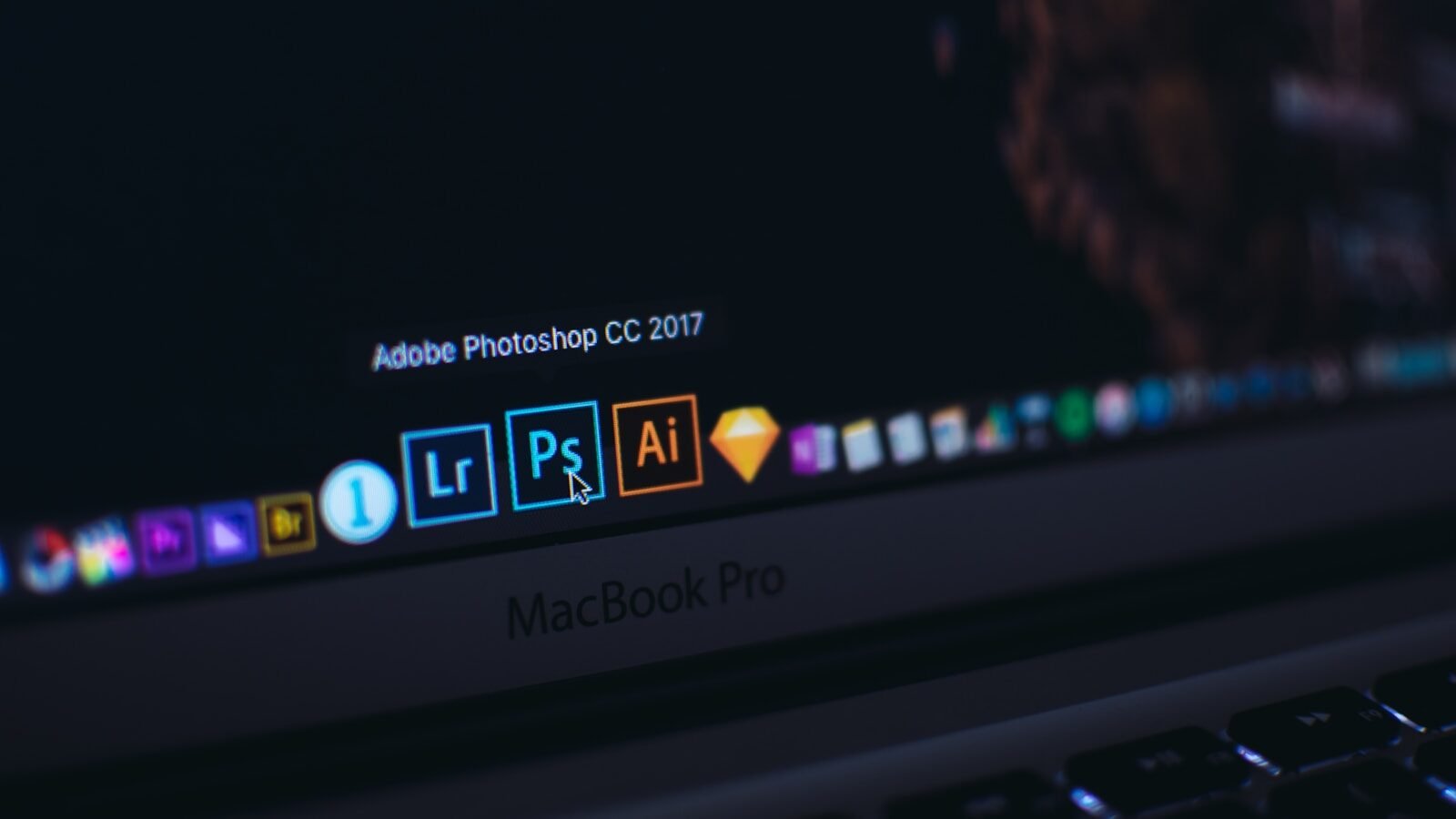
Adobe Photoshop stands as the industry leader for digital image editing and graphic design. It offers powerful tools that help designers create and modify images with precision.
Photoshop is known for its versatility across different design tasks. From photo retouching to creating digital art, this software handles it all with ease.
The program features layer-based editing that gives users complete control over their designs. This approach lets designers work on different elements separately without affecting the whole image.
Many professionals choose Photoshop as their first choice for digital image editing. Its wide range of brushes, filters, and effects helps create stunning visuals for various projects.
The software works best with bitmap or raster files. These include photographs and freehand painted artwork, which explains the “photo” in its name.
Photoshop now offers both desktop and mobile versions. Users can start projects on one device and continue on another with cloud syncing features.
Recent updates have added AI-powered tools that speed up common tasks. These smart features help designers work faster without sacrificing quality.
The program connects with other Adobe products like Illustrator and InDesign. This integration creates a smooth workflow for complex projects that need different types of design work.
While Photoshop has a steep learning curve, its widespread use makes finding tutorials and resources easy. Many online courses and videos can help beginners master the basics.
Adobe offers Photoshop through its Creative Cloud subscription. Users can try the software free before committing to a purchase.
2) Adobe Illustrator
Adobe Illustrator stands as a top choice for graphic designers worldwide. This vector graphics software excels at creating logos, icons, and complex designs that need to be scaled without losing quality.
Illustrator uses mathematical equations rather than pixels, which makes it perfect for creating designs that will appear on different-sized materials. You can make a logo that looks just as good on a business card as it does on a billboard.
Many professionals choose Illustrator for its precision tools and flexible drawing capabilities. The pen tool lets you create smooth curves and exact shapes that would be difficult to make in other programs.
The software includes helpful features like a wide range of fonts and over 100GB of cloud storage. Adobe also provides monthly generative credits that help designers create even more dynamic work.
Illustrator works well with other Adobe products. You can easily move your designs between Illustrator and Photoshop or InDesign as part of your workflow.
Learning Illustrator takes time, but the skills pay off. Many job listings specifically ask for Illustrator experience because it’s an industry-leading graphic design app.
The program costs more than some alternatives, but many designers find the investment worthwhile. Adobe offers subscription plans that include updates and new features as they’re released.
For those just starting in logo design, Illustrator might seem challenging at first. However, it remains one of the best options for serious graphic designers who want professional-quality results.
3) Adobe InDesign
Adobe InDesign stands as a powerful tool for layout design and publishing. It’s the go-to software for creating brochures, magazines, books, and other print materials.
Designers use InDesign to make standout social content, flyers, and presentations. The program excels at handling multi-page documents with consistent styling.
InDesign works well with other Adobe products. Users can easily import graphics from Photoshop or Illustrator into their InDesign projects. This connection makes workflow smoother for designers.
The software offers precise control over typography. Text wrapping, character spacing, and paragraph styles are just a few of the text features available.
Page layouts become simple with InDesign’s master pages. These templates ensure consistent design across documents. Users can create grids and guides to align elements perfectly.
Digital publishing options have expanded in recent versions. Designers can create interactive PDFs and digital magazines with clickable elements.
Many professionals consider InDesign essential for print projects. PCMag lists it among the best graphic design software for 2025.
Learning InDesign completes the basic Adobe design trio. Many experts recommend learning Photoshop, Illustrator, and InDesign together for a complete graphic design education.
The program offers tools for creating calendars, greeting cards, and marketing materials. Its flexible page sizing makes it suitable for projects of any dimension.
4) Canva
Canva is a popular online design tool that makes graphic design accessible to everyone. It offers a user-friendly interface that allows both professionals and beginners to create stunning visuals with ease.
The platform provides a free-to-use online graphic design tool with options to create social media posts, presentations, posters, videos, and logos. Users can access thousands of templates to jumpstart their projects without advanced design skills.
One key advantage of Canva is its extensive media library of free stock photos, videos, graphics, and audio tracks. This saves users time and money when creating professional-looking content.
Canva also allows users to upload custom fonts. This feature helps teams maintain brand consistency, as noted by users who set up templates with specific logos, colors, and fonts for non-designers in their organizations.
In 2025, Canva has expanded its AI capabilities with Magic Design™, a free AI design tool. This feature can auto-generate designs based on text and media inputs, creating custom templates tailored to user needs.
Canva stands out for its simplicity. It’s considered an impressively easy-to-use graphic design app that works well for creating branded assets. This makes it perfect for small businesses, social media managers, and marketing teams.
While professional designers might prefer more advanced software for complex projects, Canva fills an important gap. It gives everyone the power to create good-looking designs without a steep learning curve or expensive software.
5) Procreate
Procreate stands out as a powerful digital illustration app designed specifically for iPad users. This app combines artistic tools with a user-friendly interface, making it accessible for both professionals and beginners.
The software offers hundreds of handmade brushes that simulate real art tools with impressive accuracy. Artists can create everything from sketches to rich paintings on a portable device that fits in their bag.
Procreate runs on the Valkyrie graphics engine, which helps deliver smooth performance even with complex artwork. The app also includes an advanced layer system similar to what you’d find in desktop software.
For graphic designers, it’s important to note that Procreate is primarily an illustration tool rather than dedicated graphic design software. It works best for creating custom illustrations, textures, and hand-drawn elements for larger projects.
The app costs a one-time fee with no subscription, which many users find refreshing compared to other creative software. Once purchased, you own it forever and receive all future updates.
Procreate also supports animation features, allowing designers to create simple moving graphics. This can be useful for social media content and interactive design elements.
For basic vector needs, some designers use Procreate alongside other tools. The Procreate community often recommends pairing it with apps like Affinity Designer for more technical graphic design work.
6) Serif Affinity Designer 2
Affinity Designer 2 stands out as a powerful vector graphics software for professional designers. It’s available for Windows, macOS, and iPad, making it accessible across multiple platforms.
Unlike Adobe products, Affinity Designer offers a one-time purchase model with no subscriptions. You pay once and own the software forever, which many designers find refreshing.
The program has earned recognition as an Editors’ Choice winner alongside Adobe Illustrator and CorelDraw. This puts it in the top tier of graphic design software options available today.
Affinity Designer 2 features a clean user interface that some users find more intuitive than Adobe’s. The layout is straightforward yet packed with professional tools for vector design work.
The software includes all the essential tools needed for professional illustration and graphic design. From precision pen tools to advanced color controls, it covers the needs of most designers.
Many users praise Affinity Designer for its speed and performance. The program handles complex designs without lag, even on modest hardware setups.
Students and home users find Affinity Designer particularly appealing. It provides professional-grade tools at a much lower cost than subscription-based alternatives.
The software works seamlessly with other Affinity products like Photo and Publisher. This creates a complete design ecosystem that rivals Adobe’s Creative Cloud suite.
Affinity Designer 2 supports industry-standard file formats, making collaboration with clients and colleagues using other software relatively smooth.
7) Figma
Figma stands out as a powerful collaborative interface design tool that works right in your web browser. No downloads needed – just open and start creating.
Designers love Figma because it makes teamwork easy. Multiple people can work on the same file at once, seeing changes happen live.
Figma offers robust features for both UI and UX design. Its vector tools let designers create everything from simple icons to complex illustrations.
The software shines in website and app design workflows. Its prototyping features help designers show how interfaces will work, not just how they’ll look.
Unlike some other design tools, Figma is free to start using. This makes it perfect for students, beginners, or small teams on a budget.
Figma’s design capabilities include components that can be reused across projects. This helps keep designs consistent and saves time.
Many companies now use Figma as their main design tool. It works well for creating digital products, social media graphics, and web designs.
Designers can easily share their work with clients through Figma. Clients can then leave feedback directly on the designs.
The Figma community shares templates, plugins, and design systems. These resources help speed up the design process for everyone.
For teams switching from other software, Figma feels fresh yet familiar. Most designers can learn the basics quickly.
While originally focused on digital design, many graphic designers now use Figma for print projects too. Its flexible canvas works well for various design needs.
8) Adobe Fresco
Adobe Fresco is a digital painting and drawing app designed for artists who want to create on digital devices. It works on iPads, iPhones, and Windows touch devices.
The app combines both vector and pixel-based artwork in one place. This means you can switch between different art styles without changing programs.
Fresco offers thousands of brushes that feel like real art tools. The watercolor and oil brushes behave like their real-world versions, making art feel more natural.
You can work with unlimited layers in Fresco, giving you flexibility for complex projects. The app also includes motion presets that help bring your artwork to life.
For those who want to try it, Adobe offers a free version with basic features. The paid version unlocks more brushes and tools.
Fresco works well with other Adobe apps. You can start a project in Fresco and finish it in Photoshop or Illustrator.
The app is built for use with stylus pens like Apple Pencil. This makes drawing feel more like using a real pen or brush on paper.
Unlike some graphic design software, Fresco focuses on drawing and painting rather than layout or typography. It’s meant for digital artists who want to create artwork.
When compared to other drawing apps like Procreate, Fresco offers the advantage of Adobe integration. However, it has fewer features than full programs like Illustrator or Photoshop.
9) Adobe Express
Adobe Express is a free design, photo, and video tool that makes content creation easy for beginners. It helps users create stunning social content, videos, and logos quickly.
The software stands out for its user-friendly approach. With drag-and-drop functionality and customizable themes, Adobe Express removes many barriers that newcomers face when starting graphic design.
Adobe Express lets users make custom designs fast with impressive results. Even beginners can create amazing graphics in just a few clicks.
For logo design specifically, Adobe Express offers simple tools to get started. While some professional designers prefer Illustrator for logo work, Express provides a more accessible entry point for basic projects.
As part of the Adobe Creative Cloud family, Express connects well with other Adobe products. This gives users a pathway to more advanced tools as their skills grow.
The software works well for quick projects that need visual impact. Small business owners, social media managers, and students find it helpful for creating graphics without a steep learning curve.
Adobe Express balances simplicity with creative power. It handles basic design tasks while keeping the process straightforward and stress-free for non-designers.
10) GIMP
GIMP stands for GNU Image Manipulation Program. It’s a free, open-source image editor that works on Windows, Mac, and Linux computers.
Many graphic designers use GIMP as a no-cost alternative to paid software. The program offers many powerful tools for photo editing and creating digital art.
GIMP includes layers, masks, filters, and other features that professional designers need. You can use it to edit photos, create new images, or design simple graphics for websites and social media.
The software has a full set of tutorials to help new users learn. These range from basic tasks to more complex projects like making logos.
One big plus of GIMP is that it costs nothing to download and use. This makes it perfect for students, beginners, or anyone on a tight budget.
The current version, GIMP 2.10.38, has many improvements over older versions. The developers update it regularly to add new features and fix bugs.
Some users find GIMP’s interface less friendly than paid programs. It may take some time to learn where everything is and how to use all the tools.
Despite this learning curve, many professionals do use GIMP for paid work. The software can handle most tasks if you know how to use it well.
GIMP works with many file types, including PSD files from Photoshop. This makes it easier to share work with others who use different programs.
Features to Consider in Graphic Design Software
When choosing graphic design software, focus on tools that match your workflow needs and skill level. The right software combines easy-to-use interfaces with strong integration options.
Usability and Interface Design
The interface of graphic design software greatly impacts your productivity. User-friendly designs save time and reduce frustration, especially for beginners.
Look for software with customizable workspaces that adapt to different projects. Adobe Photoshop and Illustrator allow you to save workspace layouts for various tasks, making your workflow smoother.
Learning curves vary widely between programs. Canva offers a simple interface that beginners can master quickly, while professional tools like Affinity Designer require more time to learn but offer greater control.
Check for tutorials and help resources built into the software. Good documentation makes learning new features easier.
Consider the device compatibility as well. Some tools like Procreate work only on iPads, while others run on multiple platforms.
Integration Capabilities
Modern design work rarely happens in just one program. Good software should connect seamlessly with your other tools.
Look for programs that support common file formats like PSD, AI, PDF, and SVG. Adobe’s Creative Cloud apps work together exceptionally well, allowing you to move projects between Photoshop, Illustrator, and InDesign without losing data.
Cloud integration lets you work across devices and collaborate with team members. Check if the software offers shared libraries for colors, fonts, and design elements.
Plugin support extends software capabilities. Programs that allow third-party plugins let you add specialized tools as needed without switching applications.
Consider how the software fits into your existing workflow. Can it import from your camera or export directly to social media platforms?
Industry Use Cases
Different design software tools excel in various professional settings. Each industry has unique demands that particular software packages can address based on their specialized features.
Print Media Design
Adobe InDesign remains the top choice for print media professionals. Magazine layouts, brochures, and books benefit from its powerful master page features and precise typography controls. Many publishing houses consider it essential for their workflow.
Print designers also rely on vector-based programs like Adobe Illustrator for logo design and illustrations that need to scale across different printed sizes without losing quality. The pen tool and pathfinder functions help create precise graphics for packaging and promotional materials.
For photo editing in print campaigns, Photoshop offers color correction in CMYK mode – crucial for accurate print reproduction. Its layering capabilities allow designers to make non-destructive edits to images before placing them in layout documents.
Digital Content Creation
Web and UI designers favor different tools than their print counterparts. Canva has become increasingly popular for creating quick social media graphics and web banners. Its templates and drag-and-drop interface make it accessible for marketing teams who need fast turnaround times.
Mobile app designers often use specialized UX/UI software alongside traditional graphic design tools. They combine vector assets from Illustrator or Affinity Designer with prototyping features to create interactive mockups.
Digital content creators appreciate Procreate on iPad for illustration work. The natural drawing experience appeals to artists creating content for websites, apps, and digital publications. Its brush customization options and layer management system support complex digital artwork creation.
Video thumbnail designers and streaming content creators use a mix of Photoshop for image manipulation and Express for quick edits when deadlines are tight.
Emerging Trends in Graphic Design Software
The graphic design software landscape is evolving rapidly with new technologies reshaping how designers work. Two major forces driving this evolution are artificial intelligence and the growing capabilities of 3D design tools.
AI and Automation
AI-powered design is becoming a central feature in modern graphic design software. Tools now offer smart object selection, background removal, and content-aware fill functions that save hours of manual work.
Many graphic design applications now include AI assistants that can suggest design improvements or generate entire layouts based on simple prompts. This technology helps beginners create professional-looking designs while allowing experts to focus on creative decisions rather than technical tasks.
Automation extends to typography as well. Software can now suggest font pairings and automatically adjust text spacing and kerning. These smart features are especially useful for brand consistency across multiple projects.
The latest AI tools can also analyze design trends and offer suggestions based on current styles. This feature helps designers stay current with emerging design trends for 2025 without constant research.
3D Design and Virtual Reality Applications
3D design capabilities are no longer limited to specialized software. Mainstream graphic design tools now incorporate robust 3D modeling and rendering features that were once available only in dedicated applications.
Designers can create 3D elements and integrate them with 2D designs seamlessly. This blend of dimensions adds depth and visual interest to projects. The trend toward 3D design continues to grow as processing power increases and interfaces become more intuitive.
Virtual reality applications for graphic design allow creators to work in three-dimensional space. Designers can walk around their creations, adjust elements from any angle, and experience their work at actual scale before finalizing it.
Many software packages now support direct export to augmented reality formats. This feature lets clients view packaging designs, signage, or marketing materials in their intended physical spaces before production begins.
Frequently Asked Questions
Here are answers to some common questions about graphic design software. These questions cover free options, beginner-friendly programs, professional tools, and comparisons between popular design applications.
What are the top free graphic design software options available for download?
Canva offers a robust free plan with many professional features. GIMP is another strong free choice that provides photo editing and design tools. Inkscape works well for vector graphics without cost. For those who need free options, these programs deliver good basic design capabilities.
Which graphic design programs are best suited for beginners to learn and use?
New designers should start with user-friendly software. Adobe Photoshop tops the list for beginners since it’s easier to learn first before moving to other tools. Canva is excellent for new users with its drag-and-drop interface and templates. Many designers recommend learning Photoshop basics first, then expanding to other Adobe products like Illustrator.
What is the most popular graphic design software used by professionals?
The Adobe Creative Suite dominates professional design work. Adobe Photoshop, Illustrator, and InDesign form the industry standard trio for different design needs. Photoshop handles photo editing and raster graphics. Illustrator excels at vector work like logos. InDesign specializes in layout for print and digital publications. Most professional jobs require knowledge of these core Adobe programs.
How does CorelDRAW compare to Adobe Illustrator in terms of functionality?
CorelDRAW and Illustrator serve similar purposes but have different strengths. CorelDRAW offers better text handling and is often preferred for print design work. Illustrator provides superior vector tools and better integration with other Adobe products. CorelDRAW has a one-time purchase option while Illustrator uses subscription pricing. Both can create professional vector graphics, but industry preference leans toward Illustrator.
What are the preferred graphic design tools for creating professional t-shirt designs?
For t-shirt design, Adobe Illustrator leads due to its vector capabilities that allow designs to scale without losing quality. Photoshop works well for complex photo-based shirt designs. Procreate has become popular among illustrators creating custom shirt artwork. For beginners, Canva provides t-shirt templates but has limitations for professional production files. Professional designers typically use Illustrator for creating print-ready t-shirt files.
Can you recommend some graphic design software that is highly regarded on forums like Reddit?
Reddit design communities consistently praise the Adobe suite (Photoshop, Illustrator, InDesign) as industry standards. Affinity Designer and Photo receive frequent mentions as affordable alternatives. Figma earns high marks for UI/UX design work. GIMP and Inkscape get recommended as free options for those on tight budgets. Procreate is widely praised for digital illustration, especially among iPad users.