
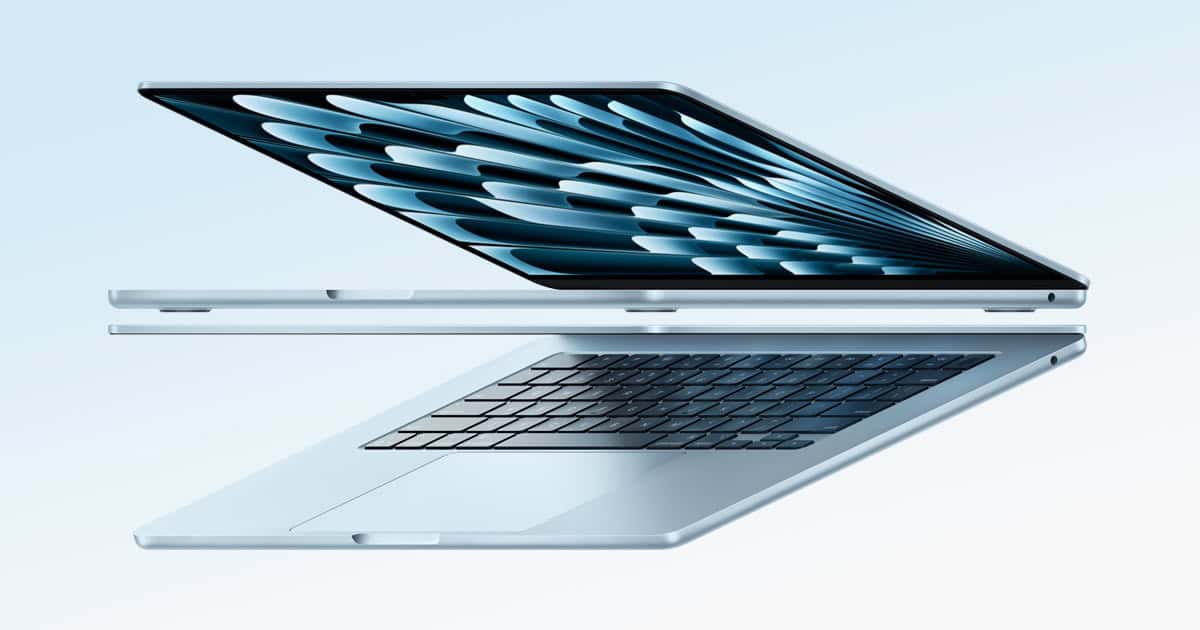
Choosing the right MacBook means understanding the different sizes and models that Apple offers. It’s important to know how each model fits into your daily needs, whether for work, study, or leisure. MacBooks come in several sizes, each with its distinct advantages. Smaller models tend to be more portable, a significant consideration for users on the move. Larger ones, however, offer more screen space, which can be a boon for productivity and entertainment.
Apple tailors the capabilities of each MacBook size with features and specifications that leverage their physical dimensions. For example, the MacBook Air, known for its thin and light design, now comes with an M3 chip option and is available in a compact 13-inch size. Conversely, the MacBook Pro caters to users seeking more powerful performance and comes in 14-inch and 16-inch sizes with chips ranging from the M1 to the M1 Max, addressing the needs of professionals in creative and technical fields.
The technical specifications are crucial too. Display quality, memory, storage, and battery life should match one’s usage pattern. Understanding the interplay of these features with the MacBook’s physical size helps buyers choose the optimal device, balancing portability with power.
MacBook Sizes: A Comprehensive Guide to Selecting Your Ideal Apple Laptop
Choosing the right MacBook isn’t just about picking the latest model — it’s about finding the perfect size that fits your lifestyle, workflow, and budget. Apple’s MacBook lineup offers a range of screen sizes, performance tiers, and portability options designed for students, professionals, creatives, and everyday users alike.
This comprehensive guide will walk you through MacBook sizes, what they mean in practical terms, and how to choose the best one for your needs.
1. Overview of Current MacBook Sizes (2026)
As of 2026, Apple offers MacBooks in the following primary sizes:
MacBook Air
- 13-inch MacBook Air
- 15-inch MacBook Air
MacBook Pro
- 14-inch MacBook Pro
- 16-inch MacBook Pro
While screen size is the most obvious difference, the physical dimensions, weight, performance capabilities, battery life, and price all vary significantly between models.
2. Understanding Screen Size vs. Physical Size
When Apple refers to a “13-inch” or “16-inch” MacBook, it’s describing the diagonal measurement of the screen, not the overall laptop dimensions.
Because of Apple’s thin bezels:
- A 14-inch MacBook Pro is similar in size to older 13-inch models.
- A 15-inch MacBook Air is noticeably larger but still slim and lightweight.
- A 16-inch MacBook Pro provides the largest display with a significantly bigger footprint.
3. MacBook Air Sizes
13-inch MacBook Air
Best for: Students, travelers, writers, everyday users
Why choose it:
- Extremely portable and lightweight
- Fits easily into backpacks and small bags
- Lower price point
- Long battery life
- Powerful enough for browsing, office work, coding, and light editing
Trade-offs:
- Smaller screen for multitasking
- Fewer ports than Pro models
- Not ideal for heavy video editing or 3D work
If portability is your top priority, the 13-inch Air is hard to beat.
15-inch MacBook Air
Best for: Remote workers, multitaskers, light creatives
Why choose it:
- Larger display without Pro pricing
- Still thin and lightweight
- Great for split-screen work
- More immersive media experience
Trade-offs:
- Less portable than 13-inch
- Still limited compared to Pro performance
- Slightly higher cost
The 15-inch Air is ideal if you want more screen space but don’t need Pro-level performance.
4. MacBook Pro Sizes
14-inch MacBook Pro
Best for: Developers, designers, photographers, content creators
Why choose it:
- Powerful M-series Pro/Max chips
- Stunning Liquid Retina XDR display
- More ports (HDMI, SD card slot, Thunderbolt)
- Excellent balance between power and portability
Trade-offs:
- Heavier than Air models
- Higher price
- Overkill for casual users
The 14-inch Pro is often considered the “sweet spot” for professionals who want power without going full 16-inch.
16-inch MacBook Pro
Best for: Video editors, 3D artists, music producers, power users
Why choose it:
- Largest display available
- Best thermal performance
- Longest battery life under heavy workloads
- Desktop-level power in a laptop
Trade-offs:
- Heavier and bulkier
- Most expensive option
- Less travel-friendly
If your laptop replaces a desktop and you need maximum performance, the 16-inch Pro is unmatched.
5. Portability Comparison
| Model | Portability | Best For Travel? |
|---|---|---|
| 13″ Air | Excellent | ✅ Yes |
| 15″ Air | Very Good | ✅ Yes |
| 14″ Pro | Good | ✅ Sometimes |
| 16″ Pro | Moderate | ❌ Less Ideal |
If you travel frequently or commute daily, the 13-inch Air offers the most convenience.
6. Screen Size and Productivity
Larger screens allow:
- Easier split-screen multitasking
- Larger timelines in video editing
- More visible code lines
- Better spreadsheet management
Smaller screens offer:
- Easier portability
- More comfortable use in tight spaces (planes, cafes)
- Lower cost
If you frequently use external monitors, screen size matters less.
7. Performance Considerations by Size
In Apple’s lineup, size often correlates with performance potential:
- MacBook Air models: Excellent efficiency, fanless design, ideal for everyday productivity.
- 14-inch Pro: Professional-level power in a compact form.
- 16-inch Pro: Maximum sustained performance due to better cooling and larger battery.
If you do:
- Web browsing & Office → Air is enough
- Coding & light design → 14-inch Pro
- 4K/8K video editing → 16-inch Pro
8. Budget Considerations
Generally:
- 13-inch Air → Most affordable
- 15-inch Air → Mid-range
- 14-inch Pro → Premium
- 16-inch Pro → Highest investment
If budget is limited, prioritize performance over size — especially if you can use an external monitor later.
9. Who Should Choose Each Size?
Choose 13-inch Air if:
- You’re a student
- You travel often
- You primarily browse, write, or use productivity apps
- You want the best portability
Choose 15-inch Air if:
- You want more screen space
- You multitask frequently
- You don’t need heavy-duty performance
Choose 14-inch Pro if:
- You need serious computing power
- You work in creative or technical fields
- You want performance in a compact form
Choose 16-inch Pro if:
- You edit professional video
- You work with 3D rendering
- You want desktop-level performance in a laptop
10. Final Thoughts: How to Decide
When selecting your MacBook size, ask yourself:
- Will I carry this daily?
- Do I work on intensive creative tasks?
- Do I need maximum portability or maximum power?
- Will I use an external monitor most of the time?
For most people, the 13-inch or 15-inch MacBook Air offers more than enough power. For professionals who depend on performance, the 14-inch and 16-inch MacBook Pro models deliver exceptional capability.
The ideal MacBook size isn’t about getting the biggest screen — it’s about finding the right balance between portability, power, and price.
Key Takeaways
- MacBooks are available in various sizes, catering to different user needs.
- Portability and performance are key factors influenced by the size of the MacBook.
- Specifications like display, chip, memory, and battery life are intertwined with MacBook sizes.
MacBook Model Overview
The MacBook lineup offers a variety of options catering to different user needs regarding performance, size, and portability. Apple’s current models include MacBook Air and MacBook Pro, each with distinctive features.
MacBook Air Specifications
The MacBook Air is Apple’s lightweight and portable laptop. It comes with a 13.6-inch or a 15.3-inch display. Integrated graphics are powered by Apple’s M2 chip with 8-core CPU. Buyers can choose between different storage capacities starting from 256GB SSD. The 13-inch MacBook Air features a 66.5-watt-hour lithium-polymer battery which promises long battery life for users on the go. Weight is a strong suit for the MacBook Air, making it convenient for travel.
MacBook Pro Variants
For more demanding users, the MacBook Pro comes in three screen sizes: 13-inch, 14-inch, and 16-inch. It features impressive performance upgrades with options for M1 Pro or M1 Max chips, providing a boost in processing and graphics capabilities. The models have a 16-core Neural Engine and offer high memory bandwidth, which supports demanding tasks and heavy workloads.
- 13-Inch MacBook Pro: Offers the M2 chip with options for 8GB or 16GB of Unified Memory.
- 14-inch and 16-inch MacBook Pro: These models can be configured with M1 Pro or M1 Max chips and come with more RAM and storage options. They include a Touch Bar and offer high performance levels, especially for creative professionals.
The MacBook Pro models also offer a range of colors and boast significant battery life, making them suitable for extended use without needing a charge. All Pro models feature Retina displays for clear, sharp images, making them suitable for both professional and personal use.
Technical Specifications and Features
MacBook models today balance performance and portability. They offer cutting-edge technology to cater to both casual users and professionals who need power on the go.
Performance and Hardware
Apple’s MacBook Pros are known for their impressive hardware. The latest models feature 8-core CPUs and up to a 10-core GPU, delivering substantial power. They come with a ProRes Encode and Decode Engine, which is vital for video editing workflows. A notable feature is the Unified Memory structure, providing efficient memory usage. MacBooks also offer 256GB or 512GB SSD storage options for rapid data access and transfer speeds.
Connectivity and I/O
Apple equips its MacBooks with a variety of ports for connectivity. They feature Thunderbolt 4 and USB 4 for fast data transfer, charging, and video output. HDMI ports and an SDXC card slot expand the display and storage options. For wireless connectivity, MacBooks support Wi-Fi 6 and Bluetooth. Charging is handled by MagSafe 3 or a USB-C power adapter depending on the model, aiming for efficiency and convenience.
Visual and Audio Enhancements
The display is key to the MacBook experience. It offers brightness and True Tone technology for a comfortable view under any lighting. Support for HDR and a wide color (P3) gamut means users enjoy vibrant visuals whether they’re editing videos or watching movies. For sound, there’s Dolby Atmos and Spatial Audio, creating an immersive audio environment that matches the visual aspects of the device.
User Experience and Accessories
Attention to detail is evident in the MacBooks’ design. The Magic Keyboard provides a comfortable typing experience with a Touch ID button for secure authentication. The Force Touch trackpad is precise and responsive. MacBooks also feature backlit keys, a 720p FaceTime HD camera, and an ambient light sensor to adjust screen brightness automatically. For audio, high-fidelity speakers and studio-quality microphones are integrated.





