

Apple gift cards offer a versatile way to give the gift of Apple products and services. Apple Gift Cards can be used for purchases in the Apple Store, App Store, Apple Music, Apple TV, Apple Books, and other Apple properties. These digital or physical cards provide a convenient option for gifting Apple enthusiasts.
Apple Gift Card Guide: Everything You Need to Know
Apple Gift Cards are one of the most flexible digital gift options available. Whether you’re buying one for someone else or received one yourself, understanding how they work can help you get the most value from them.
This complete guide covers types, how to redeem them, where to use them, and important things to watch out for.
What Is an Apple Gift Card?
An Apple Gift Card is a prepaid card that can be used to purchase Apple products, services, apps, and more. Apple simplified its gift card system in recent years, combining multiple card types into one universal Apple Gift Card (in many regions).
You can use it for:
- 🍎 Apple hardware (iPhone, iPad, Mac, AirPods, etc.)
- 📱 Apps and games from the App Store
- 🎵 Apple Music subscriptions
- 📺 Apple TV+
- ☁️ iCloud+ storage
- 🎮 Apple Arcade
- 📚 Books and audiobooks
- 🎬 Movies and TV shows
- And more
Types of Apple Gift Cards
Depending on your country, you may encounter:
1. Apple Gift Card (Universal Card)
The modern all-in-one card.
- Works for Apple products and digital purchases
- Can be used online or in Apple retail stores (where available)
2. App Store & iTunes Gift Card (Older Version)
- Used only for digital purchases
- Still valid if you have one
- Redeems into your Apple Account balance
In most regions, Apple has transitioned to a single unified gift card design.
Where Can You Buy Apple Gift Cards?
You can purchase them:
- ✅ On Apple’s official website
- ✅ In Apple retail stores
- ✅ From major retailers (Amazon, Walmart, Target, etc.)
- ✅ Through digital email delivery
They are available in various denominations or customizable amounts.
How to Redeem an Apple Gift Card
On iPhone or iPad
- Open the App Store
- Tap your profile picture (top right)
- Tap Redeem Gift Card or Code
- Use your camera to scan the code or enter it manually
- The balance is added to your Apple Account
On Mac
- Open the App Store
- Click your name at the bottom
- Click Redeem Gift Card
- Enter the code
In an Apple Store
Present the physical or digital card at checkout.
Where Does the Money Go?
Once redeemed, the value is added to your Apple Account balance (formerly Apple ID balance).
You can use this balance for:
- Subscriptions (Apple Music, iCloud+, etc.)
- App and in-app purchases
- Apple hardware (in supported regions)
- Apple services
Your balance is automatically used before charging your credit card.
Can You Use It for Apple Products?
Yes — but it depends on your region.
In many countries, the newer Apple Gift Card can be used to buy:
- iPhones
- Macs
- iPads
- Apple Watches
- Accessories
However, older App Store & iTunes cards may only work for digital content.
Always verify the type of card you have.
Can You Use It for Subscriptions?
Yes. Your Apple Account balance will automatically pay for:
- Apple Music
- Apple TV+
- Apple Arcade
- iCloud+
- App subscriptions
If your balance runs out, Apple will charge your backup payment method.
Do Apple Gift Cards Expire?
In most countries:
✅ Apple Gift Cards do not expire
✅ No maintenance fees
However, laws vary by region. Always check local terms and conditions.
Common Questions
Can You Transfer the Balance to Someone Else?
No. Once redeemed, the balance is tied to your Apple Account and cannot be transferred.
Can You Convert It to Cash?
Generally, no. Apple Gift Cards are not redeemable for cash except where required by law.
Can You Use Multiple Gift Cards?
Yes. You can redeem multiple cards, and the amounts will combine into your total balance.
How to Check Your Apple Account Balance
On iPhone or iPad:
- Open App Store
- Tap your profile picture
- Your balance appears under your name
On Mac:
- Open App Store and check your account information.
Avoiding Apple Gift Card Scams
Apple Gift Cards are frequently used in scams. Remember:
🚨 Apple will never ask you to pay:
- Taxes
- Utility bills
- Tech support fees
- Government fines
If someone asks you to buy Apple Gift Cards and send them the codes — it’s almost certainly a scam.
Never share your gift card code with strangers.
Tips for Using Apple Gift Cards Smartly
- Use them toward expensive hardware purchases
- Pay for annual subscriptions upfront
- Combine multiple cards for larger purchases
- Watch for retailer discounts (sometimes stores sell them at a bonus)
Final Thoughts
Apple Gift Cards are flexible, easy to use, and widely accepted across Apple’s ecosystem. Whether you’re buying apps, subscribing to services, or purchasing a new device, they offer a convenient payment option.
Apple Gift Card Picture
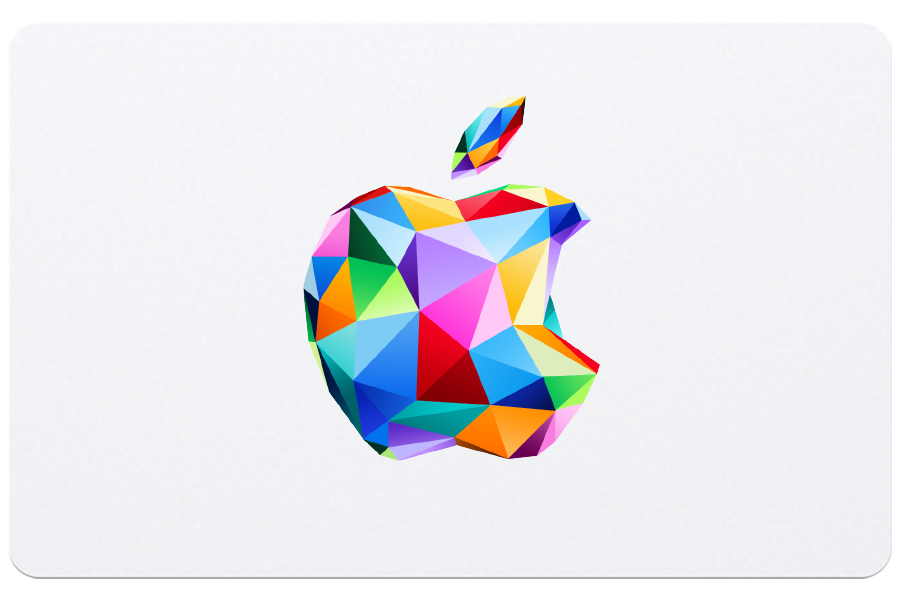
When searching for Apple gift card pictures, you’ll find a variety of designs. Shutterstock offers over 162 Apple gift card images in high definition. These visuals can be useful for marketing materials, presentations, or personal projects related to Apple products and services.
| Apple Gift Card Features | Details |
|---|---|
| Usage | Apple Store, App Store, Apple Music, Apple TV, Apple Books |
| Available Formats | Digital and Physical |
| Image Resources | Shutterstock, Adobe Stock |
| Redemption | Camera scan or manual code entry |
Understanding Apple Gift Cards
Apple Gift Cards offer versatile options for purchasing Apple products and services. These cards come in different types with specific uses and designs.
Varieties and Usage
Apple Gift Cards come in two main varieties. The Apple Store Gift Card can be used to buy Apple hardware and accessories at physical Apple Stores or online. The iTunes Gift Card is for digital purchases like apps, music, and movies from the App Store, iTunes Store, and Apple TV+.
A newer, universal Apple Gift Card combines these functions. You can use it for both physical products and digital content across Apple’s ecosystem. This card provides maximum flexibility for recipients.
When redeeming, you’ll need the 16-digit code on the back of the card. Some cards require gently scratching off a label to reveal this code.
Where to Purchase
You can buy Apple Gift Cards from various locations:
- Apple Stores
- Apple’s website
- Authorized retailers (e.g., Target, Best Buy)
- Some grocery stores
- Select online marketplaces
Purchasing directly from Apple or authorized retailers ensures the card’s authenticity. Be cautious when buying from third-party sellers to avoid potential scams.
Digital gift cards are also available for instant delivery via email. These are convenient for last-minute gifts or when physical delivery isn’t practical.
Design and Customization
Apple Gift Cards feature sleek designs that reflect Apple’s aesthetic. Physical cards often come in solid colors like gray, white, silver, or gold. The front typically displays the Apple logo and gift card value.
Digital gift cards offer more customization options. You can choose from various designs and add personal messages. Some feature themed artwork for special occasions like holidays or birthdays.
Here’s a comparison of physical and digital Apple Gift Cards:
| Feature | Physical Card | Digital Card |
|---|---|---|
| Delivery | Mail or in-store | Instant email |
| Design Options | Limited | Various themes |
| Personalization | No | Add messages |
| Convenience | Tangible gift | Immediate use |
When giving an Apple Gift Card, consider the recipient’s preferences and how they’ll likely use it. This ensures your gift provides the most value and enjoyment.
Redeeming and Managing Balances
Apple gift cards offer a convenient way to purchase digital content and physical products. Understanding how to redeem and manage your balance ensures you get the most value from your gift card.
Redemption Process
To redeem your Apple Gift Card, start by finding the 16-digit code on the back. You may need to scratch off a label to reveal it. On an iPhone or iPad, open the App Store and tap your profile picture. Select “Redeem Gift Card or Code” and enter the number.
For Mac users, open the App Store and click your name in the bottom-left corner. Choose “Redeem Gift Card” from the menu. Windows PC owners can use the Apple Music or Apple TV app. Click your name, then “Redeem.”
You can also redeem online through your Apple ID account page. Once entered, the balance adds to your Apple Account automatically.
Checking Balances
Keeping track of your gift card balance is easy. On iOS devices, go to Settings > [Your Name] > Payment & Shipping. Your balance appears at the top of the screen.
Mac users can check by opening the App Store and clicking their name. The balance shows in the account information. For a quick web check, visit appleid.apple.com and sign in to your account.
Here’s a simple table to remember where to find your balance:
| Device | Where to Check Balance |
|---|---|
| iPhone/iPad | Settings > [Your Name] > Payment & Shipping |
| Mac | App Store > Your Name |
| Web | appleid.apple.com |
Apple Account Integration
Your gift card balance integrates seamlessly with your Apple Account. When making purchases, Apple uses your gift card balance before charging your credit card.
This integration works across all Apple services including the App Store, iTunes Store, and Apple Music. It also applies to iCloud storage upgrades and Apple One subscriptions.
To add money to your account, use the “Add Funds to Apple ID” option in your account settings. This allows you to increase your balance beyond gift card amounts.
Remember, your Apple Account balance can’t be transferred to others or converted to cash. It’s for Apple purchases only.
Utilizing Gift Cards Across Apple Services
Apple gift cards offer versatility across the company’s digital ecosystem. They can be used for a wide range of products and services, providing flexibility for users to choose how they spend their balance.
Apps, Music, and Media
Apple gift cards unlock access to a vast array of digital content. You can use them to purchase apps from the App Store, buy music tracks or albums from Apple Music, and rent or own movies and TV shows from Apple TV+.
The gift card balance also covers subscriptions to Apple Arcade, giving you unlimited access to a curated selection of games. For book lovers, your gift card works in Apple Books, allowing you to build your digital library.
To redeem your gift card for these services:
- Open the App Store on your device
- Tap your profile picture
- Select “Redeem Gift Card or Code”
- Enter the 16-digit code or use your camera to scan it
Subscriptions and iCloud Services
Your Apple gift card balance extends to various subscription services. You can apply it towards Apple Music subscriptions, giving you access to millions of songs and curated playlists. The balance also covers Apple TV+ subscriptions for original shows and movies.
iCloud+ is another service you can pay for with your gift card. This provides extra online storage for your photos, documents, and backups. The table below shows iCloud+ storage tiers:
| Storage Tier | Monthly Price |
|---|---|
| 50 GB | $0.99 |
| 200 GB | $2.99 |
| 2 TB | $9.99 |
To use your gift card for subscriptions, go to your Apple ID settings and select “Payment & Shipping”. You can then choose to apply your gift card balance.
Apple Hardware and Accessories
While primarily used for digital goods, Apple gift cards can also be applied to physical products in some cases. You can use them towards the purchase of iPhones, iPads, Macs, and Apple Watches when buying directly from Apple.
The gift card balance also covers Apple-branded accessories like AirPods, cases, and charging cables. To use your gift card for hardware:
- Shop on the Apple website or in an Apple Store
- At checkout, select “Apple Account Balance” as your payment method
- Your available gift card balance will be applied to the purchase
Remember, if your gift card doesn’t cover the full amount, you can pay the difference with another payment method.
Corporate Use and Bulk Purchasing
Apple Gift Cards offer valuable solutions for businesses seeking employee rewards or customer incentives. Companies can buy these cards in bulk for cost-effective gifting programs.
Apple Gift Cards for Business
Apple Gift Cards for business come in various denominations. You can choose between physical cards with free shipping or digital codes. This flexibility allows you to select the best option for your company’s needs.
Apple Gift Cards are versatile. Recipients can use them for products, accessories, apps, games, music, movies, and TV shows. This wide range of choices makes them appealing to diverse employee or customer bases.
Ordering is simple. Apple’s business gift card program streamlines the purchase process. You can easily order large quantities to meet your corporate gifting needs.
Promotional and Incentive Programs
Apple Gift Cards excel as promotional incentives. They work well for customer thank-yous, employee gifts, or rewards for outstanding performance. Their broad appeal makes them suitable for various recognition programs.
Buying in bulk often leads to cost savings. Many providers offer volume discounts for large orders. This can help stretch your incentive budget further.
Here’s a quick comparison of bulk Apple Gift Card purchasing options:
| Provider | Minimum Order | Digital/Physical | Volume Discount |
|---|---|---|---|
| Apple | No minimum | Both | Case by case |
| eGifter | Varies | Digital | Yes |
| Tremendous | No minimum | Digital | Yes |
Bulk gift card systems often include advanced security features. These help protect your investment and ensure proper distribution. Look for providers offering tracking and reporting tools to manage your gifting program effectively.
Frequently Asked Questions
Apple gift cards have distinct visual features and security elements. Knowing these can help you identify legitimate cards and use them correctly.
What does an Apple gift card typically look like?
Apple gift cards have a sleek design. They feature the Apple logo prominently. The card’s background often displays vibrant colors or patterns. You’ll see the gift card value printed on the front.
Can you identify if an Apple gift card is legitimate by its appearance?
You can spot authentic Apple gift cards by checking key details. Look for high-quality printing and crisp images. Genuine cards have a smooth, glossy finish. Avoid cards with blurry text or low-quality graphics.
What should you look for on the front and back of an Apple gift card?
The front showcases the Apple logo and card value. The back contains important information. You’ll find a PIN code covered by a scratch-off panel. Instructions for card use are also printed on the back.
How can you verify the balance of an Apple gift card?
You have several options to check your gift card balance. Visit Apple’s website and enter the card’s PIN. Use the Apple Store app on your device. Call Apple Support for assistance.
Are there different designs available for Apple gift cards?
Apple offers various gift card designs. Seasonal themes are common during holidays. Some cards feature product images or artistic patterns. Special edition designs may be available for limited times.
What are the security features to check for on an Apple gift card?
Security features protect your gift card value. Look for the scratch-off panel covering the PIN. Check for holographic elements on the card. Verify that the card activation code is intact.
| Feature | Location | Purpose |
|---|---|---|
| Apple logo | Front | Brand identification |
| Card value | Front | Shows gift amount |
| PIN code | Back (under scratch-off) | Activates card |
| Hologram | Various locations | Prevents counterfeiting |
| Activation code | Back | Ensures card is valid |





