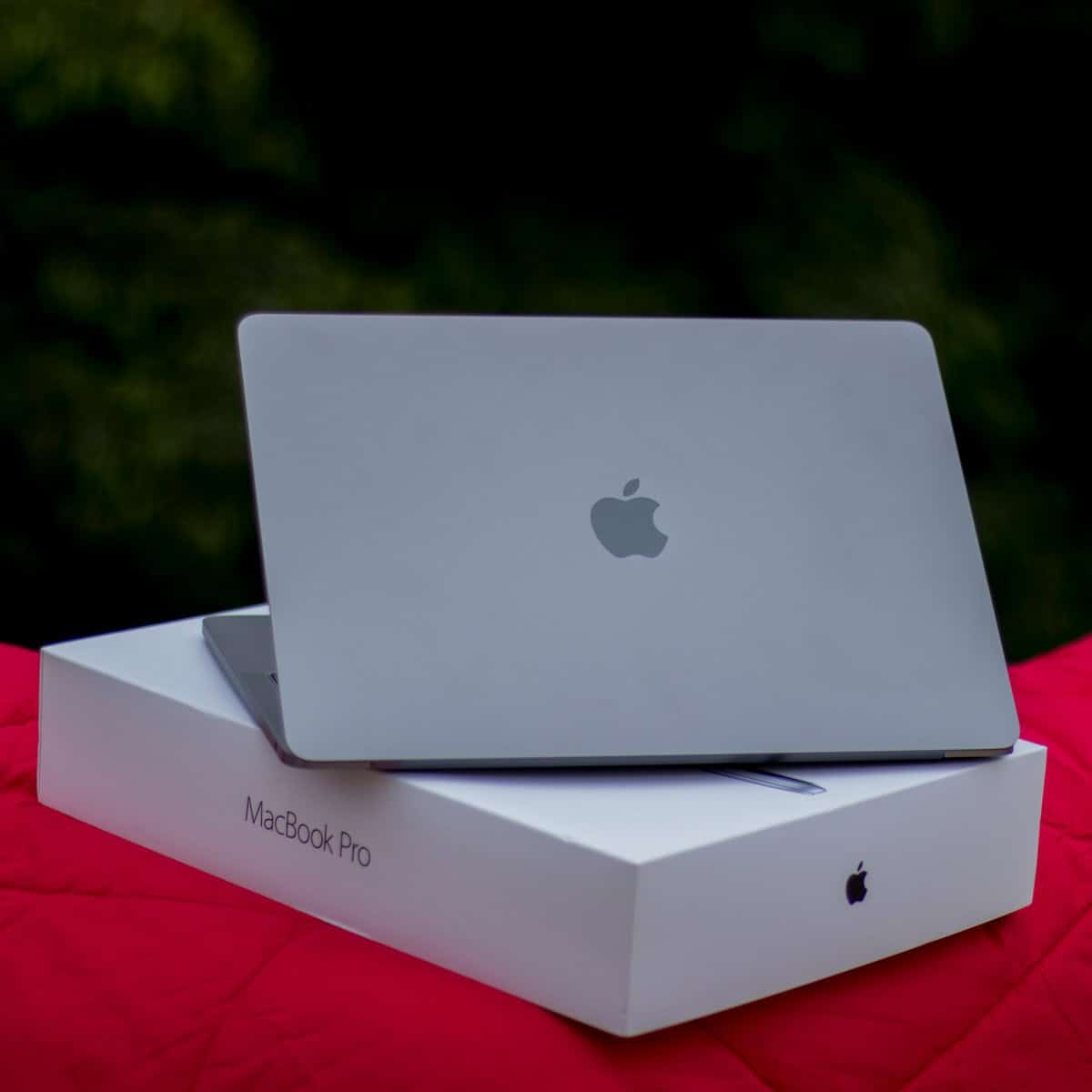
The MacBook Pro 15-inch 2017 model offers a blend of power and portability for professionals and creatives. This laptop features a vibrant Retina display, Intel’s 7th generation processors, and improved graphics capabilities. The 15-inch MacBook Pro 2017 starts at $2,399 and comes with a 2.8-GHz Intel Core i7 processor, 16GB of RAM, and a 256GB SSD.
Apple’s 2017 update to the MacBook Pro line brought modest improvements over its predecessor. The laptop retained its sleek aluminum design while gaining speed boosts from newer Intel CPUs and more powerful discrete graphics options. These upgrades aim to enhance performance for demanding tasks like video editing, 3D rendering, and software development.
For users considering this model, it’s worth noting that it includes the Touch Bar – a thin OLED strip above the keyboard that replaces traditional function keys with contextual controls. The laptop also features four versatile Thunderbolt 3 ports for connecting peripherals and external displays.
| Feature | Specification |
|---|---|
| Display | 15.4-inch Retina (2880 x 1800) |
| Processor | 2.8 GHz Intel Core i7 (up to 3.8 GHz) |
| Memory | 16GB 2133MHz LPDDR3 |
| Graphics | Radeon Pro 555 (2GB) |
| Storage | 256GB PCIe SSD |
| Ports | 4 Thunderbolt 3 (USB-C) |
Design and Display Features
The MacBook Pro 15-inch 2017 model combines sleek aesthetics with a stunning visual experience. Its high-resolution display and premium build quality set it apart in the laptop market.
Retina Display and Resolution
The MacBook Pro 15-inch 2017 features a 15.4-inch Retina display with IPS technology. This screen boasts a native resolution of 2880×1800 pixels, delivering crisp and detailed images. At 220 pixels per inch, text appears sharp and graphics look vibrant.
The LED-backlit display offers 500 nits of brightness, ensuring clear visibility even in well-lit environments. Colors are rich and accurate, making this laptop suitable for photo editing and graphic design tasks.
You’ll appreciate the wide viewing angles provided by the IPS technology. This allows you to share your screen with others without color or contrast distortion.
Physical Build and Color Options
Apple crafted the MacBook Pro 15-inch 2017 with a premium aluminum unibody design. This construction method results in a durable yet lightweight laptop that feels solid in your hands.
The device measures 15.5 mm in thickness and weighs approximately 1.83 kg (4.02 pounds). Despite its large screen size, you’ll find it relatively portable for a 15-inch laptop.
Color options for this model include:
- Silver
- Space Gray
The Space Gray finish offers a modern, professional look that many users prefer. Both color options feature a black keyboard, creating a sleek contrast with the metal body.
| Feature | Specification |
|---|---|
| Display Size | 15.4 inches |
| Resolution | 2880×1800 |
| Pixel Density | 220 ppi |
| Brightness | 500 nits |
| Build Material | Aluminum |
| Thickness | 15.5 mm |
| Weight | 1.83 kg |
Performance and Hardware
The 2017 MacBook Pro 15-inch packs powerful components into its slim chassis. It offers notable improvements in processing speed, graphics capabilities, and storage options compared to previous models.
Processor and Turbo Boost
The MacBook Pro 15-inch (2017) features Intel’s 7th generation Kaby Lake processors. You can choose between quad-core Intel Core i7 chips with clock speeds of 2.8GHz, 2.9GHz, or 3.1GHz. These processors use Turbo Boost technology to temporarily increase clock speeds for demanding tasks.
The 2.8GHz model can boost up to 3.8GHz, while the 2.9GHz and 3.1GHz versions reach 3.9GHz and 4.1GHz respectively. This gives you extra power when you need it for tasks like video editing or 3D rendering.
RAM and Graphics
Every 15-inch MacBook Pro (2017) comes with 16GB of high-speed RAM. This amount is suitable for most professional workflows, including running multiple applications simultaneously.
Graphics performance sees a significant upgrade. You can pick between two dedicated GPUs:
- Radeon Pro 555 with 2GB GDDR5 memory
- Radeon Pro 560 with 4GB GDDR5 memory
Both options deliver smooth performance for graphics-intensive tasks. The MacBook Pro also includes Intel HD Graphics 630 for less demanding applications, which helps conserve battery life.
SSD Storage Options
Apple offers fast PCIe-based SSD storage in various capacities:
| Storage Capacity | Read Speed | Write Speed |
|---|---|---|
| 256GB | 3.1 GB/s | 2.2 GB/s |
| 512GB | 3.2 GB/s | 2.2 GB/s |
| 1TB | 3.2 GB/s | 2.2 GB/s |
| 2TB | 3.2 GB/s | 2.2 GB/s |
These SSDs provide blazing-fast read and write speeds, significantly reducing load times for applications and large files. The 2TB option gives you ample space for storing extensive media libraries or project files.
Connectivity and Expansion
The MacBook Pro 15-inch 2017 model offers versatile connectivity options. It features advanced ports and wireless technologies to support various devices and data transfer needs.
Thunderbolt 3 and USB-C
The MacBook Pro 15-inch 2017 comes with four Thunderbolt 3 ports. These ports use USB-C connectors and support charging, data transfer, and video output. Thunderbolt 3 provides blazing-fast data speeds up to 40 Gbps.
You can connect external displays, storage devices, and other peripherals through these ports. They also support power delivery, allowing you to charge your MacBook Pro using any of the four ports.
Here’s a quick overview of Thunderbolt 3 capabilities:
| Feature | Specification |
|---|---|
| Data transfer speed | Up to 40 Gbps |
| Video output | Up to two 5K displays |
| Power delivery | Up to 100W |
| Compatibility | USB 3.1 Gen 2 (up to 10 Gbps) |
To connect older devices, you may need adapters or docks. Many accessories are available to expand your connectivity options.
Wireless Technologies
The MacBook Pro 15-inch 2017 supports modern wireless standards for seamless connectivity. It features 802.11ac Wi-Fi for fast internet connections.
This Wi-Fi standard offers theoretical speeds up to 1300 Mbps on the 5GHz band. It’s backward compatible with older Wi-Fi standards, ensuring you can connect to various networks.
Bluetooth 4.2 is also included for connecting wireless peripherals. This allows you to use:
- Wireless keyboards and mice
- Bluetooth headphones and speakers
- File transfer with nearby devices
The combination of Wi-Fi and Bluetooth provides flexible wireless options. You can work efficiently without being tethered by cables.
Software and User Experience
The MacBook Pro 15-inch 2017 offers a blend of advanced hardware features and powerful software. Its innovative Touch Bar and robust operating system provide users with enhanced productivity and streamlined workflows.
Touch Bar and Touch ID
The Touch Bar replaces traditional function keys with a dynamic OLED strip. It adapts to different apps, showing context-specific controls. For example, in Photos, you can quickly edit images using Touch Bar sliders.
Touch ID integrates seamlessly into the power button. It allows quick and secure logins without passwords. You can also use it for Apple Pay purchases and to switch between user accounts.
The Touch Bar supports third-party apps too. Many popular programs like Final Cut Pro X and Logic Pro X offer custom Touch Bar controls. This feature enhances your workflow and speeds up common tasks.
Operating System and Preloaded Software
The 2017 MacBook Pro comes with macOS High Sierra. This version introduces the Apple File System (APFS) for improved performance and security. It also includes updates to core apps like Safari and Mail.
Preloaded software includes:
| Application | Purpose |
|---|---|
| Photos | Image editing and organization |
| iMovie | Video editing |
| GarageBand | Music creation |
These apps provide a solid foundation for creative work right out of the box. You can also download pro-level software like Final Cut Pro X and Logic Pro X from the App Store.
macOS High Sierra offers features like Siri integration and improved multitasking. The Metal 2 graphics framework boosts performance in games and graphics-intensive apps.
Frequently Asked Questions
The 15-inch 2017 MacBook Pro offers powerful features and performance. Users often have questions about its specs, cost, availability, and accessories.
What are the specifications of the 15-inch 2017 MacBook Pro?
The 2017 MacBook Pro 15-inch model comes with an Intel Core i7 processor. It has a 15.4-inch Retina display with a resolution of 2880×1800 pixels.
Storage options range from 256GB to 2TB SSD. The laptop includes 16GB of RAM, which can be upgraded to 32GB.
For graphics, it uses either Radeon Pro 555 or 560 with 2GB or 4GB of VRAM.
How much does the 15-inch 2017 MacBook Pro typically cost?
Prices for the 15-inch 2017 MacBook Pro vary based on configuration and condition. New models originally retailed for $2,399 to $2,799.
Used or refurbished units now sell for $800 to $1,500 depending on specs and condition.
Where can I find a 15-inch 2017 MacBook Pro for sale?
You can find 15-inch 2017 MacBook Pros on various platforms. Check Apple’s refurbished store, authorized resellers, and online marketplaces.
Popular options include eBay, Amazon, and local computer stores. Be sure to verify the condition and specs before purchasing.
What is the battery replacement process for a 15-inch 2017 MacBook Pro?
Battery replacement for the 2017 MacBook Pro should be done by Apple or an authorized service provider. The process involves removing the bottom case and disconnecting internal components.
Due to the laptop’s design, DIY battery replacement is not recommended. Schedule a service appointment with Apple for professional replacement.
What types of chargers are compatible with the 15-inch 2017 MacBook Pro?
The 15-inch 2017 MacBook Pro uses USB-C for charging. It’s compatible with Apple’s 87W USB-C Power Adapter or third-party chargers meeting USB Power Delivery specifications.
Ensure any third-party charger provides at least 87W output for optimal charging speed.
What are the best case options for a 15-inch 2017 MacBook Pro?
Several case options offer protection for your 15-inch 2017 MacBook Pro. Hard shell cases provide scratch protection while maintaining a slim profile.
Padded sleeves offer extra cushioning for transport. Look for cases specifically designed for the 15-inch 2017 model to ensure a proper fit.
| Case Type | Protection Level | Portability |
|---|---|---|
| Hard Shell | Medium | High |
| Padded Sleeve | High | Medium |
| Rugged Case | Very High | Low |
Choose a case based on your usage and protection needs.