
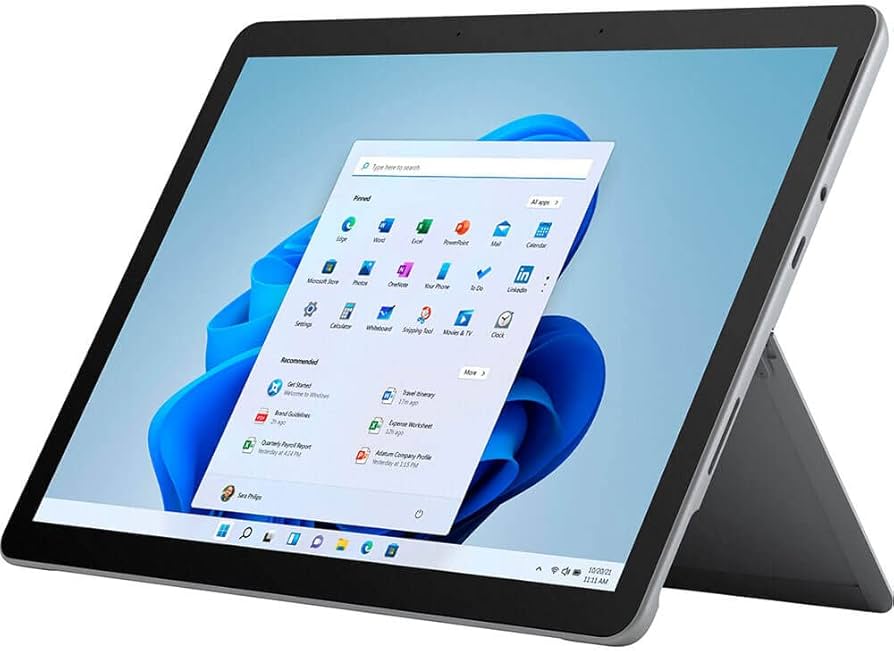
Looking for a cheap Windows 2-in-1 device but don’t want to spend the money on a Microsoft Surface Go? Many brands offer great alternatives with similar features at lower prices. The best Surface Go alternatives provide good performance, portability, and versatility without breaking the bank.
These budget-friendly 2-in-1 Windows tablets can switch between laptop and tablet modes, making them perfect for work, school, or travel. Options from brands like Acer, Asus, and Lenovo often include detachable keyboards, touchscreens, and enough power to handle everyday computing tasks. Let’s look at some top tested choices that give you more bang for your buck.
1) Acer Spin 1
The Acer Spin 1 stands out as a top budget-friendly alternative to the Microsoft Surface Go. This compact 2-in-1 offers good value for users who need basic Windows 10 functionality without the premium price tag.
The Spin 1 features a convertible design that lets users switch between laptop and tablet modes with ease. Its 360-degree hinge feels sturdy and smooth during transitions, making it practical for different uses throughout the day.
Battery life is surprisingly good for a budget device. Users can expect enough power to last through a typical workday without constantly searching for an outlet.
The display, while not as high-resolution as more expensive options, provides clear visuals for everyday tasks. Colors appear vibrant enough for casual photo viewing and video streaming.
Portability is a major strength of the Spin 1. It’s light enough to carry all day and small enough to fit easily in most bags. This makes it perfect for students or frequent travelers.
Performance handles basic tasks well. Web browsing, document editing, and video streaming run smoothly. However, demanding applications or multitasking might cause some slowdown.
Storage options are modest but adequate for everyday use. Many models include microSD card support for easy expansion when needed.
The keyboard, while smaller than full-sized laptops, offers a comfortable typing experience. Keys have decent travel and spacing for its size class.
2) Asus Transformer Mini T102HA
The Asus Transformer Mini T102HA stands out as a budget-friendly Surface alternative with good value. This compact 2-in-1 device comes with a metal body that gives it a premium feel despite its lower price point.
What makes this device special is that it includes both a keyboard cover and stylus right in the box. Many competitors charge extra for these accessories, but Asus bundles them in the purchase price.
The 10.1-inch tablet runs on a quad-core Intel Atom x5 processor. This isn’t the fastest chip around, but it handles basic tasks well enough for everyday use.
Memory options are decent for the price range. The device packs 4GB of RAM and 128GB of storage, which provides enough space for documents and a reasonable number of apps.
Battery life is a strong point for the Transformer Mini. Users can expect around 11 hours of use between charges, making it good for a full day of work or school.
The kickstand on the back is fully adjustable, unlike some competitors that only offer a few set positions. This means you can place it at almost any angle that works for you.
Windows 10 runs smoothly on this small tablet. The touch experience is responsive, and the included pen works well for notes and simple drawings.
At just 1.2 pounds (without the keyboard), the Transformer Mini lives up to its name. It’s light enough to carry all day without causing strain.
The keyboard cover attaches magnetically and doubles as screen protection when closed. While smaller than a standard keyboard, it’s comfortable enough for typing emails and documents.
3) Lenovo IdeaPad Miix 320
The Lenovo IdeaPad Miix 320 stands out as a solid budget-friendly alternative to the Microsoft Surface Go. This small 2-in-1 device combines tablet and laptop functions at a price that won’t break the bank.
One of the Miix 320’s strengths is its battery life, which lasts about an hour longer than the Surface Go. For users who need to work on the go, this extra time can make a big difference.
The Miix 320 comes with a detachable keyboard that snaps on easily. Unlike some competitors, you don’t need to buy this keyboard separately – it’s included in the package.
Connectivity is another win for the Miix 320. It features an HDMI port, which the Surface Go lacks. This makes connecting to external displays much easier without needing extra adapters.
The display offers a slightly higher resolution than the Surface Go, giving users a crisper viewing experience. While not a premium screen, it works well for everyday tasks like web browsing and document editing.
Performance-wise, the Miix 320 has faster CPU speeds compared to the base Surface Go model. This helps with multitasking and running basic Windows applications smoothly.
The device runs Windows 10, giving users access to the full desktop experience rather than a mobile operating system. This means you can run standard Windows programs rather than being limited to apps.
For students or workers who need basic computing on a tight budget, the Miix 320 offers good value. It weighs just over a pound, making it easy to slip into a bag without adding much weight.
4) Acer Switch 3
The Acer Switch 3 stands out as a solid Windows 10 2-in-1 option for budget-conscious shoppers. This device offers good value with its detachable keyboard design that mimics the Surface Go’s functionality.
Users will find the Switch 3’s build quality surprisingly good for its price point. The metal chassis gives it a premium feel that belies its budget status. It’s sturdy enough for daily use while remaining light enough for easy portability.
The keyboard attachment clicks in firmly and provides a comfortable typing experience. Unlike some cheaper models, the keys have decent travel and spacing. This makes it useful for both quick emails and longer documents.
Battery life on the Switch 3 is adequate for a day of light work. Most users can expect around 6-7 hours of real-world use before needing to recharge. This puts it on par with many other budget 2-in-1s in its class.
The display offers good color accuracy and brightness for indoor use. At 12.2 inches, it strikes a nice balance between screen real estate and portability. Touch response is snappy and works well with Windows 10’s tablet mode.
Performance is suitable for everyday tasks like web browsing, document editing, and media consumption. The Intel processor handles basic multitasking without major slowdowns. However, it’s not meant for heavy gaming or video editing.
Port selection includes USB-A, micro HDMI, and microSD slots. This provides better connectivity than many competing tablets. The included stylus works well for basic note-taking and drawing tasks.
5) Acer Spin 3 with Amazon Alexa
The Acer Spin 3 stands out as a worthy alternative to the Microsoft Surface Go with its built-in Amazon Alexa functionality. This 2-in-1 laptop gives users the convenience of voice commands while offering good performance at a budget-friendly price.
With an Intel i7 processor, the Acer Spin 3 delivers fast performance that handles everyday tasks with ease. Users praise its speed and power, especially considering its price point which comes in below similar but less powerful computers.
The 14-inch Full HD IPS touchscreen display offers clear visuals and responsive touch controls. This screen size provides more workspace than the Surface Go while maintaining portability.
One of the Spin 3’s best features is its convertible design. Users can flip the screen to use it as a tablet, tent, or traditional laptop depending on their needs.
The built-in Amazon Alexa support adds a helpful layer of functionality. You can ask Alexa to check the weather, play music, or control smart home devices without lifting a finger.
Battery life is solid for a budget 2-in-1 device. Most users can get through a workday without needing to plug in.
The Spin 3 includes a 720p HD webcam with Temporal Noise Reduction technology. This feature, along with AI noise cancellation, helps improve video and audio quality during calls.
6) Microsoft Surface Pro 11
The Microsoft Surface Pro 11 stands out as a top contender in the 2-in-1 market. It’s currently rated as the best overall 2-in-1 laptop according to Tom’s Guide for 2025.
Unlike the budget-friendly Surface Go, the Pro 11 offers premium features with premium pricing. It provides the same versatility of switching between tablet and laptop modes but with significantly more power.
The Pro 11 features a crisp display, strong performance, and the refined design Surface devices are known for. Users can expect excellent build quality with the signature kickstand that allows for multiple viewing angles.
Battery life has improved over previous generations, making it suitable for all-day work sessions. The device runs Windows smoothly, handling both productivity tasks and entertainment without issues.
For those seeking Surface Go alternatives, the Pro 11 might seem like an upgrade rather than an alternative. However, it’s worth considering if your budget allows for it.
Several users on Reddit discussions have noted that while the Pro 11 is excellent, more affordable Windows ARM devices might provide better battery life with a similar form factor.
The detachable keyboard and Surface Pen (sold separately) complete the experience, though these add-ons increase the overall cost. This added expense is something to consider when comparing to all-in-one 2-in-1 devices.
For professionals and students who need a reliable Windows 2-in-1 with no compromises, the Surface Pro 11 delivers. Its performance and versatility make it suited for everything from document editing to light creative work.
7) Asus ProArt PX13
The Asus ProArt PX13 stands out as a strong Surface Go competitor with more power and features. This 2-in-1 device runs Windows and offers an attractive design that many users find appealing.
What makes the PX13 special is its Snapdragon X Plus CPU. This chip helps the device run faster than the Surface Go while using less battery power. You get good performance without having to charge as often.
Artists and note-takers will like the PX13’s screen and pen support. The display shows colors well, which is why Asus put “ProArt” in the name. It’s made for people who create digital art and need accurate colors.
The PX13 costs less than a Surface Pro while offering similar features. This makes it a great choice for budget-conscious shoppers who still want quality.
For those interested in AI apps, the PX13 is a top pick. Its hardware works well with AI creation apps, giving users a smooth experience when using these new tools.
Like other 2-in-1 devices, the PX13 can switch between laptop and tablet modes. This flexibility lets you use it for work, watching videos, or drawing with the pen.
The keyboard and trackpad work well for typing reports or emails. When you need to take notes or draw, just flip it to tablet mode and use the touchscreen.
8) Asus ROG Flow Z13
The Asus ROG Flow Z13 stands out as a powerful alternative to the Microsoft Surface Go. Unlike many budget 2-in-1 devices, this tablet combines gaming capabilities with portability.
The ROG Flow Z13 is perfect for users who want both work functionality and gaming performance. According to Tom’s Guide, it’s recognized as the best tablet for gaming among current 2-in-1 options.
This device features a detachable keyboard similar to the Surface Go design. You can use it as a tablet or attach the keyboard for laptop-style productivity.
One downside is the price point. On Reddit, users note the ROG Flow Z13 is too expensive for many shoppers looking at budget options. This places it in a different category than most Surface Go alternatives.
The tablet runs Windows 10 smoothly and handles demanding programs with ease. Its processing power exceeds what you’ll find in most affordable 2-in-1 devices.
Battery life is decent but not exceptional. The gaming hardware inside requires more power than standard tablets.
For artists and designers, the touchscreen offers precise input. The display quality is excellent, with vibrant colors and sharp resolution.
The ROG Flow Z13 weighs more than the Surface Go. This extra weight comes from the powerful components inside that enable its gaming abilities.
If gaming isn’t important to you, cheaper options like the Acer Spin 1 might better fit your needs and budget.
9) Lenovo Yoga 7 14 Gen 9
The Lenovo Yoga 7 14 Gen 9 stands out as one of the best 2-in-1 laptops for most people. It offers excellent value at a midrange price point while delivering solid performance for everyday tasks.
This versatile 2-in-1 features a 14-inch display that flips 360 degrees. You can use it as a standard laptop or fold it into tablet mode whenever needed. The flexible hinge feels sturdy and moves smoothly through different positions.
Battery life impresses on the Yoga 7. You won’t need to hunt for power outlets throughout your workday. The device includes a good selection of ports, making it practical for connecting various peripherals without extra adapters.
Performance-wise, the Yoga handles multitasking well. It runs Windows 10 smoothly and can manage productivity software, web browsing, and media consumption without slowdowns.
Budget-conscious shoppers will appreciate this model. The Yoga 7 delivers solid performance and versatility at a more affordable price than Microsoft’s Surface Go. It doesn’t sacrifice quality for cost savings.
The keyboard feels comfortable for long typing sessions. Its touchpad responds accurately, and the touchscreen offers another input option that works well in tablet mode.
For users seeking a Surface Go alternative with a larger screen, the Yoga 7 14 Gen 9 makes an excellent choice. It combines the flexibility of a 2-in-1 design with enough power for everyday computing needs.
10) HP OmniBook Ultra Flip 14
The HP OmniBook Ultra Flip 14 is a premium 2-in-1 laptop that stands as a worthy alternative to the Microsoft Surface Go. It carries the legacy of HP’s Spectre x360 line while bringing new features to the table.
This convertible laptop features a sturdy hinge with magnets that keep it stable in all positions. Users can easily open and flip the screen all the way around for use in tablet mode, making it quite versatile for different tasks.
The OmniBook Ultra Flip 14 comes with an OLED display that offers excellent color reproduction and contrast. This makes it ideal for both work and entertainment purposes.
For professionals, this device checks all the right boxes. It combines good performance, lightweight design, and strong speakers in one package. These features make it suitable for daily work tasks and media consumption.
Recent tests show the HP OmniBook Ultra Flip 14 is among the best 2-in-1 laptops available in 2025. While the hardware is described as “amazing,” some users have noted software issues that might need addressing.
The laptop is positioned as an ultraportable work machine that competes with models from Lenovo and other brands. Its lightweight build makes it easy to carry between meetings or classes.
When compared to the Surface Go, the OmniBook offers more power and a larger screen, though at a higher price point. This makes it a good option for those who need more performance than Microsoft’s smaller 2-in-1.
Key Features to Consider
When shopping for a Surface Go alternative, focusing on the right features will help you find a device that meets your needs without breaking the bank. The right balance of performance, display quality, and battery life makes all the difference in your daily computing experience.
Performance Capabilities
The processing power of your 2-in-1 device determines how well it handles everyday tasks. Most budget-friendly alternatives use Intel Pentium or Celeron processors, which work well for basic computing needs.
RAM is crucial for multitasking. Look for at least 4GB RAM, though 8GB provides a smoother experience when running multiple programs. Many Acer Spin and Switch models offer good memory options at reasonable prices.
Storage type matters too. Devices with eMMC storage are cheaper but slower than those with SSD storage. The Asus Transformer Mini comes with 64GB of storage, similar to the base Surface Go model.
Port selection shouldn’t be overlooked. More ports mean less need for dongles. Look for USB-A, USB-C, and microSD card slots for better connectivity.
Display Quality
Screen size typically ranges from 10 to 12 inches on budget 2-in-1s. This size balances portability with usability. The Lenovo IdeaPad Miix 320 offers a compact yet functional display for everyday tasks.
Resolution makes a big difference in your viewing experience. Aim for at least 1280 x 800, though full HD (1920 x 1080) displays provide sharper text and images. Higher resolution screens use more battery, so consider this trade-off.
Touchscreen responsiveness varies between models. A good touchscreen should register inputs accurately without delay. This becomes especially important when using the device in tablet mode.
Brightness levels matter for outdoor use. Look for displays with at least 300 nits of brightness for better visibility in well-lit environments. Many budget Windows tablets now offer decent brightness levels.
Battery Life
Runtime expectations for budget 2-in-1s typically range from 6-10 hours. The Acer Spin 3 offers good battery performance for its price range.
Usage type affects battery life dramatically. Web browsing and document editing use less power than video streaming or gaming. Always check reviews for real-world battery tests rather than manufacturer claims.
Charging options are worth considering. USB-C charging provides flexibility since you can use the same charger for your phone and tablet. Some models still use proprietary chargers, which can be inconvenient when traveling.
Battery degradation happens over time. Look for devices with easily replaceable batteries if you plan to keep your 2-in-1 for several years. Most Lenovo Yoga models offer decent battery lifespan and serviceability.
Benefits of 2-in-1 Devices
2-in-1 devices offer users the best of both laptop and tablet worlds in a single package. They combine computing power with touch capabilities, making them perfect for various uses.
Versatility for Different Tasks
2-in-1 devices shine when switching between work and play. You can type reports in laptop mode with a full keyboard, then flip to tablet mode for reading or drawing. This flexibility is perfect for students and professionals alike.
Most models come with touchscreens and stylus support, making them great for note-taking and design work. The 360-degree hinges let you set up in tent mode for watching videos or giving presentations.
Many budget-friendly options now include extras that were once premium features. For example, some Surface Go alternatives come with:
- Included keyboard covers and styluses
- USB 3.0 ports for connecting devices
- Fingerprint readers for quick login
- Adjustable kickstands for better viewing angles
Portability and Ease of Use
The compact size of 2-in-1s makes them perfect travel companions. Most weigh less than traditional laptops but offer similar performance in a smaller package.
Devices like the HP OmniBook Ultra Flip 14 deliver premium features in a portable form. They’re light enough to carry all day but powerful enough to handle your work.
Windows 10 2-in-1s are particularly useful because they run full desktop software while offering tablet convenience. This means you can use professional apps and touch-friendly games on the same device.
Many affordable models now provide decent storage options, with base models starting at 64GB. For students and travelers who need just one device that does it all, 2-in-1s hit the sweet spot of function and price.
Frequently Asked Questions
Shopping for a budget 2-in-1 Windows device can be tricky. Here are answers to common questions about affordable alternatives to the Microsoft Surface Go.
What are the top budget-friendly 2-in-1 Windows 10 devices?
The Acer Spin 1 stands out as one of the best budget options. It offers good performance for everyday tasks at a fraction of the Surface Go’s price.
The Asus Transformer Mini T102HA is another excellent choice. It comes with a keyboard and stylus included, making it a complete package right out of the box.
For those needing basic functionality, the Lenovo IdeaPad Miix 320 provides essential features at a very accessible price point.
Which 2-in-1 laptops offer the best value for students?
The Acer Switch 3 offers the best balance of performance and price for students. Its sturdy build and decent processing power handle note-taking, research, and writing assignments well.
Lenovo’s IdeaPad Miix 320 is perfect for students on tight budgets. The detachable keyboard and long battery life make it ideal for class use.
The Asus Transformer Mini is also worth considering as it includes a stylus for note-taking and drawing, plus its lightweight design makes it easy to carry between classes.
Can you recommend durable and inexpensive 2-in-1 laptops?
The Acer Switch 3 features a metal chassis that can withstand daily wear and tear. Its kickstand design is less likely to break compared to some hinged alternatives.
The Asus Transformer Mini uses quality materials and has few moving parts that could fail. Many users report these devices lasting several years even with regular use.
Acer Spin models generally have reinforced hinges that maintain stability even after thousands of fold cycles.
What are the most reliable alternatives to the Microsoft Surface Pro?
The Acer Spin 3 with Amazon Alexa integration offers reliability with added voice assistant features. Its conventional laptop design with 360-degree hinge provides extra stability.
The Acer Switch 3 serves as a dependable Surface Pro alternative with similar tablet functionality but at a much lower price point.
For those seeking business-grade reliability, some Huawei MateBook or Samsung Galaxy Book models fall into the mid-range price category while offering excellent build quality.
Which cost-effective Windows tablets perform similarly to the Microsoft Surface Go?
The Asus Transformer Mini T102HA performs many of the same functions as the Surface Go. It runs full Windows 10 and comes with accessories that would cost extra with the Microsoft device.
The Lenovo IdeaPad Miix 320 offers a similar tablet experience with detachable keyboard. While not as powerful, it handles basic tasks well at almost half the price of the Surface Go’s $399 starting point.
Acer’s Switch 3 delivers comparable performance to the base Surface Go model but often at a better price when on sale.
What features should one consider when looking for a cheap but efficient 2-in-1 Windows tablet?
Processor type is crucial – look for at least an Intel Pentium or Celeron for basic tasks. Avoid extremely low-end processors that will struggle with Windows 10.
RAM should be a minimum of 4GB for decent multitasking. Anything less will result in frustratingly slow performance.
Storage type matters more than size. A smaller SSD (64GB) will feel faster than a larger but slower eMMC storage option.
Battery life varies widely among budget options. Look for devices that offer at least 6-8 hours of real-world use.
The included accessories can save money. Some models like the Asus Transformer Mini include keyboards and styluses that would be expensive add-ons with other devices.





