
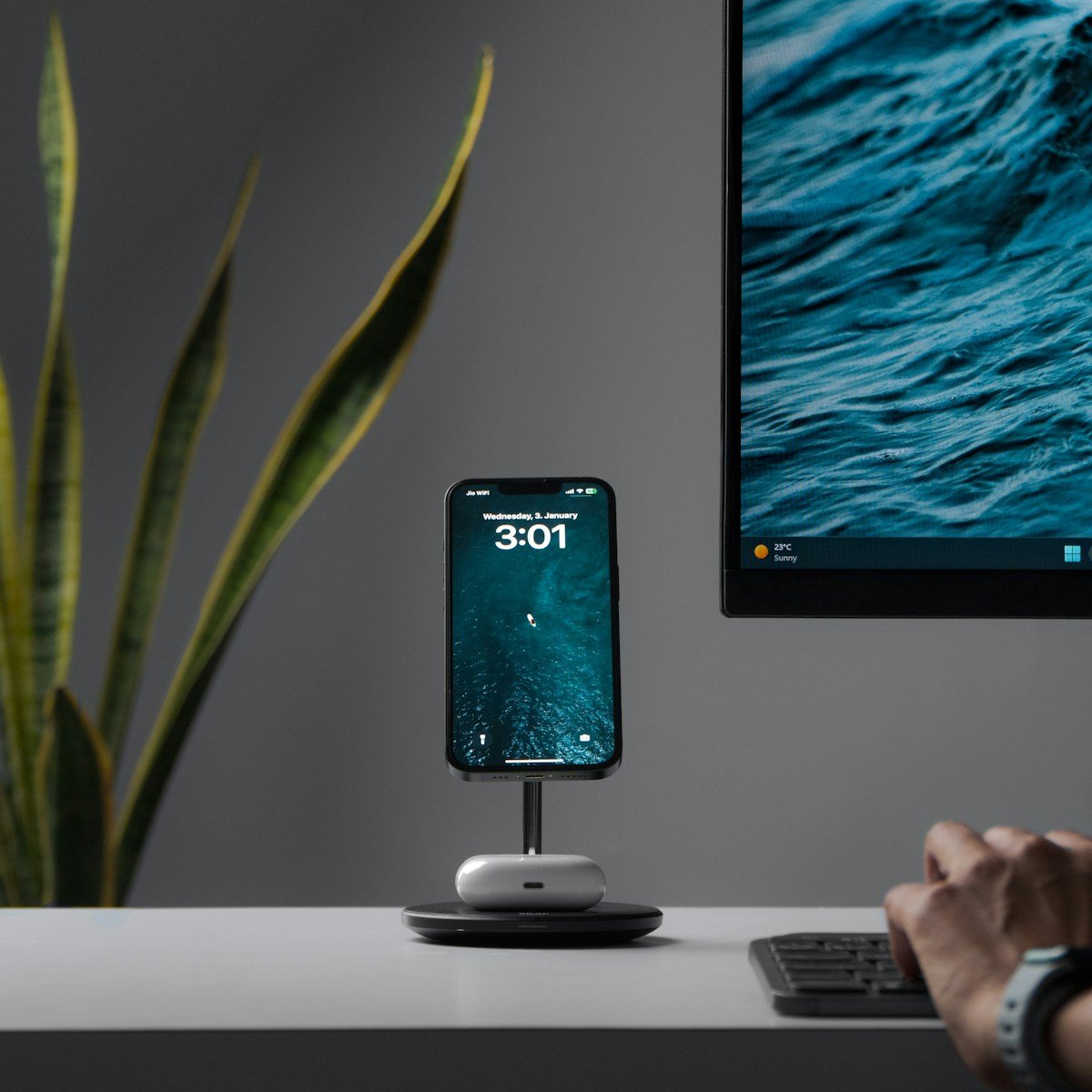
Charging your new iPhone isn’t complicated, but doing it right ensures your battery stays healthy longer. The latest iPhone comes with a USB-C port, replacing the Lightning connector that Apple used for years. You can charge your iPhone using a USB-C cable connected to a power adapter, a MagSafe wireless charger, or even by connecting it to other USB-C devices like a MacBook or iPad.
1. The Hardware: Choosing the Right Charger
To get the most out of the iPhone 16 and 17 series, you need to move past the old 5W and 20W “bricks.”
- For Maximum Wired Speed: The iPhone 16/17 series can support peak wired charging speeds of up to 45W. To achieve this, use a 30W or 45W USB-C PD (Power Delivery) wall charger. Using a higher wattage brick (like a MacBook’s 70W or 140W charger) is perfectly safe; the iPhone will only “pull” the power it needs.
- For MagSafe Wireless: To get the new 25W wireless charging speeds, you must use the updated MagSafe Charger (released in late 2024) paired with at least a 30W power adapter.
- The Cable: Always use a high-quality USB-C to USB-C cable. The braided cable included in your box is excellent for health and durability.
2. Software: Using the “Charging Limit” Feature
One of the biggest upgrades in recent iOS versions is the ability to set a specific battery ceiling.
How to set it: Go to Settings > Battery > Charging Optimization.
In 2025/2026, you now have a slider with options for 80%, 85%, 90%, 95%, and 100%.
- The 80% Limit: This is the “Gold Standard” for battery longevity. If you work at a desk or have easy access to a charger throughout the day, keep your limit at 80%. This prevents the lithium-ion battery from “stressing” at high voltages.
- The 90% Compromise: If you find 80% isn’t enough to get you through the day, 90% is a great middle ground that still offers significantly better longevity than a full 100% charge.
- When to use 100%: Only set it to 100% when you know you’ll be traveling or away from a plug for a long time.
3. The “Golden Rule”: The 20-80% Cycle
Lithium-ion batteries are like human lungs; they don’t like being completely empty or completely full.
- Avoid the “Red Zone”: Try not to let your iPhone drop below 20%. Deep discharges are chemically taxing on the battery cells.
- The Sweet Spot: Keeping your phone between 20% and 80% as much as possible can potentially double the lifespan of your battery chemistry.
4. Thermal Management (Heat is the Enemy)
Heat is the #1 killer of battery health.
- Remove Heavy Cases: If you are using a thick “rugged” case and notice your phone getting hot while fast-charging, take the case off.
- Avoid “Heavy” Use While Charging: Don’t play high-end games (like Genshin Impact or Resident Evil) or edit 4K video while fast-charging. The combined heat from the processor and the charging coils can degrade the battery rapidly.
- Charging in the Car: Avoid leaving your iPhone on a wireless charging pad in a hot car dashboard. The sun plus the wireless induction heat is a “death sentence” for battery health.
5. Nighttime Charging Strategy
If you charge your phone while you sleep, speed is your enemy.
- Use a Slow Charger: If you are charging for 8 hours overnight, use an old 5W USB-A brick (with a USB-A to USB-C cable). Slow charging generates almost zero heat, which is much healthier for the battery.
- Enable “Optimized Battery Charging”: If you don’t want to use a hard limit (like 80%), ensure “Optimized Battery Charging” is on. Your iPhone will learn your routine, charge to 80% quickly, and wait until just before you wake up to finish the last 20%.
6. Summary Checklist for iPhone 16/17 Owners
| Scenario | Recommended Method |
|---|---|
| Emergency / Quick Top-up | 45W USB-C Wired Charger (0% to 50% in ~25 mins) |
| Daily Desk Use | MagSafe or Qi2 Stand with 80% Limit enabled |
| Overnight Charging | 5W Slow Charger or “Optimized Battery Charging” |
| Long Road Trip | Wired USB-C (avoid wireless pads in the sun) |
Final Pro Tip: Check your battery health occasionally in Settings > Battery > Battery Health & Charging. On the iPhone 16 and 17, you can also see your Cycle Count. A typical battery is designed to retain 80% of its capacity after 1,000 full cycles. If you follow this guide, you can likely push that to 1,500 cycles!
iPhone 16 Charing Info
There are many ways to power up your iPhone 16. You can use the USB-C charging cable that came with your phone, plugging it into a compatible power adapter. For the fastest charging speeds, a 30W or higher power adapter works best. Wireless charging is another option, with Apple’s MagSafe charger snapping perfectly to the back of your phone for a reliable connection.
Your battery will last longer if you follow some simple habits. Turn on the Optimized Battery Charging feature in your settings to help your iPhone learn your daily routine and slow down charging past 80% when it predicts you’ll be connected for a while. This small step can make a big difference in how long your battery stays healthy.
Key Takeaways
- USB-C charging cables, MagSafe wireless chargers, and other USB-C devices can all power your iPhone 16.
- Fast charging works best with a 30W or higher power adapter for quick power boosts when you’re in a hurry.
- Using the Optimized Battery Charging feature helps extend your battery’s lifespan by reducing battery stress.
Overview of the iPhone 16 Charging Specifications
The iPhone 16 offers various charging options and battery management features that help users keep their devices powered throughout the day. Apple has improved both wired and wireless charging capabilities in this new model, along with enhanced battery health features.
Battery Capacity and Life
The iPhone 16 comes with a robust battery that supports all-day use. Users can expect:
- Up to 20 hours of video playback
- Up to 16 hours of streaming video
- Up to 65 hours of audio playback
The exact battery capacity varies by model, with the iPhone 16 Plus featuring a larger battery than the standard iPhone 16. Both models show improvements over previous generations.
Battery life depends on usage patterns. Heavy activities like gaming or video recording drain power faster than checking emails or browsing websites.
Apple designed the iPhone 16 with better power efficiency. The new chip helps manage power use more effectively, extending battery life even with demanding tasks.
Charging Methods
The iPhone 16 supports multiple charging options, giving users flexibility:
Wired Charging:
- USB-C connection (replaced Lightning in previous models)
- Fast-charge capable: Reaches 50% battery in about 30 minutes with a 20W or higher adapter
- Supports up to 40W charging speeds with compatible adapters
Wireless Charging:
- Qi2 wireless charging up to 15W
- Standard Qi wireless charging up to 7.5W
- MagSafe compatibility for perfect alignment
Apple doesn’t include a power adapter in the box, only a USB-C cable. Users need to purchase a compatible adapter separately for optimal charging speeds.
Battery Health Management in iOS 18
iOS 18 brings smart battery management features to the iPhone 16:
Optimized Battery Charging: This feature learns your daily charging routine and delays charging past 80% until you need it. This reduces battery aging from keeping it at 100% for long periods.
Battery Health Monitoring: Users can check battery health percentage in Settings. The system shows maximum capacity compared to when the battery was new.
Power Usage Stats: iOS 18 provides detailed information about which apps use the most battery. This helps users identify and manage power-hungry applications.
The new system also includes a Low Power Mode that reduces background activity and extends battery life when needed. Apple designed these features to help maintain battery health over the iPhone 16’s lifespan.
Using the MagSafe Charger with iPhone 16
MagSafe charging offers a convenient way to power your iPhone 16 without plugging in cables. This magnetic charging system attaches automatically and ensures proper alignment for efficient wireless charging.
Understanding MagSafe Technology
MagSafe uses magnets built into the iPhone 16 that align perfectly with compatible chargers. These magnets create a strong connection that snaps the charger into the right position automatically.
The iPhone 16 Pro may sometimes have issues with older MagSafe chargers, so using newer models is best. All iPhone 16 models have MagSafe capabilities built-in.
MagSafe works at up to 15W charging speed – faster than standard wireless charging. The magnets also allow for accessory attachment like wallets and car mounts.
You’ll know your MagSafe charger is working when you see a brief animation on your iPhone screen after attachment. This confirms proper alignment and charging has begun.
Wireless Charging with MagSafe
To use a MagSafe charger, simply place it against the back of your iPhone 16. The magnets will pull it into the correct position. You’ll feel a satisfying snap when aligned properly.
For fast charging with MagSafe, you need at least a 20W power adapter. The iPhone 16 can charge from 0 to 50% in about 30 minutes with proper equipment.
MagSafe generates more heat than wired charging. This is normal but can affect battery health over time. Using MagSafe overnight is safe, but the extra heat is less ideal for battery longevity.
Remove thick cases for better MagSafe performance. MagSafe-compatible cases work best as they have built-in magnets that maintain a strong connection.
Optimized Battery Charging with MagSafe
iPhone 16 includes smart battery features that work with MagSafe charging. The optimized battery charging feature learns your habits and slows charging past 80% when appropriate.
To enable this feature, go to Settings > Battery > Battery Health & Charging > Optimized Battery Charging. This helps extend your battery’s overall lifespan.
Your iPhone might pause at 80% charge until you need it. For example, if you typically unplug at 7 AM, it will finish charging just before then.
Remove metal objects from between your iPhone and MagSafe charger. Credit cards with magnetic strips should also be removed to avoid damage.
You can temporarily bypass optimized charging by tapping “Charge Now” when the notification appears. This is useful when you need a full charge quickly.
Wired Charging Options
The iPhone 16 uses USB-C for charging, marking a significant change from older models. You’ll need to understand which cables and power adapters work best to get optimal charging speeds.
USB-C Port and Compatible Cables
The iPhone 16 comes with a USB-C charging port instead of the Lightning port found on older iPhones. This change means you’ll need to use USB-C cables for charging.
In the box, Apple includes a USB-C to USB-C cable. This cable works with USB-C power adapters and computer ports.
If you have older USB-A chargers, you’ll need:
- A USB-C to USB-A cable, or
- An adapter to convert USB-A to USB-C
Many users find they need to buy additional cables when upgrading to the iPhone 16. Lightning cables will not work with the new iPhone 16.
Selecting the Ideal Charger
For the best charging experience, use a certified USB-C power adapter with enough wattage for your specific iPhone 16 model:
| iPhone Model | Recommended Charger |
|---|---|
| Standard iPhone 16 | 20W or higher |
| iPhone 16 Pro models | 40W or higher |
Using a low-wattage charger (like 5W or 10W) will work but charge your phone much slower. The standard iPhone 16 models support fast charging with a 20W adapter.
Pro models can utilize faster 40W charging speeds. Apple doesn’t include a power adapter in the box, so you’ll need to purchase one separately.
When buying a charger, look for those with USB-C Power Delivery (PD) technology for the fastest charging speeds.
Fast Charging Capabilities
The iPhone 16 lineup introduces significant improvements in charging speeds, allowing users to power up their devices faster than ever before. Both wired and wireless charging options have received substantial upgrades.
Boosting Charging Speeds
All iPhone 16 models now support up to 45W of USB-C fast charging, a major step up from previous generations. This improvement means users can charge from 0 to 50 percent in approximately 30 minutes with the right equipment.
To achieve these faster speeds, users need a compatible USB-C power adapter with at least 40W output. Apple doesn’t include these chargers in the box, so they must be purchased separately.
For the best results, users should look for chargers that support the USB Power Delivery (PD) protocol. These adapters provide the optimal charging rates for the new iPhones.
The iPhone 16 will automatically regulate its charging speed based on battery temperature and current charge level to protect battery health. Speeds typically slow down as the battery approaches full capacity.
Comparing Fast Charging Accessories
For wired charging, several options exist at different price points:
- Apple’s 20W adapter: The minimum for basic fast charging ($19)
- Apple’s 35W dual USB-C adapter: Good for charging multiple devices
- Third-party 45W adapters: Maximize charging potential for iPhone 16
For wireless charging, the iPhone 16 supports 25W MagSafe/Qi2 charging, up from 15W in previous models. This makes wireless charging a more practical option for daily use.
When choosing between charging accessories, consider:
- Power output: Higher wattage means faster charging
- Portability: Smaller chargers are better for travel
- Brand reliability: Stick with reputable manufacturers to avoid damage
For optimal results, Apple recommends using an 18W or higher USB-C power adapter.
Charging Your iPhone 16 with Other Devices
Your iPhone 16 offers versatile charging options beyond traditional wall chargers. The device supports power sharing that lets you use other devices to charge your iPhone in emergencies.
Apple Watch Integration
The iPhone 16 introduces a useful reverse charging feature for Apple Watch owners. You can now use your iPhone to power up your Apple Watch when you’re away from outlets.
To charge your Apple Watch with your iPhone 16, simply place the watch on the back of your phone. The iPhone 16 will automatically detect your Apple Watch and begin charging it at rates up to 4.5 watts.
This feature works best when your iPhone has at least 20% battery remaining. The system smartly preserves your phone’s power by limiting how much it shares.
You can monitor the charging progress right on your Apple Watch screen. A small charging icon will appear, similar to when using the standard Apple Watch charger.
This integration is perfect for travelers or busy days when you forget your Apple Watch charger but need to keep your watch powered up for fitness tracking or notifications.
Evaluating Charging Time
iPhone 16 models have specific charging patterns worth understanding. Knowing these patterns helps you plan your day better.
The iPhone 16 Pro takes about 1 hour and 47 minutes to reach full charge when using Apple’s 35W charger, as tests have shown. This is important to know if you’re in a hurry.
All iPhone 16 models support fast charging capabilities. They can charge from 0 to 50 percent in about 30 minutes with the right equipment. To get this speed, you’ll need at least Apple’s 20W adapter or a compatible third-party charger.
The charging speed isn’t constant throughout the process. iPhones charge quickly up to 80%, then slow down for the final 20%. This helps protect battery health.
iPhone users should know about Optimized Battery Charging. This feature:
- Charges quickly to 80%
- Pauses charging temporarily
- Completes the final 20% more slowly over 5-6 hours
- Can be turned on or off in Settings > Battery > Battery Health & Charging
Some users find the 2-hour charging time too long compared to other phones in 2025. Many competitors offer faster charging options.
For the best results, use Apple’s recommended chargers or MFi-certified alternatives. Lower-power chargers will work but will take much longer to fill your battery.
Frequently Asked Questions
iPhone 16 charging can be simple once you understand the basics. The right methods help keep your battery healthy and working well for a long time.
What are the recommended methods for charging an iPhone 16 without its original charger?
You can charge your iPhone 16 with any USB-C cable connected to a compatible power adapter. Many third-party chargers work well with the iPhone 16.
USB-C chargers with proper power output are safe to use. Look for chargers that support USB Power Delivery (PD) for the best results.
MagSafe charging is another good option. The magnetic chargers snap to the back of your iPhone 16 and start charging right away.
What steps should I follow to optimally charge my iPhone 16 Pro Max for the first time?
For the first charge of your iPhone 16 Pro Max, use the cable that came with your phone if possible. Connect it to a proper wall charger rather than a computer USB port.
Let your new phone charge to 100% without interruption. This helps set up the battery properly.
Turn on “Optimized Battery Charging” in your Settings app under Battery > Battery Health. This feature helps extend your battery’s lifespan by learning your charging habits.
Can an iPhone 16 be charged using chargers from previous iPhone models?
Yes, but with some limitations. iPhone 16 uses USB-C ports instead of the Lightning ports found on older models.
If you have chargers from iPhone 15 models, they will work perfectly since they also use USB-C. For older Lightning chargers, you’ll need a USB-C to USB-A adapter to make them work.
The charging blocks (wall adapters) from older iPhones will still work if you use the right cable.
What are the best practices for charging an iPhone 16 in a vehicle?
Use a car charger that provides at least 20W of power for faster charging. Lower-powered car chargers will work but charge your phone more slowly.
Avoid cheap, no-name car chargers as they might damage your battery. Stick with trusted brands.
Remove your phone case if it gets hot while charging in your car. Heat is bad for batteries and can shorten their life.
Are there any specific instructions for charging an iPhone 16 correctly to maintain battery health?
Many experts recommend the “20-90 charging method” – keeping your battery between 20% and 90% charged most of the time. This helps extend battery life over the long term.
Avoid letting your phone get too hot during charging. Remove thick cases that trap heat.
Don’t leave your iPhone plugged in all night, every night. While modern phones have protections, constantly keeping the battery at 100% can cause faster aging.
What alternatives exist for charging an iPhone 16 if one does not have access to a charger?
Power banks are portable battery packs that can charge your iPhone 16 anywhere. Look for ones with USB-C output and at least 10,000mAh capacity.
Wireless charging stations are now common in airports, coffee shops, and many public places. Your iPhone 16 works with these stations.
In emergencies, you can charge from another person’s phone using a USB-C to USB-C cable. Some Android phones support “reverse wireless charging” where you can place your iPhone on the back of their phone to charge.





