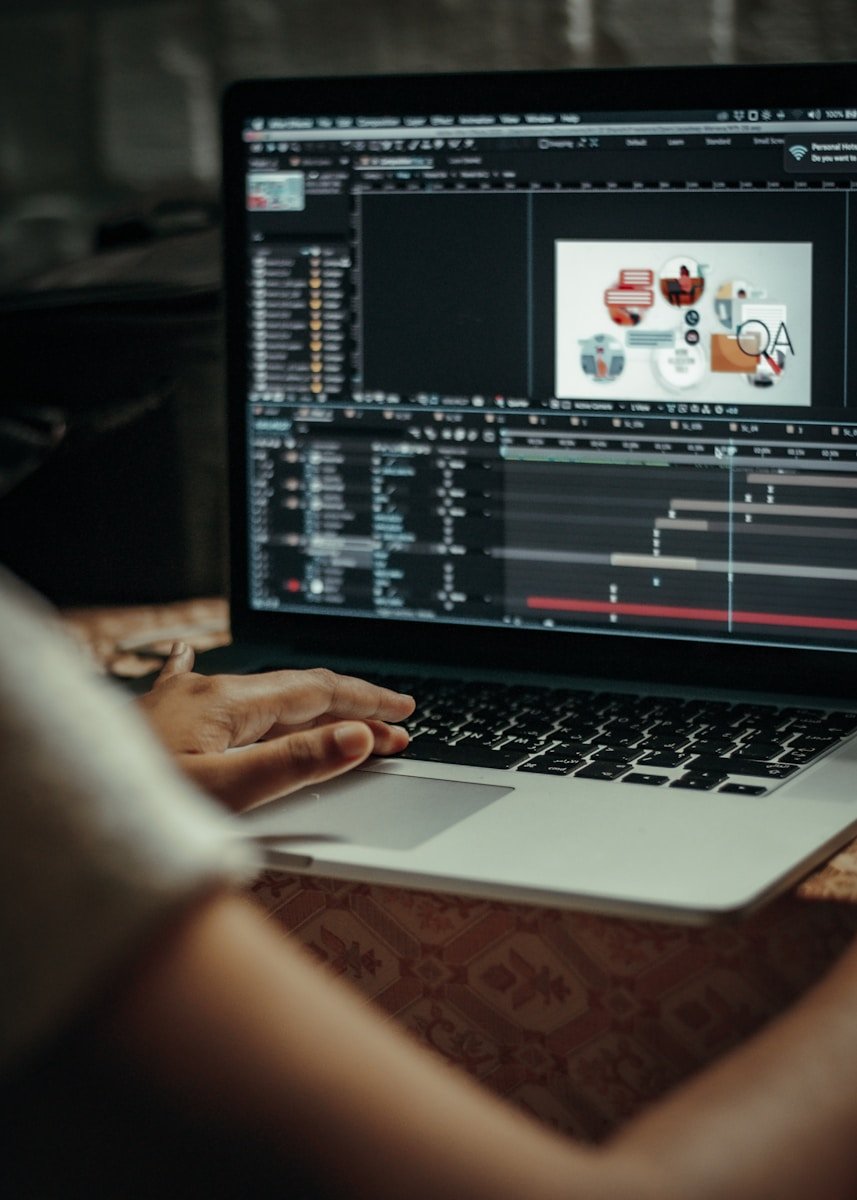
AI animation tools make creating animated videos easier than ever before. They use computer smarts to help make animations quickly, saving time and money. The best AI animation generators let anyone create professional-looking animated videos without needing years of animation experience or expensive software.
These tools range from free options to paid services with more features. Some are better for beginners, while others work well for people who already know a bit about making videos. Many use simple text prompts to create animations, much like how people use AI art generators for still images.
1. Animaker AI
Animaker AI is a powerful tool that helps turn creative ideas into engaging 2D animations. It stands out as one of the best AI animation generators available in 2025.
Users can create cartoon videos with ease using this platform. The software offers a user-friendly interface that makes animation accessible to everyone, not just professional animators.
Animaker provides the world’s largest animation library with over 3000 animations to choose from. This vast collection gives users plenty of options for their projects.
The platform works as an online AI animation generator that brings studio-quality video content within reach of all users. Both beginners and experienced creators can benefit from its features.
One major advantage is that users can make animated videos for free with this tool. This makes it popular among students, small businesses, and content creators on tight budgets.
The AI-powered features help speed up the animation process. What might take hours with traditional animation software can be completed in minutes with Animaker AI.
Animaker’s AI video generator allows for both animation and live action content creation. This flexibility lets users choose the style that best fits their message.
The platform offers free music options to enhance videos. Sound plays a key role in animation, and having built-in audio resources saves time finding appropriate tracks elsewhere.
Users can create complete AI animation videos in seconds. The quick processing time helps meet tight deadlines or create content on the fly.
For businesses, Animaker AI provides professional-looking presentations and explainer videos. The cartoon format often helps simplify complex ideas for audiences.
2. Renderforest AI Animation Generator
Renderforest offers a powerful AI Animation Generator that helps users create custom animations with ease. This tool stands out because it requires no previous animation experience to use effectively.
The platform uses advanced AI technology to transform simple ideas into eye-catching animated videos. Users can quickly generate animations by typing their concepts and selecting preferred styles.
Renderforest’s animation tool works entirely online, making it accessible from any device with an internet connection. This convenience means you don’t need to download or install special software.
The AI Cartoon Generator feature lets users turn creative ideas into cartoons quickly. This option appeals to those who want a more playful animation style.
The library contains over 500 pre-made templates that speed up the animation process. These templates serve as starting points that users can modify to match their vision.
Renderforest makes animation creation simple through its user-friendly interface. The step-by-step process guides even complete beginners through video creation.
The AI Video Generator transforms written content into personalized videos in minutes. This feature helps users save time while still creating professional-looking results.
Businesses often use Renderforest to create marketing videos, product demonstrations, and explainer content. The professional finish helps companies present their messages clearly.
Educators find value in the platform for creating engaging learning materials. The animated format helps keep students’ attention during lessons.
Users can customize colors, fonts, and timing to match their brand or personal style. These options help create unique animations that stand out.
Renderforest continuously updates its features and templates to keep up with current design trends. This ensures users always have access to modern animation styles.
3. Blender
Blender is a powerful 3D creation tool that works well with AI for animation projects. This free, open-source software offers a complete suite of modeling, rigging, animation, and rendering capabilities.
When combined with AI tools, Blender becomes even more versatile. You can create basic objects and animate them using scripts generated by ChatGPT. This approach helps beginners jump into animation without needing years of experience.
Several AI motion capture tools work well with Blender. These include Rokoko Vision, DeepMotion, and Plash 3D, which can be used for animation retargeting and motion capture clean-up within Blender.
For those interested in creating stunning 3D animations, the combination of Blender and Stable Diffusion offers impressive results. This pairing lets artists render high-quality 3D animations with the help of AI technology.
Some artists use a workflow combining multiple tools. One method involves using Blender to render a frame, ChatGPT to generate prompts, and HailuoAI to create videos. This process streamlines animation creation while maintaining quality.
Local AI tools can also enhance Blender workflows. For image-to-image tasks, tools like Pixverse, Kling AI, and Hailuo AI work with Blender to transform screenshots into animated sequences.
The learning curve for Blender may seem steep at first. However, AI assistance has made it more accessible to newcomers. Many online tutorials show step-by-step processes for creating animations with Blender and AI.
Artists appreciate Blender’s flexibility when working with AI-generated content. They can adjust the AI output directly in Blender, adding their creative touch to the final animation.
The combination of Blender and AI tools has opened new doors for both amateur and professional animators. It allows for faster production times while maintaining creative control over the final product.
4. Lumen5
Lumen5 stands out as an AI-powered video creation platform that helps users create engaging videos quickly. It’s designed for people without video editing experience or training.
The platform transforms written content into video format automatically. Users can simply paste text, and Lumen5 will suggest relevant images and clips to match the content.
What makes Lumen5 special is its ease of use. The AI handles much of the creative process, allowing anyone to create professional videos within minutes. This makes it perfect for marketing teams and content creators with tight deadlines.
For animation specifically, Lumen5 offers templates and stock media that can be used to create animated explainer videos. The platform includes music tracks, stock footage, and images to enhance video quality.
Many educators have found Lumen5 valuable. Teachers use it to generate professional videos from their lesson content, making learning more engaging for students.
Lumen5 works well for social media content too. It’s often recommended alongside Pictory for creating videos that drive engagement on platforms like Facebook, Instagram, and LinkedIn.
Budget-conscious creators particularly appreciate Lumen5. It’s considered one of the more affordable AI video creators for those who need animation videos without breaking the bank.
The platform offers different pricing tiers to suit various needs. Free accounts provide basic features, while paid plans unlock more templates, media assets, and customization options.
While not exclusively an animation generator, Lumen5 handles simple animations well. It’s best for businesses wanting to create explainer videos, social media content, and marketing materials with animated elements.
5. Krikey AI
Krikey AI stands out as a top choice for creating 3D animations with minimal effort. This tool offers a user-friendly platform where both beginners and professionals can design custom characters and bring their creative ideas to life.
One of the most impressive features of Krikey AI is its powerful AI capabilities that let users generate cartoons, anime, and comic-style characters. The platform makes animation accessible to everyone, regardless of technical expertise.
The Krikey AI Animation Maker lets users add voiceovers to their animations, making it perfect for creating engaging content. This feature is especially helpful for those looking to create educational videos or marketing materials.
Content creators enjoy the flexibility of using Krikey AI for various projects. The tool works well for making videos, presentations, and even Unity WebGL games.
Krikey AI also offers integration with other platforms. The Krikey AI Animate app on Canva allows users to add animated talking avatars to their designs. This makes it useful for creating lesson plans and presentations.
The system provides ready-to-use video templates that save time for busy creators. These templates serve as excellent starting points for those who need quick results but still want professional-looking animations.
Krikey AI works great for educators, marketers, game developers, and content creators. Its simple interface removes the need for complex animation knowledge while still delivering high-quality results.
Users can customize their animations extensively with different character styles, movements, and scenes. This flexibility helps create unique content that stands out from standard templates.
Getting started with Krikey AI is straightforward. New users can follow tutorial guides to learn the basics of creating AI animations using the platform.
For those working on game development, Krikey AI provides specific tools for Unity WebGL projects. This makes it valuable for indie developers looking to add animated characters to their games.
6. Cascadeur
Cascadeur is a specialized software that offers AI-assisted keyframe animation. Unlike other animation tools, it focuses on creating smooth, physics-based character movements with the help of artificial intelligence.
The program works as a standalone 3D animation software. It lets artists create animations from scratch or edit imported animations to improve their quality.
What makes Cascadeur unique is its AI technology. The software can automatically calculate physics-based movements, making characters move in a more natural way.
Artists can work with keyframes while the AI helps with the technical aspects. This approach saves time on the boring parts of animation while letting creators focus on the creative work.
Cascadeur is considered one of the animation tools that uses AI correctly. It handles the tedious work automatically while keeping the fun, creative parts in the hands of the artist.
The software has built-in tools that help with balance, physics, and natural movement. These features make it easier to create realistic animations without needing to be an expert in physics.
For beginners, Cascadeur can be used with other tools. Some animators start with Mixamo animations and then use Cascadeur to improve and customize them.
Recent updates have added more AI features to the software. These new tools help animators create better quality work with less effort and technical knowledge.
The company behind Cascadeur continues to develop the software. They regularly add new features and improvements to make animation easier and more accessible.
For those interested in 3D character animation, Cascadeur offers a middle ground. It provides professional tools without requiring the same level of technical skill as traditional animation software.
7. Pencil2D
Pencil2D is a free, open-source animation software that focuses on traditional hand-drawn animation. It offers a simple way for beginners to create 2D animations without the complexity of more advanced tools.
The program features a clean, minimal design that makes it easy to learn. Users can work with both raster and vector graphics, giving them flexibility in their creative process.
One of the best things about Pencil2D is that it runs on multiple operating systems. You can use it on Windows, Mac, or Linux computers without any problems.
For new animators, Pencil2D is often called the best 2D animation tool for beginners. Its straightforward interface helps users focus on learning animation basics rather than fighting with complex software.
The program lets you draw frame by frame, just like traditional animation. This hands-on approach helps new animators understand the core principles of movement and timing.
Unlike some AI tools, Pencil2D puts you in complete control of your animation. Each frame is drawn by hand, which can lead to more unique and personal results.
You can also import images into Pencil2D to use in your animations. This feature lets you combine hand-drawn elements with other visual assets for more creative options.
The software is completely free and doesn’t limit any features behind paywalls. This makes it perfect for students, hobbyists, or anyone curious about animation.
While Pencil2D isn’t an AI animation generator, it provides a solid foundation in animation principles. These skills can be valuable even when working with AI tools later on.
The Pencil2D community actively discusses how the software might work alongside AI tools in the future. This shows the program continues to evolve with changing technology.
8. Synfig Studio
Synfig Studio is a free and open-source vector animation software that has gained popularity in the animation community. Unlike many AI animation tools, Synfig focuses on traditional animation techniques with some automated features.
Users can create 2D animations without needing frame-by-frame work, making it efficient for both beginners and professionals. The software uses vector graphics which allows for smooth scaling without loss of quality.
Synfig Studio helps animators produce high-quality content with fewer resources and team members. This makes it ideal for independent creators and small studios working with limited budgets.
The learning curve might seem steep at first, but many tutorials exist online. Some beginners have reported that despite its complexity, they’ve been able to create impressive animations after following quick tutorials.
While not primarily an AI tool, Synfig offers automation features that speed up the animation process. These tools handle tedious tasks like tweening (creating intermediate frames between key poses).
The software runs on Windows, Mac, and Linux systems. This cross-platform availability makes it accessible to animators regardless of their preferred operating system.
Synfig’s community continues to grow, with users sharing tips and resources online. The open-source nature means that new features are regularly added by contributors worldwide.
Some animators use Synfig as part of a workflow that includes AI tools. They might generate initial concepts with AI, then refine and animate them in Synfig for more precise control.
For those interested in exploring animation without a significant financial investment, Synfig provides a robust solution. Its combination of vector-based design and automation features offers a middle ground between traditional animation and fully AI-generated content.
9. OpenToonz
OpenToonz is a powerful open-source animation production software that stands out in the AI animation space. It can be used free of charge for both commercial and non-commercial projects.
Originally developed in Italy by Digital Video Inc., this software gained prominence when it was revealed that Studio Ghibli had been using a customized version. DWANGO later published it as an open-source project.
Unlike many AI animation tools that focus solely on automation, OpenToonz provides traditional animation capabilities with some AI-assisted features. This gives artists more control over their work.
The software includes a complete suite of tools for 2D animation production. These range from drawing and coloring to compositing and camera movements.
Artists looking to create professional-quality animations will find OpenToonz’s feature set comparable to paid software. The learning curve may be steeper than pure AI generators, but the results can be more distinctive.
One of the best aspects of OpenToonz is its active community. Users share tips, workflows, and even custom tools that extend the software’s capabilities.
For those new to animation, there are many tutorials available online that walk through the entire animation process from start to finish. These resources make it easier to get started despite the software’s professional-grade features.
While OpenToonz isn’t an AI animation generator in the strictest sense, it represents an important option for creators who want more hands-on control. It works well alongside AI tools in a modern animation workflow.
The software is regularly updated with new features and improvements. This ongoing development ensures that it remains relevant as animation technology evolves.
For artists looking to blend traditional animation techniques with newer digital workflows, OpenToonz offers a free and powerful solution. Its open-source nature means anyone can contribute to its improvement.
10. Toontastic
Toontastic 3D is a user-friendly animation tool designed primarily for younger creators. It allows users to draw, animate, and narrate their own cartoons with an intuitive interface.
The app makes animation accessible to beginners. Users simply move characters around on screen and tell their stories, making it perfect for children and animation novices.
Toontastic stands out from AI-heavy competitors by focusing on hands-on creativity. Rather than generating content automatically, it provides tools that let users express their own ideas through animation.
Available on Google Play, Toontastic emphasizes storytelling. The 3D environment gives depth to characters and scenes while maintaining a simple learning curve.
The program works well for educational purposes. Teachers can use it to help students create visual stories or present information in an engaging format.
Unlike some complex AI animation tools that require technical knowledge, Toontastic makes the process straightforward. This simplicity makes it perfect for classroom use or family creativity time.
Character customization options are plentiful. Users can design unique characters or use templates as starting points for their animated stories.
The animation process follows a storyboard approach. This helps users learn basic filmmaking concepts like setting scenes, creating action, and building to a conclusion.
Sound recording features add another dimension. Creators can narrate their stories or add sound effects to enhance their animations.
While not as advanced as some AI tools like ToonCrafter that transform static images into animations, Toontastic excels in teaching animation fundamentals. It builds skills that transfer to more complex programs later.
For parents and educators looking for creative outlets, Toontastic offers a balance of structure and freedom. Kids can follow story templates or create completely original content.
The app functions as an excellent introduction to digital storytelling. Its straightforward design makes animation approachable without overwhelming new users with too many options.
Understanding AI Animation Generators
AI animation generators have transformed the way we create animated content. These tools use artificial intelligence to make animation creation faster and easier for everyone from beginners to professionals.
How AI Animation Works
AI animation tools work by using machine learning models trained on thousands of animations and videos. When you type a prompt or upload an image, the AI analyzes your input and generates animations based on patterns it learned during training.
Most AI animation generators use a combination of techniques:
- Text-to-video conversion
- Image-to-animation transformation
- Style transfer from existing content
- Motion prediction algorithms
The process happens in seconds rather than the days or weeks traditional animation requires. The AI handles technical aspects like in-between frames, movement physics, and character consistency.
Different tools specialize in different animation styles. Some focus on 2D cartoon animations while others create realistic 3D movements or special effects.
Benefits of Using AI for Animation
AI animation brings several advantages to creators of all skill levels. The biggest benefit is the dramatic reduction in production time. What once took weeks can now happen in minutes.
Cost savings are significant too. Traditional animation requires teams of skilled artists, but AI tools create animations at a fraction of the cost.
Other key benefits include:
- No technical skills required
- Quick iteration and experimentation
- Consistent quality across projects
- Easy editing and modifications
For businesses, AI animation makes video content more accessible. Marketing teams can produce animated explainer videos without hiring outside studios.
For beginners, these tools provide a way to learn animation concepts by seeing their ideas come to life instantly. Many free AI animation tools help newcomers start without financial risk.
Evaluating AI Animation Quality
Assessing the quality of AI animation tools requires understanding specific technical aspects and recognizing potential limitations. The right evaluation criteria can help users select the best tool for their specific needs.
Key Features to Consider
When evaluating AI animation generators, make sure to prioritize frame rate consistency. A good AI animation tool maintains smooth motion without stuttering or jumping between frames.
Detail preservation is equally important. The best AI animation tools maintain fine details throughout the animation sequence without blurring or distortion.
Style coherence matters significantly. The animation should maintain a consistent artistic style from start to finish. This is especially important when generating longer sequences.
Look for physics accuracy in movements. Good AI animators simulate realistic motion, gravity, and object interactions. Poor tools often create unnatural movements that break immersion.
Color fidelity between frames helps maintain visual consistency. Check if the tool preserves your intended color palette throughout the animation process.
Common Challenges and Solutions
Uncanny movement is a frequent issue with AI animation. Characters may move in slightly unnatural ways. This can be fixed by using tools that offer motion refinement options or by manually tweaking key frames.
Temporal consistency problems cause objects to flicker or change unexpectedly between frames. Using AI tools with strong keyframe interpolation capabilities helps solve this issue.
Resource limitations affect rendering quality. Many free AI animation generators have restrictions on resolution or duration. Consider paid options for professional-quality output or try splitting complex animations into smaller segments.
Learning curve challenges can be overcome through tutorials. Many tools offer guided workflows that simplify the animation process, making them accessible even to beginners.
Frequently Asked Questions
People have many questions about AI animation tools. Here are answers to common questions about features, pricing, and how these tools work in real-world applications.
What are the top-rated AI animation generators currently available?
Animaker AI ranks among the most popular AI animation generators in 2025. It offers an intuitive interface with drag-and-drop features.
Renderforest AI Animation Generator provides extensive template libraries and customization options that make it a top choice for many creators.
Synthesia has gained recognition for its AI avatars that can narrate your text, creating studio-quality videos quickly.
Can you recommend any AI animation tools that offer free versions?
Blender offers a powerful free version with AI capabilities through plugins. It’s open-source and provides professional-grade animation features.
Lumen5 has a free tier that allows users to create short videos with AI assistance. The free plan includes basic features with some branding.
Many YouTube creators recommend several free AI animation tools that offer surprisingly robust features despite costing nothing.
Which AI animation generator provides the best quality for professional use?
Krikey AI delivers high-quality animations suitable for professional marketing campaigns and presentations. Its rendering engine produces crisp, detailed outputs.
Synthesia stands out for professional use with its lifelike AI avatars and high-resolution video outputs. Many businesses use it for training and marketing.
Renderforest offers professional-grade animation with excellent resolution and smooth transitions. It’s popular among marketing teams and professional content creators.
How does text-to-animation technology work in AI video creation?
Text-to-animation uses natural language processing to translate written descriptions into visual scenes. The AI interprets your words and generates matching visuals.
The technology works by breaking down text prompts into components like characters, actions, and settings. Advanced machine learning models then create corresponding animation elements.
AI animation tools use training on millions of videos to understand the relationship between text descriptions and visual representation. This allows them to create animations from simple text prompts.
What is the most user-friendly AI-powered animation software for beginners?
Animaker AI stands out as extremely beginner-friendly with its simple drag-and-drop interface. Users can create animations without any technical skills.
Lumen5 offers an easy learning curve with templates and guided workflows. Its intuitive design helps beginners create decent animations within minutes.
These tools provide helpful tutorials and pre-made templates that make the animation process straightforward for those just starting out.
Which AI video generator is most favored for creating animated short films?
Blender with AI plugins is highly regarded for creating animated short films. Its comprehensive toolset allows for creative storytelling and character development.
Renderforest is popular for short film creation due to its scene transitions and character animation options. Many independent filmmakers use it for storytelling.
Krikey AI has gained traction among short film creators for its ability to generate expressive character animations and dynamic scenes with minimal input.