
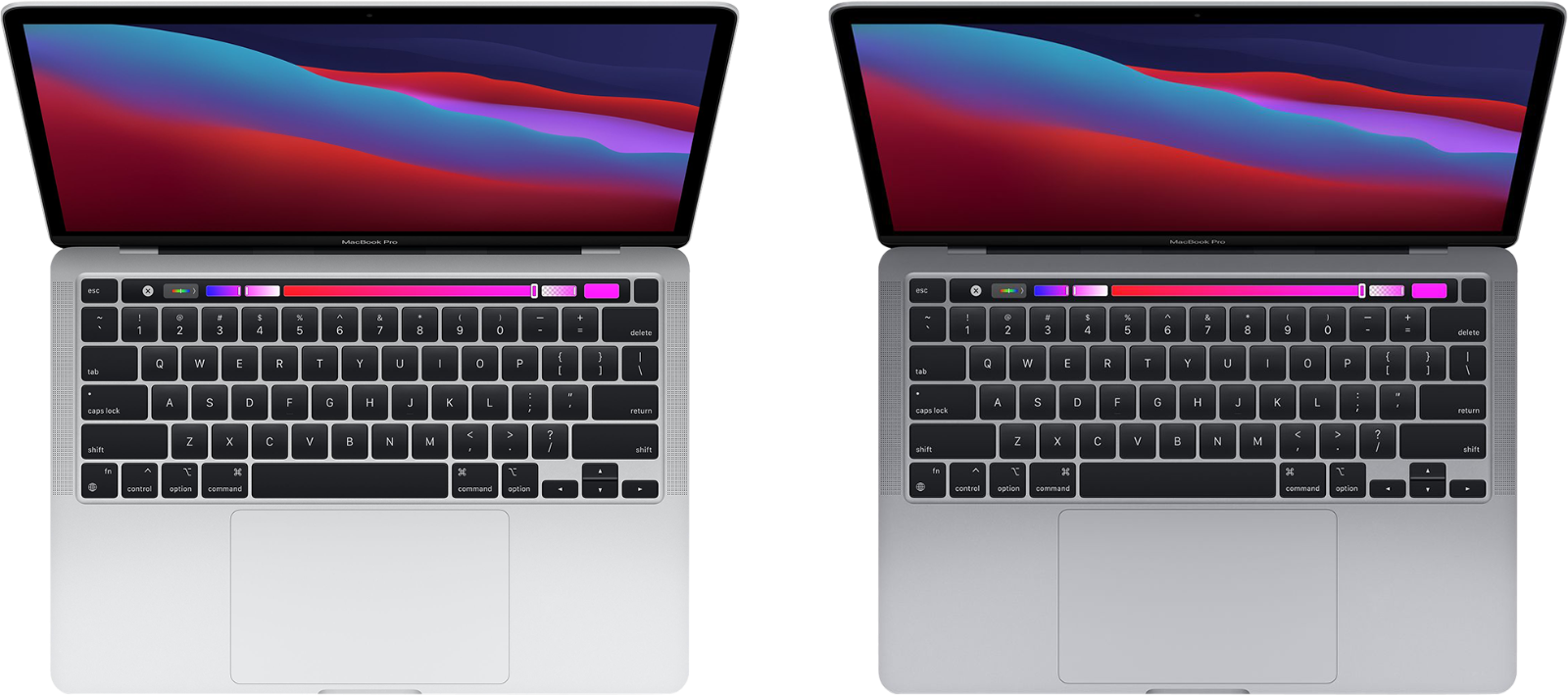
The MacBook Pro 14-inch with M1 Pro or M1 Max chip brings power and portability to a whole new level. This laptop offers exceptional performance, stunning display quality, and impressive battery life, making it a top choice for professionals and creatives.
Apple’s shift to custom silicon has revolutionized their laptop lineup. The M1 Pro and M1 Max chips in the 14-inch MacBook Pro deliver blazing-fast performance for demanding tasks like video editing, 3D rendering, and software development. You’ll enjoy smooth multitasking and quick app launches thanks to the unified memory architecture.
The 14-inch Liquid Retina XDR display is a standout feature. It boasts rich colors, deep blacks, and high brightness levels, perfect for creative work or enjoying media. With the return of useful ports like HDMI and an SD card slot, you’ll spend less time fumbling with dongles.
| Feature | MacBook Pro 14″ (M1 Pro) | MacBook Pro 14″ (M1 Max) |
|---|---|---|
| CPU | Up to 10-core | Up to 10-core |
| GPU | Up to 16-core | Up to 32-core |
| Memory | Up to 32GB | Up to 64GB |
| Storage | Up to 8TB SSD | Up to 8TB SSD |
MacBook Pro M1 14 (2026 Guide): Top Features and Performance Review
Even in 2026, Apple’s MacBook Pro M1 14‑inch remains a noteworthy laptop, especially for users looking for reliable performance, excellent battery life, and a premium build at a more affordable price than newer Apple silicon models. This guide breaks down its key features, real‑world performance, and whether it’s still worth buying today.
Overview: MacBook Pro M1 14‑Inch
Released as part of Apple’s first major redesign with Apple Silicon, the 14‑inch MacBook Pro featuring the M1 Pro chip marked a turning point for professional laptops. While newer M‑series chips now exist, the M1 14‑inch model continues to deliver strong performance for many workloads.
Best for:
- Developers
- Content creators
- Students and professionals
- Users upgrading from Intel-based Macs
Key Specifications (Base Configuration)
- Processor: Apple M1 Pro
- CPU: Up to 10‑core
- GPU: Up to 16‑core
- RAM: 16GB unified memory (configurable up to 32GB)
- Storage: 512GB SSD (configurable)
- Display: 14.2″ Liquid Retina XDR
- Battery Life: Up to 17 hours video playback
- Operating System: macOS (supported through 2026)
Top Features
1. Apple M1 Pro Performance
The M1 Pro chip still performs impressively in 2026:
- Smooth multitasking
- Fast compile times for developers
- Strong performance in Final Cut Pro, Adobe Premiere, and Logic Pro
- Silent operation with minimal thermal throttling
While newer M‑series chips are faster, the M1 Pro remains more than capable for most professional tasks.
2. Liquid Retina XDR Display
The 14‑inch Mini‑LED XDR display is still one of Apple’s best:
- 3024 × 1964 resolution
- Up to 120Hz ProMotion
- Exceptional brightness and contrast
- Excellent color accuracy for creative work
This display continues to rival and often surpass many 2026 laptops in the same price range.
3. Port Selection (A Rare Win)
Unlike many modern laptops, the MacBook Pro M1 14‑inch offers excellent connectivity:
- 3× Thunderbolt 4 / USB‑C
- HDMI
- SDXC card slot
- MagSafe 3
No dongles required for most professional setups.
4. Keyboard, Trackpad, and Build Quality
- Comfortable Magic Keyboard with full‑height function keys
- Large, precise Force Touch trackpad
- All‑aluminum chassis with premium feel
- Durable design that ages well over time
5. Battery Life and Efficiency
Even in 2026, battery life remains a highlight:
- All‑day usage for productivity tasks
- Excellent standby efficiency
- Minimal performance loss on battery power
Apple Silicon’s efficiency keeps this machine competitive years after release.
Real‑World Performance in 2026
Everyday Tasks
- Web browsing with dozens of tabs
- Office apps and multitasking
- Media consumption and streaming
Result: Effortless and fast
Creative Work
- 4K video editing
- Photo editing in Lightroom and Photoshop
- Music production with large projects
Result: Smooth, with minor slowdowns only in extreme workloads
Development and Coding
- Xcode, Docker, virtual environments
- Fast builds and reliable performance
Result: Still excellent for most development workflows
Software Support and Longevity
Apple continues to support the M1 architecture in macOS updates, making the 14‑inch MacBook Pro a safe choice in 2026 for:
- Security updates
- App compatibility
- Long‑term stability
Most major apps are fully optimized for Apple Silicon.
Pros and Cons
Pros
✅ Excellent performance for its age
✅ Stunning XDR display
✅ Strong battery life
✅ Great port selection
✅ Premium build quality
Cons
❌ Not as powerful as newer M‑series chips
❌ Limited RAM upgrade options after purchase
❌ Higher weight compared to MacBook Air models
Is the MacBook Pro M1 14‑Inch Still Worth It in 2026?
Yes—especially if you can find it at a discounted price.
If you don’t need the absolute latest performance, the MacBook Pro M1 14‑inch offers:
- Professional‑grade power
- One of the best laptop displays available
- Long‑lasting battery life
- Excellent macOS support
It’s an ideal choice for users upgrading from older Intel Macs or anyone wanting a high‑quality Apple laptop without paying premium prices for newer models.
Final Verdict
The MacBook Pro M1 14‑inch remains a powerful, well‑rounded laptop in 2026. While it may not top benchmark charts anymore, its real‑world performance, display quality, and build still make it one of the best value professional laptops available.
If reliability, efficiency, and a great screen matter more than cutting‑edge specs, this MacBook Pro is still a smart buy. 💻✅
Design and Build
The MacBook Pro 14-inch boasts a sleek design with premium build quality. It combines aesthetics with functionality through its advanced display, connectivity options, and durable construction.
MagSafe, Ports, and Connectivity
The 14-inch MacBook Pro brings back the beloved MagSafe charging system. MagSafe 3 offers quick and safe magnetic connection for power.
You’ll find an HDMI 2.0 port for external displays. Three Thunderbolt/USB 4 ports enable fast data transfer and device connections. The SDXC card slot is a welcome return for photographers and videographers.
This array of ports reduces the need for dongles. It enhances your workflow by allowing direct connections to various peripherals and displays.
Display Features
The Liquid Retina XDR display on the MacBook Pro 14 is a standout feature. It uses mini-LED technology for exceptional brightness and contrast.
Your screen can reach up to 1000 nits of sustained brightness. It peaks at 1600 nits for HDR content. True Tone technology adjusts the display’s color temperature based on ambient light.
A notch at the top of the screen houses the webcam. While noticeable, it doesn’t intrude on your workspace. The display offers vibrant colors and sharp text, ideal for creative work and content consumption.
Physical Construction and Aesthetics
Apple crafts the MacBook Pro 14 from recycled aluminum. This results in a sturdy, premium feel. The laptop maintains a slim profile despite its powerful components.
| Feature | Specification |
|---|---|
| Weight | 3.5 pounds |
| Thickness | 0.61 inches |
| Colors | Space Gray, Silver |
The keyboard offers a comfortable typing experience with good key travel. The large trackpad is responsive and supports multi-touch gestures.
Cooling vents are discreetly placed to maintain performance without compromising the design. The overall build quality ensures durability for daily use and travel.
Performance
The MacBook Pro M1 14″ delivers exceptional performance across processor, graphics, memory, and storage. Its advanced thermal management system keeps everything running smoothly under heavy loads.
Processor and Graphics
The M1 Pro and M1 Max chips power the 14-inch MacBook Pro. The M1 Pro offers 8-Core and 10-Core CPU options with up to 16-Core GPU. The M1 Max takes it further with a 10-Core CPU and up to 32-Core GPU.
In benchmarks, the M1 Pro and Max chips excel. Geekbench scores show significant improvements over previous Intel models. The 16-Core Neural Engine handles machine learning tasks with ease.
For graphics-intensive work, the 14-Core and 16-Core GPU options provide ample power. They handle video editing, 3D rendering, and gaming smoothly.
Memory and Storage
The unified memory architecture in the M1 Pro and Max chips enhances performance. You can configure the MacBook Pro 14″ with up to 64GB of unified memory.
This shared memory allows the CPU and GPU to access data without copying between separate pools. It results in faster processing and improved efficiency.
SSD storage options range from 512GB to 8TB. The SSDs deliver blazing-fast read and write speeds, reducing load times for large files and applications.
Thermal Management
Apple’s thermal system in the MacBook Pro 14″ keeps the M1 Pro and Max chips cool under pressure. The improved fan design moves 50% more air at lower fan speeds.
This cooling system allows the processors to maintain peak performance during intensive tasks. You’ll experience less throttling and more consistent speeds.
The efficient design also contributes to the MacBook Pro’s impressive battery life. You can work for hours without worrying about overheating or sudden shutdowns.
| Feature | M1 Pro | M1 Max |
|---|---|---|
| CPU | Up to 10-Core | 10-Core |
| GPU | Up to 16-Core | Up to 32-Core |
| Memory | Up to 32GB | Up to 64GB |
| Neural Engine | 16-Core | 16-Core |
Multimedia and Entertainment
The MacBook Pro M1 14 offers a superb multimedia experience. Its advanced display and audio technologies create an immersive environment for content consumption and creation.
Audio and Visual Experience
The Liquid Retina XDR display on the MacBook Pro 14 delivers stunning visuals. It supports HDR content with bright highlights and deep blacks. The screen’s high refresh rate makes motion appear smoother.
You’ll enjoy rich sound through the six-speaker system. It supports Dolby Atmos for a 3D audio experience. Spatial Audio creates a surround sound effect when using compatible AirPods.
The Apple TV app lets you access a wide range of movies and TV shows. You can watch HDR content in full glory on this display.
Camera and Video Communication
The MacBook Pro 14 features a 1080p FaceTime HD camera. This high-resolution camera improves your video call quality significantly.
The camera works with the M1 chip for better low-light performance. It uses advanced image signal processing for clearer, more natural-looking video.
You’ll look and sound great during video conferences. The three-mic array captures your voice clearly while reducing background noise.
| Feature | Specification |
|---|---|
| Display | Liquid Retina XDR |
| Audio | Six-speaker system with Dolby Atmos |
| Camera | 1080p FaceTime HD |
| Microphones | Three-mic array |
Connectivity and Ecosystem
The MacBook Pro M1 14″ offers seamless integration with Apple devices and robust connectivity options. Its advanced wireless capabilities and expansion ports enhance productivity and versatility.
Ecosystem Integration
The MacBook Pro M1 14″ works smoothly with other Apple products. You can easily sync your iPhone and iPad with your MacBook. This allows for quick file transfers and continuity features.
AirDrop lets you share files wirelessly between devices. Handoff enables you to start tasks on one device and finish on another. iCloud keeps your documents, photos, and messages in sync across all your Apple devices.
Universal Control allows you to use a single keyboard and mouse to control multiple Macs and iPads. This feature boosts productivity when working with multiple devices.
Wireless and Expansion
The MacBook Pro M1 14″ comes equipped with Wi-Fi 6 and Bluetooth 5.0 for fast and stable wireless connections. Wi-Fi 6 offers improved speed and efficiency in crowded networks.
For wired connections, the laptop features Thunderbolt 4 ports. These versatile ports support fast data transfer, video output, and charging. You can connect external displays, storage devices, and other peripherals.
| Connectivity Features | Specifications |
|---|---|
| Wi-Fi | Wi-Fi 6 |
| Bluetooth | 5.0 |
| Thunderbolt Ports | 3 |
| HDMI Port | Yes |
| SD Card Slot | Yes |
The built-in Media Engine accelerates video processing tasks. This feature is especially useful for content creators and video editors.
Frequently Asked Questions
The MacBook Pro M1 14-inch model offers significant improvements over previous versions. Let’s address some common questions about its features, performance, and specifications.
What are the key differences between the MacBook Pro M1 and the M1 Pro models?
The MacBook Pro M1 Pro offers enhanced performance and additional features compared to the standard M1 model. It has more CPU and GPU cores, supports more external displays, and includes additional ports like HDMI and an SD card slot.
The M1 Pro also allows for higher RAM configurations up to 32GB. These improvements make it better suited for demanding professional tasks.
How does the battery life of the MacBook Pro M1 14-inch model compare to previous versions?
The MacBook Pro M1 14-inch boasts impressive battery life. It can last up to 17 hours of web browsing or up to 20 hours of video playback on a single charge.
This is a significant improvement over Intel-based MacBook Pro models. The energy efficiency of the M1 chip contributes to this extended battery life.
Can you upgrade the RAM or storage after purchasing the MacBook Pro M1 14-inch?
You cannot upgrade the RAM or storage on the MacBook Pro M1 14-inch after purchase. The memory and SSD are integrated into the system on chip (SoC).
It’s crucial to choose the right configuration when buying. Consider your long-term needs for RAM and storage to ensure your MacBook remains suitable for years to come.
What performance improvements does the M1 chip bring to the MacBook Pro 14-inch model?
The M1 chip delivers substantial performance gains. It offers faster CPU and GPU performance compared to previous Intel-based models.
Tasks like video editing, 3D rendering, and code compilation run much quicker. The M1 chip also enables instant wake from sleep and improved power efficiency.
Are there any compatibility issues with software on the MacBook Pro M1 14-inch?
Most software runs smoothly on the M1 chip thanks to Rosetta 2, which translates Intel-based apps. Many popular applications now have native M1 versions for optimal performance.
Some specialized software may still face compatibility issues. Check with software vendors for M1 support if you rely on specific professional tools.
What is the starting price for the MacBook Pro M1 14-inch with 16GB RAM and 512GB storage?
The MacBook Pro M1 14-inch with 16GB RAM and 512GB storage starts at $1,999. This configuration offers a good balance of performance and storage for many users.
Higher RAM and storage options increase the price. Consider your budget and needs when choosing specifications.
| Feature | MacBook Pro M1 14-inch |
|---|---|
| Processor | M1 Pro or M1 Max |
| RAM | 16GB – 64GB |
| Storage | 512GB – 8TB SSD |
| Display | 14.2-inch Liquid Retina XDR |
| Battery Life | Up to 17 hours |
| Ports | HDMI, SD card slot, MagSafe 3 |





