
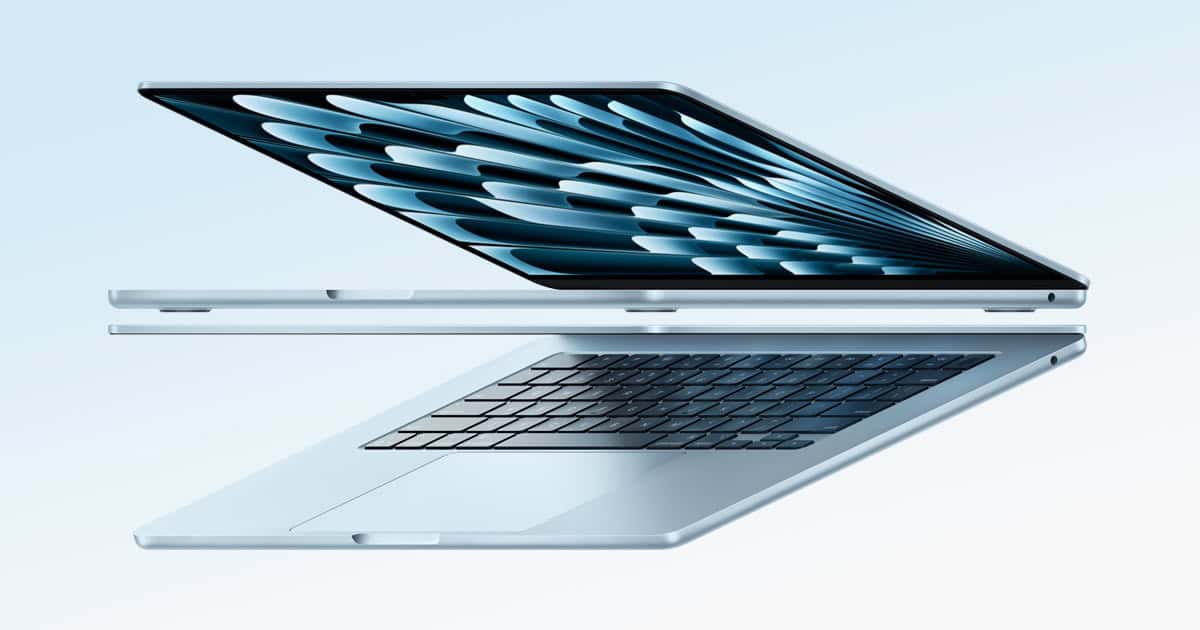
Choosing the right MacBook requires careful consideration of both your needs and budget. Apple’s MacBook range is known for its longevity and performance but buying an older model can be a smart way to save money. The key is to find a balance between the age of the computer and the performance you expect. Current Apple support extends to some older versions of macOS, ensuring that even a used MacBook can run the latest software efficiently. However, a used Mac should meet minimum requirements such as having a 128GB hard drive for those relying on cloud storage or at least 250GB for others.
Students and professionals alike should consider their specific usage needs when selecting a MacBook. Older models, up to a point, can be satisfactory for basic tasks like writing, web browsing, and media consumption. However, for more demanding tasks, including video editing or software development, opting for a newer model with an upgraded processor and more RAM would be wise. One should ensure that the used MacBook has a solid-state drive for better performance and durability.
When choosing a MacBook, it’s also wise to assess the different models available. The MacBook Air is lightweight and portable, making it an excellent choice for people who are on the go, while the MacBook Pro offers more power and is better suited for heavy-duty tasks. One should weigh these factors against the cost to determine the best value for their needs.
How Old of a MacBook Should I Buy?
Buying a MacBook can be a big investment, especially if you’re considering a used or refurbished model. Apple laptops tend to age well, but there is a point where buying an older MacBook becomes more hassle than it’s worth. This guide will help you decide how old is too old—and what to buy based on your needs and budget.
The Short Answer
For most people in 2026:
- ✅ Best choice: 1–3 years old
- ✅ Still acceptable: Up to 5 years old (with caveats)
- ❌ Avoid: 6+ years old (unless very cheap or for light use)
Apple’s Software Support Timeline
Apple typically supports Macs with:
- ~7 years of macOS updates
- ~9 years of security updates
Once a Mac stops receiving macOS updates, app compatibility and security become issues.
Why This Matters
- New macOS versions bring security patches and features
- Popular apps (Chrome, Adobe, Xcode) eventually stop supporting older macOS versions
- Resale value drops sharply once macOS support ends
Best MacBook Age by Use Case
✅ Everyday Use (Browsing, Email, Office, Streaming)
Ideal age: Up to 5 years old
Recommended specs:
- Apple Silicon (M1 or newer) if possible
- 8GB RAM minimum (16GB preferred)
- SSD storage (256GB minimum)
Avoid:
- Intel MacBooks older than 2019
- 8GB RAM on Intel models (ages poorly)
✅ Students
Ideal age: 2–4 years old
Why:
- Long battery life
- macOS updates for your entire degree
- Better resale value after graduation
Best picks:
- MacBook Air M1 (2020) or newer
- MacBook Air M2 (2022) if budget allows
✅ Creative Work (Photo, Video, Music)
Ideal age: 0–3 years old
Recommended:
- Apple Silicon only (M1 Pro, M2 Pro, M3, or newer)
- 16GB+ RAM
- At least 512GB storage
Avoid:
- Intel Macs for video or 3D work
- Base models with minimal RAM
✅ Developers / Power Users
Ideal age: 0–2 years old
Why:
- Faster compiles
- Better virtualization support
- Longer macOS compatibility
Minimum specs:
- M-series Pro or Max chip
- 16–32GB RAM
- 512GB–1TB SSD
Intel vs Apple Silicon: A Critical Factor
✅ Apple Silicon (M1, M2, M3, etc.)
Strongly recommended
- Faster performance
- Much better battery life
- Longer future macOS support
- Runs cooler and quieter
⚠️ Intel Macs
Only consider if:
- They are very cheap
- You need Windows via Boot Camp
- You accept shorter remaining lifespan
Rule of thumb:
Avoid Intel MacBooks older than 2020.
Maximum Age You Should Consider
| MacBook Age | Recommendation |
|---|---|
| 0–2 years | Excellent |
| 3–4 years | Very good |
| 5 years | Acceptable (check specs carefully) |
| 6+ years | Not recommended |
What to Check When Buying Used
- ✅ Battery health (ideally under 300–500 cycles)
- ✅ macOS compatibility
- ✅ No iCloud lock (Activation Lock)
- ✅ SSD health
- ✅ Keyboard condition (especially 2016–2019 models)
Best Value Used MacBooks (2026)
- MacBook Air M1 (2020): Best budget option
- MacBook Air M2 (2022): Great balance of price and longevity
- MacBook Pro M1 Pro (2021): Excellent for power users
- MacBook Pro M2 Pro (2023): Strong long-term investment
Final Recommendation
If you want a MacBook that:
- Feels fast
- Gets updates for years
- Holds resale value
👉 Buy the newest Apple Silicon MacBook your budget allows, ideally no more than 3 years old.
Key Takeaways
- MacBooks are durable but older models may offer better value.
- Task requirements dictate the ideal MacBook model and age.
- Storage type and size are critical factors in a used MacBook’s performance.
Determining the Best MacBook for Your Needs
Choosing the right MacBook requires understanding your specific needs and the capabilities of different models. This section will guide you through performance, lineup, and design considerations.
Evaluating Performance Requirements
When assessing which MacBook to buy, performance is crucial. Students or teachers who need a machine for writing papers and web browsing may find the MacBook Air sufficient. It’s light, fast, and offers solid battery life. Professionals who work with demanding software, like video editing or 3D modeling, should consider MacBook Pro models. The Pro offers more power with options like the M1, M2, or M3 processors, more RAM, and better graphics capabilities. A 13-inch MacBook Pro might serve well for portability with performance, while the 16-inch version gives the most workspace and power.
Understanding Apple’s MacBook Lineup
Apple’s range of MacBooks varies widely. The MacBook Air is the most portable and affordable, making it an excellent choice for those on the go who do not require intense processing power. On the other hand, the MacBook Pro lineup is designed for those needing more robust performance. The MacBook Pro comes in 14-inch and 16-inch models, each with more RAM and better graphics than the Air. Choosing a Pro model could be a wise investment if you need a machine that can handle heavier tasks.
Assessing Display and Design Features
MacBook displays are renowned for their clarity, color accuracy, and brightness, with the Retina display being a standard feature across the Air and Pro lines. For those who prioritize a lightweight and slim design, the MacBook Air is notable. It’s easy to carry and has a sleek build. Prospective buyers considering display size will find the Pro models offer larger screens, with the 16-inch version providing ample space for detailed work. The enhanced brightness and color spectrum on MacBook Pros can be essential for graphic designers and photographers.
Financial Considerations and Purchasing Tips
Buying a MacBook can be a significant financial decision. It’s crucial to plan a budget, understand the longevity of the device, and seek ways to maximize cost-effectiveness.
Planning Your Budget
Setting a clear budget is the first step towards a wise purchase. Look for sales at the Apple Store or consider certified refurbished MacBooks to save money. Options range from older models like the 2018 Mac Pro to newer chips like M1 Pro and M1 Max. Remember that newer models, such as the rumored M3 or M3 Pro, may command premium prices.
Analyzing Longevity and Component Upgradability
When choosing a MacBook, consider its potential lifespan and component upgradability. Mac Studio and Mac Pro offer better upgradability but come at higher prices. Components such as SSD storage and memory are crucial for performance, with larger capacities like 256GB SSD being a baseline for most users. Battery life also matters for longevity, so check the cycle count on used MacBooks.
Maximizing Cost-Effectiveness
To make the most of your investment, balance your needs with available hardware. For general business use, an M1 chip might suffice, while creative professionals may benefit from the higher power of an M2 Pro. Regular software updates from macOS increase longevity, making slightly older models still useful. Purchasing when new updates roll out can ensure you get a device that’s up-to-date.





