
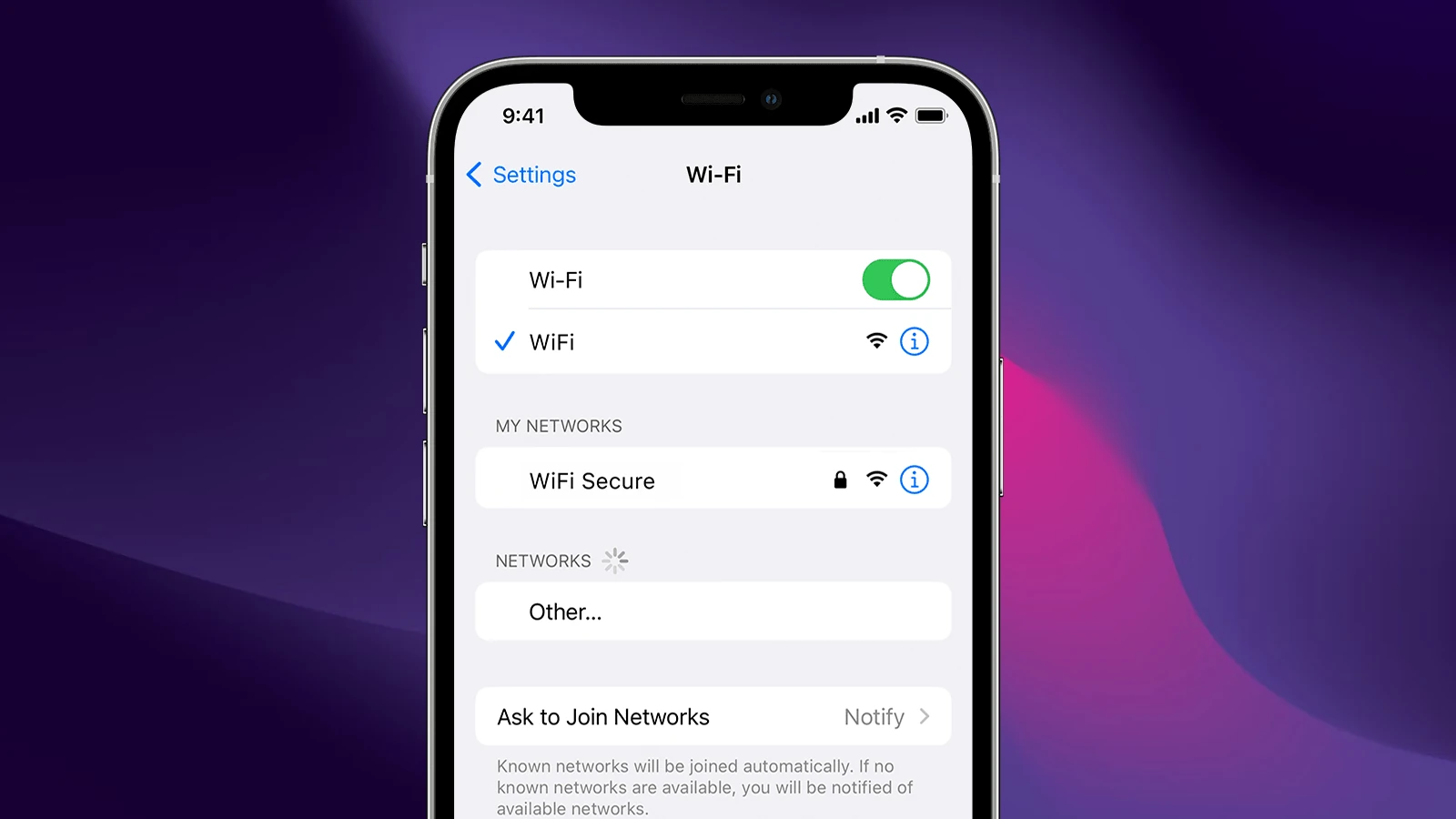
Wi‑Fi 6E is an upgraded version of Wi‑Fi 6 that expands wireless connectivity into the 6GHz spectrum, delivering faster speeds, lower latency, and reduced interference. On supported iPhone models, Wi‑Fi 6E can significantly improve performance — especially in crowded networks.
Here’s everything you need to know.
What Is Wi‑Fi 6E?
Wi‑Fi 6E builds on Wi‑Fi 6 by adding access to the 6GHz wireless band, in addition to the traditional 2.4GHz and 5GHz bands.
According to Apple, Wi‑Fi 6E uses the 6GHz band to enable faster and more reliable wireless connections on supported devices (source: Apple Support).
Key Advantages of 6GHz:
- More available channels
- Less network congestion
- Lower latency
- Faster real‑world speeds
- Better performance in dense environments (apartments, offices, airports)
Which iPhones Support Wi‑Fi 6E?
Wi‑Fi 6E support depends on the specific model.
The iPhone 15 Pro and iPhone 15 Pro Max support Wi‑Fi 6E (source: AppleInsider).
Earlier standard models like the iPhone 14 do not support Wi‑Fi 6E (source: How‑To Geek).
Note: Wi‑Fi 6E is typically available on newer Pro-level devices.
What You Need to Use Wi‑Fi 6E on iPhone
Having a compatible iPhone is only part of the equation. You also need:
✅ A Wi‑Fi 6E Router
To use Wi‑Fi 6E, your router must support the 6GHz band (source: Softonic).
✅ Proper Router Configuration
Apple recommends:
- Keeping the 2.4GHz, 5GHz, and 6GHz bands enabled
- Using unique network names (SSIDs) for optimal performance (source: Softonic)
If your router doesn’t support 6GHz, your iPhone will automatically connect using standard Wi‑Fi 6 or Wi‑Fi 5.
Real‑World Benefits on iPhone
Here’s what Wi‑Fi 6E can improve:
🚀 Faster Downloads & Streaming
The 6GHz band provides wider channels and less interference, allowing higher sustained speeds.
🎮 Better Gaming Performance
Lower latency helps reduce lag in online games.
📹 Improved 4K/8K Streaming
High‑bandwidth activities benefit from the expanded spectrum.
🏢 Stronger Performance in Crowded Areas
In apartment buildings or offices where many networks compete on 2.4GHz and 5GHz, 6GHz remains relatively uncongested.
Wi‑Fi 6 vs Wi‑Fi 6E: What’s the Difference?
| Feature | Wi‑Fi 6 | Wi‑Fi 6E |
|---|---|---|
| Frequency Bands | 2.4GHz + 5GHz | 2.4GHz + 5GHz + 6GHz |
| Speed | Fast | Faster (less congestion) |
| Latency | Low | Even lower |
| Interference | Moderate | Significantly reduced |
The major difference is simply access to the 6GHz band — that’s what the “E” (Extended) stands for.
(Source: How‑To Geek)
Does Wi‑Fi 6E Improve Range?
Not necessarily.
The 6GHz band offers:
- Higher speeds
- Lower interference
But it may have slightly shorter range compared to 2.4GHz because higher frequencies don’t travel through walls as effectively.
Your iPhone will automatically switch between bands to maintain the best connection.
Is Wi‑Fi 6E Worth It?
Wi‑Fi 6E makes the biggest difference if:
- You have gigabit internet
- You live in a crowded wireless environment
- You game or stream heavily
- You frequently transfer large files
If you have a smaller household or slower internet plan, the improvement may be less noticeable.
Final Thoughts
Wi‑Fi 6E brings the 6GHz spectrum to supported iPhones, unlocking:
- Faster speeds
- Lower latency
- Less interference
- Better performance in crowded environments
To use it, you’ll need both:
- A compatible iPhone (such as iPhone 15 Pro models)
- A Wi‑Fi 6E router properly configured
As wireless networks become more congested, Wi‑Fi 6E helps future‑proof your connection and deliver the best possible performance on modern iPhones.
WiFi 6E on the iPhone 15 Series
The iPhone 15 Pro and Pro Max bring a game-changing feature to Apple’s smartphone lineup: Wi-Fi 6E. This new wireless standard offers faster speeds, lower latency, and less network congestion for compatible devices.
Wi-Fi 6E expands on the existing Wi-Fi 6 standard by adding support for the 6 GHz band. This opens up more airwaves for data transmission, resulting in improved performance and reliability. For iPhone 15 Pro users, this means quicker downloads, smoother streaming, and better responsiveness when using Wi-Fi networks that support the new technology.
To take full advantage of Wi-Fi 6E, you’ll need a compatible router. Many newer high-end routers already support this standard, but it’s worth checking your current setup. The iPhone 15 Pro can connect to Wi-Fi 6E networks that are discoverable on 2.4 GHz, 5 GHz, or 6 GHz channels.
| Feature | Wi-Fi 6 | Wi-Fi 6E |
|---|---|---|
| Bands | 2.4 GHz, 5 GHz | 2.4 GHz, 5 GHz, 6 GHz |
| Max Speed | 9.6 Gbps | 9.6 Gbps |
| Congestion | Moderate | Low |
| Device Support | Widespread | Growing |
Overview of Wi-Fi 6E Technology
Wi-Fi 6E expands on Wi-Fi 6 by introducing the 6GHz band. This advancement offers increased bandwidth, reduced interference, and improved performance for compatible devices.
Evolution from Wi-Fi 6 to Wi-Fi 6E
Wi-Fi 6E builds upon the 802.11ax standard of Wi-Fi 6. It retains the same features but adds access to the 6GHz spectrum. This addition provides more non-overlapping channels and wider channel widths.
Key improvements include:
- Lower latency
- Faster data rates
- Less congestion
Wi-Fi 6E routers can operate on all three bands: 2.4GHz, 5GHz, and 6GHz. This flexibility allows for better network management and device compatibility.
6GHz Band Capabilities and Advancements
The 6GHz band is the standout feature of Wi-Fi 6E. It offers several benefits:
- Up to 1200 MHz of additional spectrum
- Seven 160 MHz channels or fourteen 80 MHz channels
- Less interference from other Wi-Fi networks
These capabilities enable:
- Faster Wi-Fi speeds
- Support for more connected devices
- Improved performance for bandwidth-intensive applications
The 6GHz band is ideal for high-density environments like stadiums, offices, and smart homes.
Comparing 2.4GHz, 5GHz, and 6GHz Bands
| Band | Range | Speed | Congestion |
|---|---|---|---|
| 2.4GHz | Longest | Slowest | Highest |
| 5GHz | Medium | Fast | Medium |
| 6GHz | Shortest | Fastest | Lowest |
The 2.4GHz band offers the best range but is often congested. It’s suitable for devices that don’t require high speeds.
The 5GHz band provides a good balance of speed and range. It’s less crowded than 2.4GHz but can still face interference in dense areas.
The 6GHz band delivers the fastest speeds with the least congestion. Its shorter range is ideal for close-proximity, high-bandwidth applications.
Wi-Fi 6E devices can switch between bands as needed, optimizing performance based on your network conditions and device requirements.
The iPhone 15 Series and Wireless Connectivity
Apple’s latest iPhone lineup brings significant improvements to wireless connectivity. The introduction of Wi-Fi 6E support enhances network performance and expands bandwidth capabilities for compatible devices.
Wi-Fi 6E Integration in iPhone 15 Models
The iPhone 15 Pro and Pro Max models feature Wi-Fi 6E support, marking a notable upgrade in wireless technology. This new standard utilizes the 6 GHz band, offering increased bandwidth and reduced interference.
Wi-Fi 6E enables faster data transfer speeds and lower latency when connected to compatible routers. You’ll experience improved performance in crowded networks, such as public spaces or large households.
The standard iPhone 15 and iPhone 15 Plus models retain Wi-Fi 6 support. This difference in wireless capabilities sets the Pro models apart in terms of connectivity options.
Comparative Analysis with Previous iPhone Models
Compared to the iPhone 14 series, the iPhone 15 Pro models offer a significant leap in wireless connectivity. The addition of Wi-Fi 6E provides access to less congested airwaves, potentially boosting your connection speeds.
Previous models like the iPhone 11 used Wi-Fi 6, which was limited to the 2.4 GHz and 5 GHz bands. The new 6 GHz band in Wi-Fi 6E opens up more channels for data transmission.
| iPhone Model | Wi-Fi Standard |
|---|---|
| iPhone 15 Pro/Pro Max | Wi-Fi 6E |
| iPhone 15/15 Plus | Wi-Fi 6 |
| iPhone 14 Series | Wi-Fi 6 |
| iPhone 11 | Wi-Fi 6 |
This upgrade positions the iPhone 15 Pro models as more future-proof devices for users who prioritize network performance.
Enhancements to Wireless Speeds and Latency
Wi-Fi 6E on the iPhone 15 Pro and Pro Max can deliver theoretical speeds up to 2.4 Gbps. This boost in speed is particularly noticeable when transferring large files or streaming high-quality content.
The technology also reduces latency, which is crucial for online gaming and video calls. You’ll experience less lag and more responsive connections in supported environments.
To fully benefit from Wi-Fi 6E, you’ll need a compatible router. When paired with the right infrastructure, your iPhone 15 Pro can achieve optimal wireless performance, surpassing that of previous models.
Wi-Fi 6E Ecosystem and Apple Devices
Wi-Fi 6E brings faster speeds and improved connectivity to compatible devices. Apple has integrated this technology into several products, expanding the ecosystem of devices that can take advantage of the 6 GHz band.
Wi-Fi 6E Router Market and Options
The market for Wi-Fi 6E routers is growing. Top brands like TP-Link, Asus, and Netgear offer various options. These routers support the 6 GHz band alongside 2.4 GHz and 5 GHz frequencies.
Wi-Fi 6E routers come in different price ranges. Entry-level models start around $200, while high-end options can cost over $500. Features vary based on price and brand.
Here’s a comparison of popular Wi-Fi 6E routers:
| Brand | Model | Max Speed | Price Range |
|---|---|---|---|
| TP-Link | Archer AXE75 | 5400 Mbps | $200-$250 |
| Asus | ROG Rapture GT-AXE11000 | 11000 Mbps | $450-$550 |
| Netgear | Nighthawk RAXE500 | 10800 Mbps | $500-$600 |
Choose a router based on your needs and budget. Consider factors like coverage area and number of devices.
Compatibility with Apple Ecosystem
Apple has introduced Wi-Fi 6E support to select devices. The iPhone 15 Pro and iPhone 15 Pro Max are the first iPhones to feature this technology.
Other compatible Apple devices include:
- iPad Pro 11-inch (4th generation)
- iPad Pro 12.9-inch (6th generation)
- iPad Air (latest model)
Mac computers with Wi-Fi 6E support are expected in future releases. This may include updates to the MacBook Pro, Mac Mini, and iMac lineups.
To use Wi-Fi 6E, both your device and router must support the technology. Older Apple devices will still work with Wi-Fi 6E routers but won’t access the 6 GHz band.
Considerations for Optimal Usage
To get the most out of Wi-Fi 6E, consider these tips:
- Place your router centrally for best coverage.
- Keep the router away from obstacles and interference sources.
- Update your devices to the latest software versions.
Wi-Fi 6E works best at short ranges. The 6 GHz signal doesn’t travel as far as 2.4 GHz or 5 GHz. For large homes, you might need additional access points.
Check your device settings to ensure it’s connecting to the 6 GHz band when possible. Some routers allow you to create separate network names for each band.
Remember, Wi-Fi 6E is backwards compatible. Your older devices will still work, just not at the highest speeds.
Configuring and Managing Wi-Fi 6E on iPhone 15
The iPhone 15 Pro and Pro Max support Wi-Fi 6E, offering faster speeds and less interference. Proper configuration and management can maximize these benefits while addressing potential challenges.
Navigating System Settings for Wi-Fi 6E
To access Wi-Fi 6E settings on your iPhone 15, go to Settings > Wi-Fi. Ensure your device is connected to a Wi-Fi 6E network. Look for networks with “6E” in their name or description.
Wi-Fi 6E networks often use a single network name for all bands. Your iPhone will automatically choose the best band based on signal strength and network conditions.
To check if you’re connected to a 6E network:
- Open Settings
- Tap Wi-Fi
- Tap the (i) icon next to your connected network
- Look for “Wi-Fi 6E” under Network Type
If you experience issues, you can turn off Wi-Fi 6E mode for specific networks in the same menu.
Power Consumption and Battery Implications
Wi-Fi 6E can impact battery life on your iPhone 15. The 6GHz band may consume more power than 2.4GHz or 5GHz bands.
To manage power consumption:
- Use Auto-Join Hotspot: Off when not needed
- Enable Low Power Mode in battery-critical situations
- Adjust Wi-Fi sleep policy in Settings > Wi-Fi > Auto-Lock
| Wi-Fi Band | Power Consumption | Range |
|---|---|---|
| 2.4GHz | Low | High |
| 5GHz | Medium | Medium |
| 6GHz (6E) | High | Low |
Consider switching to lower bands when battery life is a priority and you don’t need the extra speed of 6E.
Troubleshooting Common Wi-Fi 6E Issues
If you encounter problems with Wi-Fi 6E on your iPhone 15:
- Update to the latest iOS version
- Restart your iPhone and Wi-Fi router
- Forget the network and rejoin
- Reset network settings as a last resort
For limited compatibility issues, ensure your router supports Wi-Fi 6E. Some older devices may not connect to 6E networks. In such cases, create separate SSIDs for different bands.
If interference persists, try changing the router’s channel. 6GHz has more available channels, reducing the chance of overlap with neighboring networks.
Frequently Asked Questions
The iPhone 15’s Wi-Fi 6E capabilities bring significant improvements in speed, bandwidth, and connectivity. These enhancements affect performance in various network environments.
How does the iPhone 15’s Wi-Fi 6E connectivity improve upon the previous generation?
Wi-Fi 6E on the iPhone 15 uses the 6GHz band. This offers faster speeds and less congestion than older Wi-Fi standards. You’ll notice quicker downloads and smoother streaming.
The new band also provides more channels. This reduces interference from other devices.
What are the specifications for Wi-Fi 6E on the iPhone 15?
The iPhone 15 Pro and Pro Max support Wi-Fi 6E. They can connect to networks using the 2.4GHz, 5GHz, and 6GHz bands.
These models offer theoretical speeds up to 2.4 Gbps. Actual speeds depend on your network and environment.
Are there compatibility considerations for connecting an iPhone 15 with a Wi-Fi 6E router?
Your iPhone 15 will work with any Wi-Fi router. For Wi-Fi 6E benefits, you need a compatible router.
Older routers won’t provide 6GHz connectivity. Your iPhone will use 2.4GHz or 5GHz bands instead.
What improvements have been introduced in the iPhone 15 Pro’s Wi-Fi capabilities?
The iPhone 15 Pro models feature enhanced Wi-Fi capabilities. They support the latest Wi-Fi 6E standard.
This allows for faster wireless speeds and lower latency. You’ll experience better performance in crowded Wi-Fi environments.
Can users experience any benefits of Wi-Fi 6E on an iPhone 15 when using current routers?
With current routers, you won’t see Wi-Fi 6E benefits. Your iPhone 15 will use older Wi-Fi standards.
You’ll still get good performance. But for Wi-Fi 6E advantages, you need a compatible router.
How does the iPhone 15 series handle Wi-Fi 6E in dual-band environments?
In dual-band environments, iPhone 15 models adapt. They use the best available connection.
If 6GHz isn’t available, they connect to 5GHz or 2.4GHz bands. This ensures you always have the optimal connection for your environment.
| Feature | Wi-Fi 6 | Wi-Fi 6E |
|---|---|---|
| Bands | 2.4GHz, 5GHz | 2.4GHz, 5GHz, 6GHz |
| Max Speed | 9.6 Gbps | 9.6 Gbps |
| Congestion | Moderate | Low |
| Range | Long | Short |
| Latency | Low | Very Low |





