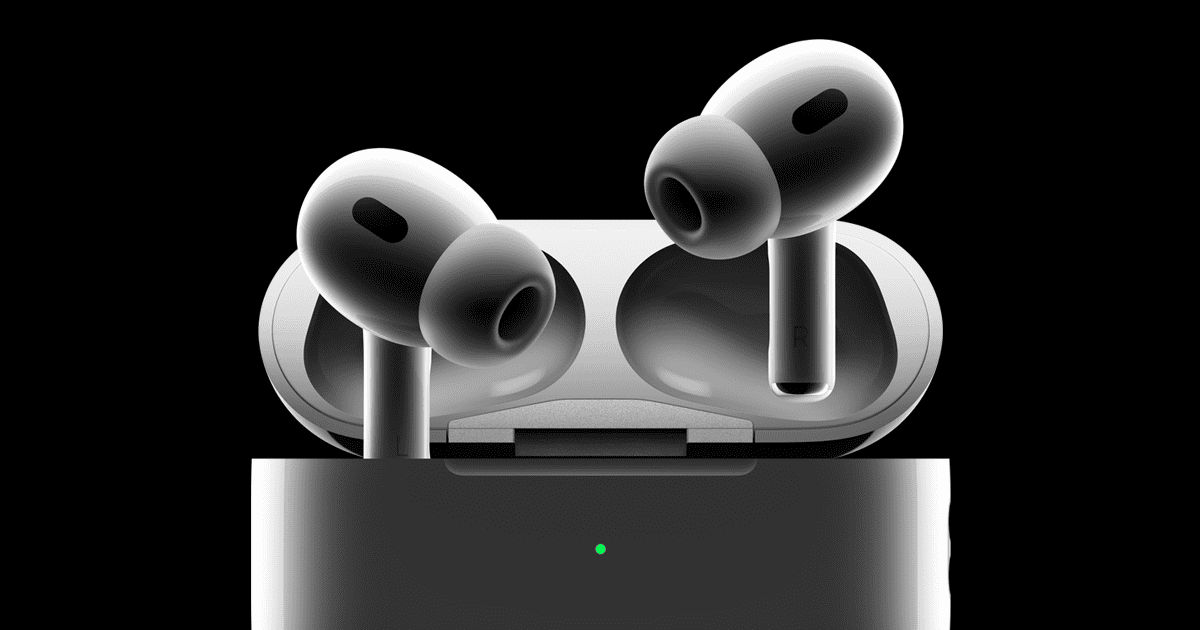
AirPods Pro are not fully waterproof but offer water resistance. These popular wireless earbuds have an IPX4 rating, which protects them against splashes and sweat. This means you can wear them during workouts or in light rain without worry.
Apple’s design focuses on everyday use rather than complete submersion. The AirPods Pro can handle accidental spills or sweaty ears. But swimming or showering with them is not recommended. Their water resistance helps in many situations, yet care is still needed.
The table below shows how AirPods Pro compare to other AirPods models in terms of water resistance:
| Model | Water Resistance Rating |
|---|---|
| AirPods Pro | IPX4 |
| AirPods (3rd gen) | IPX4 |
| AirPods (2nd gen) | Not rated |
| AirPods Max | Not rated |
Are AirPod Pros Waterproof? Understanding Their Water Resistance Capabilities
If you’re considering buying AirPods Pro or already own a pair, you might be wondering whether they can handle sweat, rain, or even a quick dip in water. Here’s everything you need to know about AirPods Pro water resistance.
The Short Answer: Water-Resistant, Not Waterproof
No, AirPods Pro are not waterproof. However, they are water-resistant, which means they can handle some exposure to water but are not designed for submersion. This is an important distinction that affects how you should use and care for your AirPods Pro (source: Apple Support).
Understanding the IP Rating
AirPods Pro (1st and 2nd Generation): IPX4
Both the first and second-generation AirPods Pro have an IPX4 rating. Here’s what that means:
- IP = Ingress Protection (the standard rating system)
- X = No rating for dust protection
- 4 = Protection against water splashes from any direction
What IPX4 protects against:
- Sweat during workouts
- Light rain
- Water splashes
- Accidental spills
What IPX4 does NOT protect against:
- Submersion in water (swimming, showering, bathing)
- High-pressure water jets
- Extended exposure to water
- Saltwater or chlorinated water
(source: SimplyMac)
AirPods Pro 3: IP57 Rating
The upcoming AirPods Pro 3 (expected to release in the future) are rumored to have an IP57 rating, which provides enhanced protection:
- 5 = Some dust protection (not fully dust-proof)
- 7 = Protection against immersion in water up to 1 meter for up to 30 minutes
This would make them significantly more water-resistant than previous models, though still not truly waterproof (source: Mac Observer).
What About AirPods Pro Charging Cases?
First Generation AirPods Pro Case
The original AirPods Pro charging case has no water resistance rating. This means:
- Keep the case away from water completely
- Don’t expose it to rain or moisture
- Dry your AirPods before placing them in the case
Second Generation AirPods Pro Case (MagSafe/USB-C)
The AirPods Pro 2nd generation charging case has an IPX4 rating, matching the earbuds themselves. This is a significant improvement, as you can now:
- Use the case in light rain
- Handle it with slightly wet hands
- Not worry as much about sweat transfer from the earbuds
(source: How-To Geek)
Other AirPods Models Water Resistance
For comparison, here’s how other AirPods models stack up:
- AirPods (1st & 2nd Gen): No water resistance
- AirPods (3rd Gen): IPX4 (sweat and water resistant)
- AirPods (4th Gen): IPX4 (both standard and ANC models)
- AirPods Max: No water resistance rating
(source: Apple Support)
What You Can Do with Water-Resistant AirPods Pro
Safe Activities:
✅ Working out – Perfect for gym sessions and running ✅ Light rain – Walking or jogging in drizzle is fine ✅ Sweaty activities – Running, cycling, or other cardio exercises ✅ Quick rinses – Brief exposure to water while washing hands
Risky Activities to Avoid:
❌ Swimming – Not designed for submersion ❌ Showering – Extended water exposure and steam can damage them ❌ Water sports – Activities like surfing, kayaking, or jet skiing ❌ Heavy rain – Prolonged exposure to downpours ❌ Saunas or steam rooms – Heat and moisture can cause damage ❌ Washing – Don’t intentionally wash them under running water
(source: SoundGuys)
What to Do If Your AirPods Pro Get Wet
If your AirPods Pro are exposed to water, follow these steps:
Immediate Actions:
- Wipe them dry – Use a soft, dry, lint-free cloth
- Remove excess water – Gently shake them with the speaker mesh facing downward
- Air dry – Place them on a dry surface in a well-ventilated area
- Wait before charging – Let them dry completely (at least 12 hours) before placing in the charging case
- Don’t use heat – Never use a hair dryer, microwave, or other heat sources
For the Charging Case:
- Open the case and turn it upside down
- Gently tap to remove water
- Wipe with a dry cloth
- Leave open to air dry completely
- Don’t charge until fully dry
(source: Apple Support)
Important Limitations and Warnings
Water Resistance Decreases Over Time
- Water resistance isn’t permanent and diminishes with normal wear
- Dropping your AirPods can compromise seals
- Battery aging can affect water resistance
- Don’t rely on the same level of protection after years of use
Not Covered by Warranty
Apple’s standard warranty does not cover liquid damage to AirPods Pro, even though they’re water-resistant. If your AirPods Pro stop working due to water exposure:
- Standard warranty won’t cover repairs
- AppleCare+ for Headphones covers two incidents of accidental damage (with a service fee)
- Out-of-warranty replacement costs around $89 per earbud
(source: SlashGear)
Other Liquids to Avoid
Water resistance primarily refers to fresh water. Avoid exposure to:
- Saltwater (highly corrosive)
- Chlorinated pool water
- Soapy water
- Perfumes, lotions, or oils
- Acidic liquids (soda, juice)
- Alcoholic beverages
These can damage the water-resistant seals and internal components (source: Apple Support).
Best Practices for Protecting Your AirPods Pro
During Workouts:
- Wipe sweat off immediately after exercising
- Store in a dry place, not a sweaty gym bag
- Let them air dry before putting in the case
- Clean regularly with a dry cloth
In Rainy Weather:
- Use an umbrella when possible
- Put them away if rain becomes heavy
- Dry immediately when you get indoors
- Consider wearing a hood for extra protection
General Care:
- Store in the charging case when not in use
- Keep the case closed to prevent moisture entry
- Don’t expose to extreme temperatures
- Clean speaker mesh regularly to prevent water-trapping debris
- Consider using ear tips that fit snugly for better seal
(source: SimplyMac)
Alternatives for Water Activities
If you need earbuds specifically for swimming or water sports, consider:
- Waterproof earbuds with higher IP ratings (IP67 or IP68)
- Swimming-specific earbuds designed for underwater use
- Bone conduction headphones that don’t seal the ear canal
- Models with built-in storage (since Bluetooth doesn’t work underwater)
AirPods Pro are excellent for most daily activities but aren’t designed for serious water exposure.
Testing Water Resistance (Not Recommended)
While some users test their AirPods Pro by intentionally exposing them to water:
- This voids any warranty claims
- Water resistance degrades over time
- Individual units may have manufacturing defects
- Success stories don’t guarantee your pair will survive
- Don’t intentionally test the limits
The Bottom Line
AirPods Pro are water-resistant (IPX4), not waterproof. They can handle sweat, light rain, and accidental splashes, making them excellent workout companions. However, they’re not designed for swimming, showering, or prolonged water exposure.
Key Takeaways:
- Safe for workouts and light rain
- Not safe for swimming or showering
- Dry them immediately if they get wet
- Water resistance diminishes over time
- Liquid damage isn’t covered by standard warranty
- The 2nd gen charging case is also water-resistant (unlike the 1st gen)
By understanding these limitations and following proper care guidelines, you can enjoy your AirPods Pro in various conditions while minimizing the risk of water damage (source: How-To Geek).
Design and Build Quality
The AirPods Pro feature a compact design optimized for comfort and functionality. They incorporate high-quality materials and thoughtful engineering to enhance durability and water resistance.
Material and Durability
AirPods Pro are crafted from glossy white plastic with a premium feel. The earbuds have a stem design that houses internal components and enables touch controls. Silicone tips improve fit and passive noise isolation.
The charging case is also made of durable plastic with a smooth finish. It uses a magnetic lid closure to keep the earbuds secure. The case includes a metal hinge for long-term reliability.
Apple uses high-grade materials to withstand daily use. The AirPods Pro should hold up well to accidental drops and regular wear and tear. However, they aren’t indestructible, so proper care is still important.
Water and Dust Resistance
AirPods Pro offer IPX4 water resistance. This rating protects against splashes and light rain. You can safely use them during workouts or in light precipitation.
The earbuds can withstand sweat exposure during exercise. However, they are not fully waterproof. Avoid submerging them or exposing them to heavy water flow.
The charging case lacks official water resistance. Keep it dry to prevent damage to internal electronics.
For dust protection, AirPods Pro have an IP4X rating. This guards against small particle intrusion but isn’t completely dustproof.
| Feature | Rating | Protection Level |
|---|---|---|
| Water Resistance | IPX4 | Splashes, light rain |
| Dust Resistance | IP4X | Most dust particles |
While moderately resistant, treat your AirPods Pro with care to ensure longevity. Avoid unnecessary water or dust exposure when possible.
Performance and Functionality
AirPods Pro deliver high-quality audio and advanced features. They offer long-lasting battery life and easy charging options. The earbuds also provide seamless connectivity and intuitive controls for a smooth user experience.
Audio Quality and Features
AirPods Pro excel in sound quality with custom high-excursion Apple drivers. These drivers produce clear, rich audio across all frequencies. Active Noise Cancellation (ANC) blocks unwanted external sounds, letting you focus on your music or calls.
The Adaptive EQ feature automatically tunes music to your ear shape. This ensures consistent, high-quality audio playback. Spatial Audio with dynamic head tracking creates an immersive listening experience. It simulates surround sound, making you feel like you’re in the center of the action.
AirPods Pro also feature a built-in microphone for clear voice capture during calls or voice commands.
Battery Life and Charging
AirPods Pro offer impressive battery life for all-day use. You can expect up to 6 hours of listening time with ANC enabled. The charging case provides additional power, extending total listening time to 30 hours.
| Feature | Duration |
|---|---|
| Listening Time (ANC on) | Up to 6 hours |
| Listening Time (with case) | Up to 30 hours |
| Charging Time (earbuds) | About 1 hour |
The MagSafe Charging Case supports various charging methods. You can charge it wirelessly using Qi-certified chargers or MagSafe accessories. USB-C charging is also available for fast and convenient power-ups.
A quick 5-minute charge in the case gives you about an hour of listening time. This feature is handy when you need a quick boost before heading out.
Connectivity and Controls
AirPods Pro use Bluetooth 5.3 for stable and efficient wireless connections. The H2 chip enables quick pairing with Apple devices and seamless switching between them.
Touch controls on the stems allow easy management of playback and calls. You can play, pause, skip tracks, and toggle between ANC and Transparency modes. The force sensor provides tactile feedback, ensuring accurate input.
“Hey Siri” voice activation lets you control your AirPods hands-free. You can adjust volume, get directions, or send messages without reaching for your phone.
AirPods Pro are compatible with both iOS and Android devices. However, some features like automatic switching are limited to Apple ecosystems.
Usage and Care Instructions
AirPods Pro require proper handling to maintain their water resistance and functionality. Follow these guidelines to protect your device and extend its lifespan.
Cleaning Guidelines
Use a soft, dry, lint-free cloth to wipe down your AirPods Pro after workouts or exposure to moisture. This removes sweat and water droplets that could damage the device.
Don’t use heat or compressed air to dry AirPods Pro. These methods may cause damage.
For stubborn dirt, dampen the cloth slightly with fresh water. Avoid getting moisture in any openings.
Clean the mesh grilles gently with a dry, soft-bristled brush like a clean toothbrush. This removes debris without pushing it further into the device.
Regularly check and clean the charging case. Wipe it with a dry cloth to prevent dirt buildup.
Precautions for Water Exposure
AirPods Pro have an IPX4 rating, making them splash-resistant but not waterproof. They can handle sweat and light rain but shouldn’t be submerged.
Don’t wear AirPods Pro while swimming or showering. Water exposure beyond splashes may cause damage.
If AirPods Pro get wet, shake out excess water and let them air dry completely before using or charging.
Don’t put wet AirPods Pro in the charging case. This could damage both the earbuds and the case.
| Activity | Safe for AirPods Pro? |
|---|---|
| Light rain | Yes |
| Heavy sweating | Yes |
| Swimming | No |
| Showering | No |
Remember, water resistance may decrease over time with normal wear. Handle your AirPods Pro carefully to maintain their protective features.
Frequently Asked Questions
AirPods Pro have some water resistance but aren’t fully waterproof. Users often wonder about their limits and proper care. Let’s address common questions about AirPods Pro and water exposure.
Can AirPods Pro be used while taking a shower?
No, you shouldn’t use AirPods Pro in the shower. They’re not designed for direct water exposure or submersion. The steam and water from showers can damage the internal components.
What is the water resistance rating of AirPods Pro?
AirPods Pro have an IPX4 water resistance rating. This means they can handle splashes of water from any direction. But they’re not waterproof against submersion or high-pressure water streams.
How should you handle AirPods Pro if they get wet?
If your AirPods Pro get wet, dry them immediately. Use a soft, lint-free cloth to wipe them down. Don’t use heat sources like hair dryers to speed up drying. Let them air dry in a safe place before using or charging them again.
Are AirPods Pro safe to use during water-based activities?
AirPods Pro aren’t safe for water-based activities. They’re not designed for use in water sports like swimming. Stick to land-based activities to keep your AirPods Pro safe.
Is there a difference in water resistance between different AirPod generations?
Yes, there are differences. Third and fourth-generation AirPods and all AirPods Pro models are water-resistant. Earlier generations lack this feature. Always check your specific model’s capabilities.
How does water exposure affect the warranty of AirPods Pro?
Water damage isn’t covered under Apple’s standard warranty for AirPods Pro. Liquid damage can void your warranty. Be cautious with water exposure to protect your investment and warranty coverage.
| AirPods Model | Water Resistance Rating | Suitable for Splashes | Suitable for Swimming |
|---|---|---|---|
| AirPods Pro | IPX4 | Yes | No |
| AirPods (3rd Gen) | IPX4 | Yes | No |
| AirPods (1st/2nd Gen) | None | No | No |