
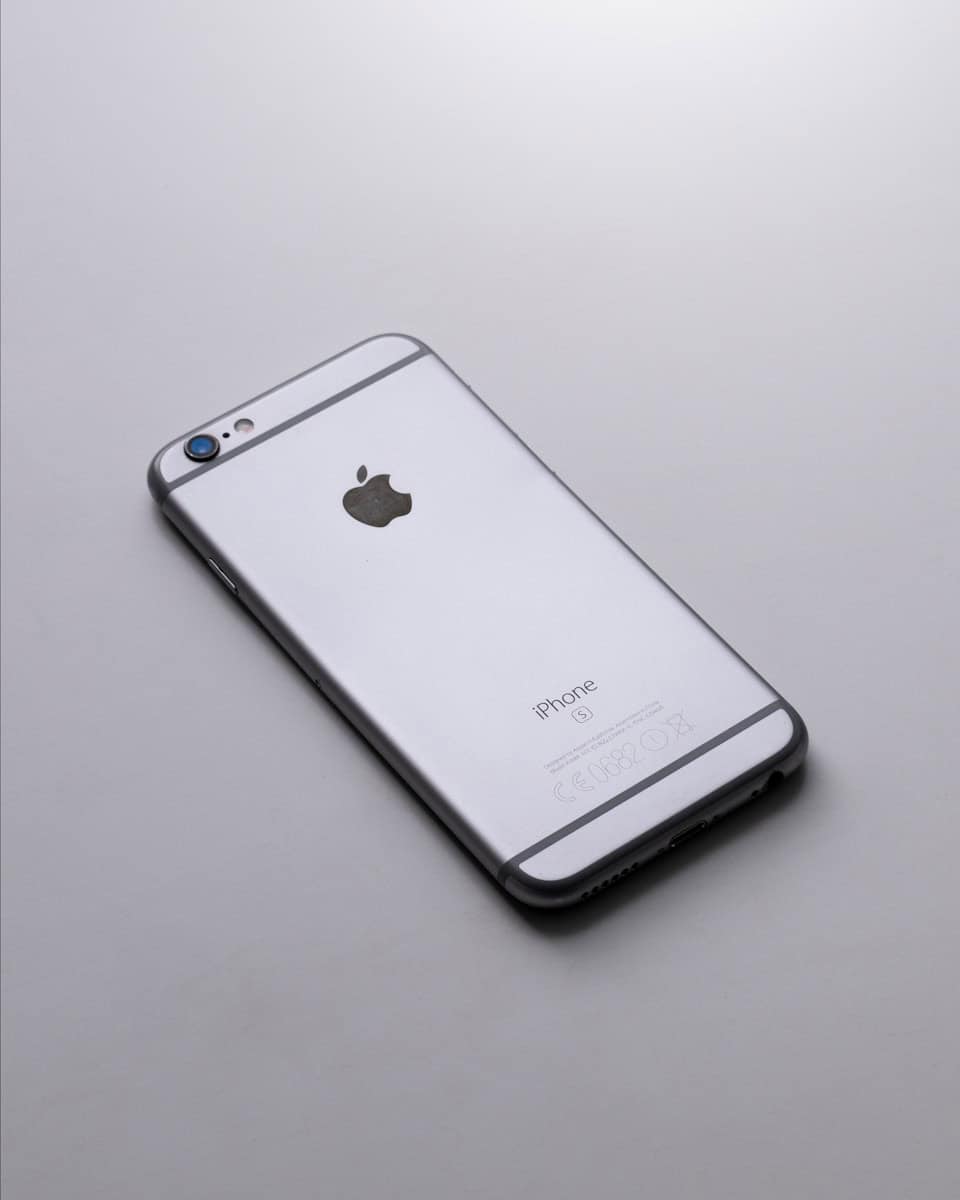
The iPhone series stopped the traditional 3.5mm headphone jack after the 6S was released. This design choice reflected a broader shift in the mobile industry towards wireless technology, as Apple and other manufacturers phase out the analog connector.
With the omission of the headphone jack, users now rely on alternatives for audio playback. Apple offers wireless AirPods and headphones supporting the Lightning connector, while third-party adapters enable the use of traditional headphones with the iPhone. This change emphasizes the growing trend of favoring Bluetooth and other wireless solutions for audio.
iPhone Headphone Jack Options: What to Use Now That iPhones Don’t Have One
Apple removed the traditional 3.5mm headphone jack starting with the iPhone 7. The last iPhone with a headphone jack was the iPhone 6S, and even with the latest iPhone 17 series, Apple has not brought it back.
That doesn’t mean you’re out of options. Whether you prefer wired audio, need professional‑grade sound, or just want something simple, there are several reliable ways to use headphones with modern iPhones.
This guide covers all iPhone headphone jack alternatives, how they work, and which option is best for you.
Why iPhones No Longer Have a Headphone Jack
Apple removed the headphone jack to:
- Make room for larger batteries and components
- Improve water resistance
- Push wireless audio adoption
- Simplify internal design
While controversial, the decision is now permanent—every iPhone since the 6S (including the iPhone 17 lineup) relies on alternatives.
Option 1: Lightning‑to‑3.5mm Headphone Adapter (Older iPhones)
Best for: iPhones with Lightning ports (iPhone 7 through iPhone 14)
How it works
Apple’s Lightning‑to‑3.5mm adapter includes a built‑in digital‑to‑analog converter (DAC) that converts audio for wired headphones.
Pros
- Excellent audio quality
- Supports calls and inline controls
- Affordable
- Works with most wired headphones
Cons
- Easy to lose
- Occupies the charging port
- Requires an adapter dongle
Tip: Stick with Apple’s official adapter or a certified MFi option for best reliability.
Option 2: USB‑C‑to‑3.5mm Headphone Adapter (Newer iPhones)
Best for: USB‑C iPhones (iPhone 15, 16, and 17 series)
How it works
USB‑C iPhones require a USB‑C‑to‑3.5mm adapter, which may or may not include a DAC depending on the model.
Pros
- High‑quality digital audio
- Works with many third‑party adapters
- Supports high‑resolution audio with the right DAC
Cons
- Not all adapters are equal
- Cheap models may lack microphones or controls
What to look for:
- Built‑in DAC
- Microphone support
- iOS compatibility
Apple’s USB‑C adapter is the safest choice.
Option 3: Wired Headphones Designed for Lightning or USB‑C
Best for: Users who want a simple, no‑dongle solution
Examples
- Apple EarPods (Lightning)
- Apple EarPods (USB‑C)
- Third‑party wired USB‑C headphones
Pros
- No adapter needed
- Full support for controls and microphones
- Plug‑and‑play convenience
Cons
- Limited headphone selection
- Not ideal for audiophiles
This option is great for everyday use and calls.
Option 4: Bluetooth Wireless Headphones
Best for: Convenience and portability
Popular choices
- AirPods / AirPods Pro / AirPods Max
- Beats headphones
- Third‑party Bluetooth earbuds and headphones
Pros
- No wires or adapters
- Seamless Apple ecosystem integration
- Active noise cancellation and spatial audio support
Cons
- Battery charging required
- Potential audio latency
- Compression limits audio quality
For most users, Bluetooth headphones are the easiest long‑term solution.
Option 5: USB‑C or Lightning Audio Interfaces (Advanced Users)
Best for: Musicians, podcasters, and audio professionals
How it works
Audio interfaces connect via Lightning or USB‑C and provide:
- 3.5mm headphone outputs
- Microphone inputs
- Instrument connections
Pros
- Studio‑quality audio
- Multiple input/output options
- Better amplification for high‑impedance headphones
Cons
- More expensive
- Less portable
- Overkill for casual listening
Option 6: Bluetooth DACs and Receivers
Best for: Audiophiles who want better sound without wires
Examples
- Portable Bluetooth DAC/amps
- Wireless receivers with headphone outputs
Pros
- Better audio quality than basic Bluetooth
- Supports advanced codecs
- Works with high‑end wired headphones
Cons
- Extra device to carry
- Needs charging
Can You Charge and Use Wired Headphones at the Same Time?
Yes—with the right accessory.
Solutions:
- Lightning or USB‑C splitters (charging + audio)
- Docking adapters with pass‑through charging
- Audio interfaces with power input
Note: Quality varies—cheap splitters may cause noise or dropouts.
Which Option Is Best for You?
| User Type | Best Option |
|---|---|
| Casual listener | Bluetooth headphones |
| Wired headphone fan | Apple adapter + favorite headphones |
| Calls & meetings | Wired EarPods (USB‑C or Lightning) |
| Audiophile | High‑quality USB‑C DAC |
| Music creator | Audio interface |
| Frequent traveler | Bluetooth with ANC |
Will Apple Ever Bring Back the Headphone Jack?
Highly unlikely. With:
- Years of wireless focus
- USB‑C adoption
- Continued adapter support
Apple appears fully committed to a dongle‑and‑wireless future.
Final Thoughts
Even though the iPhone 6S was the last model with a headphone jack, modern iPhones—including the iPhone 17 series—still offer plenty of reliable audio options. Whether you choose adapters, wired USB‑C headphones, or wireless audio, there’s a solution for every use case.
Key Takeaways
- The iPhone 13 lacks a 3.5mm headphone jack, favoring a design without it.
- Users can listen to audio wirelessly or through Lightning-enabled accessories.
- The shift to wireless solutions aligns with industry trends and user preferences.
Design and Connectivity
The iPhone 13 models lack a 3.5mm headphone jack, emphasizing Apple’s push towards wireless and Lightning connector options for audio and charging.
Evolution of the iPhone Headphone Jack
The 3.5mm headphone jack was once an essential feature of iPhones, but it got removed from the iPhone lineup starting with the iPhone 7. The design choice moved users to newer audio solutions. Apple’s decision to remove the headphone jack marked a notable shift in design philosophy towards a more streamlined aesthetics.
The Lightning Connector Era
With the headphone jack gone, the Lightning port is the iPhone 13’s sole physical connection. This change means that users now charge their devices and connect Lightning headphones through the same port. The iPhone 13, iPhone 13 mini, iPhone 13 Pro, and iPhone 13 Pro Max all share this design aspect. Those wishing to use traditional headphones can do so with a Lightning to 3.5mm headphone jack adapter.
Wireless Audio Solutions
The removal of the headphone jack has also paved the way for a stronger focus on wireless audio technologies. The iPhone 13 series supports Bluetooth connectivity that works with a wide range of wireless headphones and earbuds. This embraces the trend of wireless freedom, reducing reliance on physical connectors and enhancing user mobility.
User Experience and Accessories
The absence of a headphone jack in the iPhone 13 steers users toward a wireless future with an array of accessory options. This shift affects audio quality and the choice of headphones.
Audio Quality and Enhancements
The iPhone 13 works seamlessly with iOS to provide an immersive audio experience. AirPods and Beats headphones, equipped with Apple’s H1 or W1 chips, elevate sound quality through features like noise cancellation and optimized battery life. For high-fidelity sound, users can pair their device with a USB DAC, an external device that converts digital audio information into an analog signal. This enhances sound beyond standard bluetooth capacities.
The Convenience of Wireless
Wireless audio solutions offer unmatched convenience. AirPods exemplify this with features like autopause, which stops audio playback when the earbuds are removed. Wireless connectivity frees users from the tangles and restrictions of cords. The battery life of devices like the AirPods Pro ensures users can enjoy their audio throughout the day without frequent charging.
Headphone Options and Accessories
A variety of audio devices are compatible with the iPhone 13. Users can select from premium options like AirPods Pro or budget-friendly alternatives like Belkin earbuds. For those seeking to retain the use of wired headphones, Belkin and other brands offer adapters that convert the iPhone’s lightning port into an audio jack. Pioneer’s Rayz earbuds are another popular choice, connecting via the iPhone’s lightning port and offering smart features such as noise cancellation and autopause.





